Table of contents
What are LLM orchestration tools?
LLM orchestration tools manage the full lifecycle of complex LLM interactions. One query to a foundation model is simple. Production LLM applications aren't. An orchestration layer acts as the operational bridge between AI models, data sources, and the interfaces your users touch.
When you build conversational AI or context-augmented LLM applications, you can't rely on single prompt-response calls. Production systems chain prompt templates, execute tool calls against external software, connect to vector stores, hold agent logic across sessions, and parse messy LLM outputs into structured data. LLM orchestration frameworks handle these multi-step workflows end to end so your application runs business logic predictably.
The orchestration layer acts as the brain and backbone of your generative AI stack. It takes raw LLM inputs, runs data retrieval across knowledge bases through retrieval augmented generation (RAG), coordinates multiple AI agents, and enforces enterprise governance on every downstream API call. Knowing what an LLM can and can't do on its own is the starting point for understanding why the orchestration layer matters so much.
LLM orchestration frameworks vs. LLM orchestration platforms
The distinction between orchestration frameworks and orchestration platforms decides your architecture. Engineering teams often frame it as a choice between code libraries and infrastructure layers, but production environments usually run both.
An orchestration framework is a code-level SDK, such as LangChain, LlamaIndex, or Microsoft Agent Framework. Developers import these libraries into their codebases to write custom agent logic, build retrieval augmented generation RAG pipelines, handle prompt engineering, and structure multi-agent systems. Frameworks give you granular control over every execution step and data structure.
An orchestration platform, usually shipped as an AI orchestration platform or as a part of an AI gateway, is an infrastructure-level management plane. AI orchestration platforms handle multi-provider routing, load balancing across multiple LLM instances, LLM observability, data access security, audit logs, and cost controls.
Dimension | LLM orchestration frameworks | LLM orchestration platform |
|---|---|---|
Primary focus | Application logic, prompt chaining, and RAG pipelines | Infrastructure management, routing, governance, and observability |
Delivery model | Code libraries and developer SDKs (Python, TypeScript) | Managed cloud services, self-hosted proxies, or enterprise control planes |
Core capabilities | Graph execution, vector stores integration, and tool calls | Fallback routing, centralized audit logs, and rate limiting |
Best used for | Building custom agent logic and complex workflows | Governing production traffic across multiple AI models |
Frameworks define how your application thinks. Platforms govern how it runs in production.
LLM orchestration tools vs. AI orchestration tools: what's the difference?
The terms sound interchangeable, but LLM orchestration tools and general AI orchestration tools solve different problems in the enterprise stack.
AI orchestration covers the broad management of classic machine learning pipelines, distributed compute clusters, data engineering jobs, and model training workflows. Traditional AI orchestration platforms lean on tools like Apache Airflow, Kubeflow, and Ray to schedule batch processes, manage GPU infrastructure, and transform training data for predictive algorithms.
LLM orchestration works at the real-time execution layer for large language models. Instead of managing training jobs, an LLM orchestration framework handles inference-time operations: dynamic prompt construction, vector search data retrieval, tool calling, multi-model routing, and stateful agent to agent collaboration.
What to look for in LLM orchestration tools
Modern orchestration platforms and frameworks vary widely in how well they hold up under production load. These are the criteria that matter when you're shortlisting:
- Multi-provider routing. LLM orchestration tools route requests across different LLM providers seamlessly, allowing AI systems to fall back to alternative endpoints during outages with no downtime.
- State and memory management. Your tool needs persistent state tracking across multi-step workflows, holding context through long conversational AI sessions and complex tasks.
- Observability and tracing. You'll want full visibility into latency, token usage, tool execution paths, and intermediate LLM outputs to debug production-grade LLM applications.
- Access governance. Enterprise buyers need fine-grained data access controls, role-based permissions, and complete audit logs to protect sensitive data across corporate data sources.
- Deployment flexibility. An LLM orchestration tool has to fit your infrastructure, whether that's SaaS cloud services, a private VPC, on-premises clusters, or local development environments.
- Ease of setup. Developer adoption hinges on clean SDKs, clear documentation, prebuilt prompt templates, native connectors for popular vector databases, and a usable graphical user interface.
Weigh these criteria against your own stack. A team shipping a RAG assistant and a team governing organization-wide AI spend won't land on the same tool.
Best LLM orchestration tools in 2026
The market for LLM orchestration tools spans developer-first open-source libraries, graphical workflow builders, and hardened enterprise gateways. The tools below are grouped so you can see the split clearly: code-level frameworks first, then the platforms and gateways that govern traffic in production. Each entry covers core capabilities, trade-offs, and the scenario where it earns its place.
1. nexos.ai
All-in-one AI platform whose AI gateway routes, governs, and monitors every AI model call your organization makes, no code changes required.
Usage-based, enterprise plans available
Cloud, VPC, or self-hosted
-
One OpenAI-compatible endpoint for every provider
-
Smart Routing matches each task to the right model
-
Permissions, budgets, and audit logs managed in one place
-
Less useful for solo developers working with a single provider
-
Not a standalone observability tool
nexos.ai is an all-in-one AI platform that works at the network layer, so every LLM call passes through one governed control plane, whichever orchestration framework built it. Most LLM orchestration frameworks lose visibility the moment a request leaves the codebase. Governing at the network layer closes the shadow AI gap that opens when people start using unsanctioned AI models on their own, and lets teams compare or switch models at the gateway instead of inside application code.
Key features: Multi-provider routing across 200+ models through a single OpenAI-compatible endpoint, Smart Routing for cost-optimized model selection, end-to-end observability with token and latency tracking, and centralized budget and access controls.
Pros: Unified access without vendor lock-in, meaningful cost reduction on mixed workloads, and audit-ready governance out of the box.
Cons: Complements rather than replaces a code-level orchestration framework, so teams building complex agent logic will still pair it with LangChain, LlamaIndex, or similar.
Best for: Organizations running AI across multiple teams and providers that need cost control, security, and observability without slowing engineering down.
Pricing and open source: Not open source. Usage-based pricing, with enterprise plans for teams needing dedicated governance and support.

Run every AI model in one Gateway
One secure, lightweight layer to access, route, and manage 200+ models.
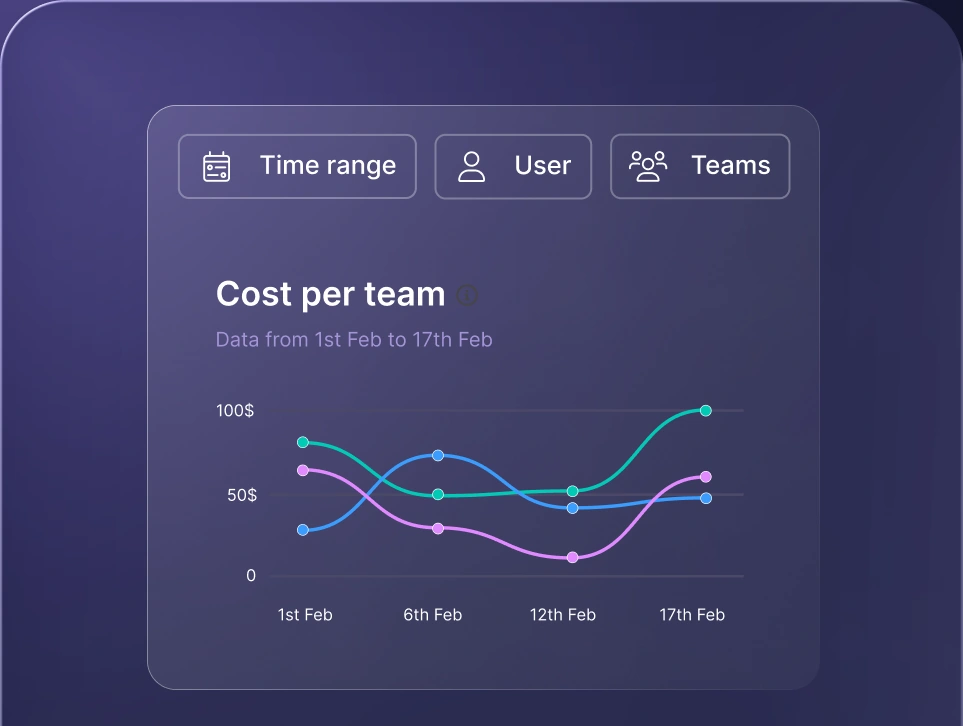
Monitor AI usage
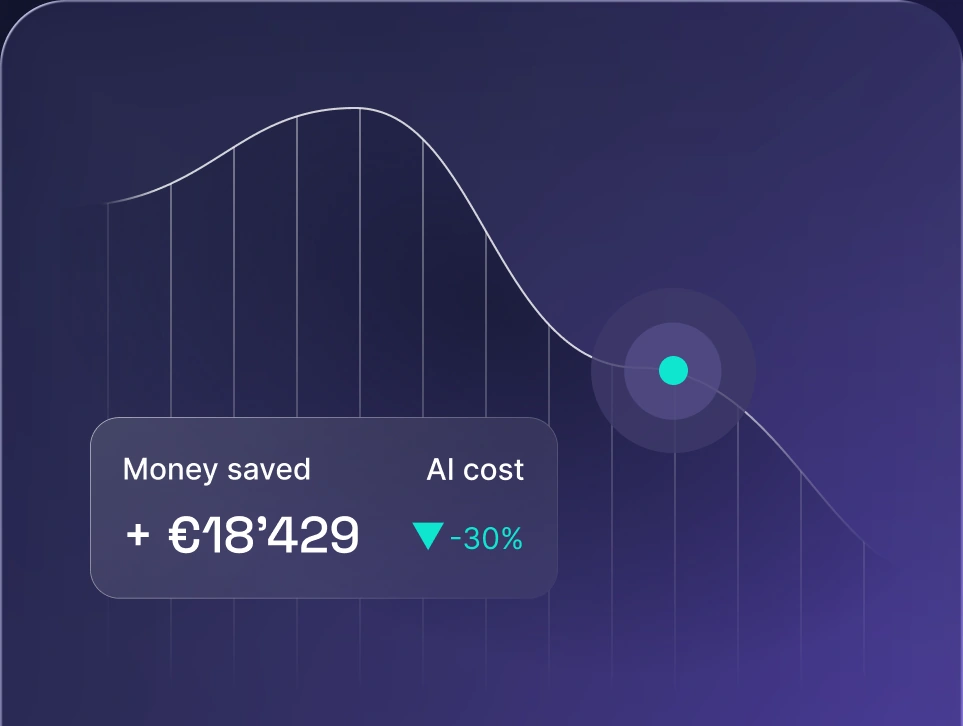
Control AI spend
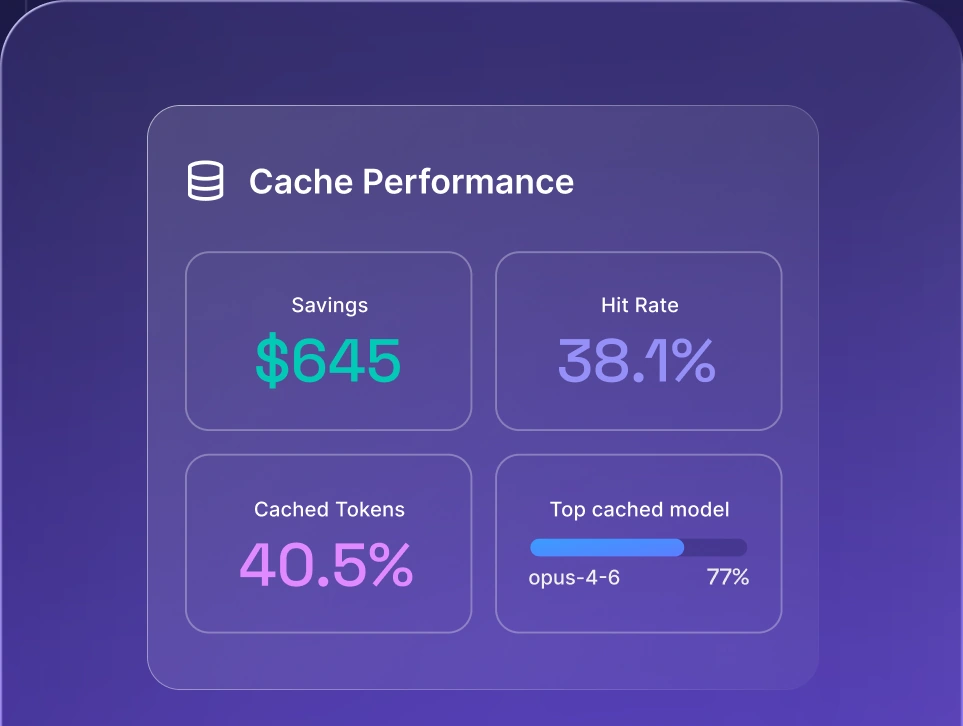
Optimize AI costs

2. LangChain and LangGraph
Open source framework for prompt chaining and graph-based agent state.
Free core + LangSmith from $39/mo
Self-hosted
-
Deep flexibility for custom agents
-
Huge ecosystem, 700+ integrations
-
Durable state checkpointing
-
Steep curve, frequent API churn
-
Overkill for simple tasks
LangChain gives developers modular components for context-augmented LLM applications, and LangGraph layers on cyclical execution graphs plus human-in-the-loop control points. LangGraph tracks execution state at every node, which is what keeps autonomous agentic AI use cases recoverable when a step fails midway through a long run.
Key features: Cyclical execution graphs, LangSmith tracing integration, and native multi-agent coordination.
Pros: Deep flexibility for custom architectures, vast community support, and mature state checkpointing.
Cons: Steep learning curve, frequent API updates, and overhead on simple tasks.
Best for: Engineering teams building custom, stateful multi-agent systems and dynamic LLM workflows.
Pricing and open source: Open source (MIT license). LangSmith observability offers a free tier, with paid plans from $39 per user monthly.
3. LlamaIndex
Data-centric framework connecting enterprise data to LLMs for production RAG.
Free core + LlamaCloud pay-as-you-go
Self-hosted
-
Best-in-class data loaders
-
Deep vector database integrations
-
Rich query engines for decomposition
-
Weak fit for cyclical agent loops
-
Heavy abstraction on basic calls
LlamaIndex pulls unstructured files, databases, APIs, and document stores into optimized embeddings through LlamaHub. Its query engines turn natural language prompts into structured search operations across enterprise knowledge bases.
Key features: 100+ data loaders, advanced document parsing (LlamaParse), and structured query engines.
Pros: Best-in-class tooling for RAG architectures, excellent ingestion pipelines, and structured data access.
Cons: Less flexible than LangGraph for non-retrieval agent loops, with complex abstractions for basic API calls.
Best for: RAG applications, enterprise search, and knowledge assistants wired into complex data sources.
Pricing and open source: Open source. LlamaCloud managed service offers a free tier with usage-based pay-as-you-go pricing for enterprise ingestion.
4. Haystack
Modular open source framework for document processing, search, and QA.
Free, Apache 2.0
Self-hosted or deepset Cloud
-
Clean, explicit DAG architecture
-
Strong production search stability
-
Minimal abstraction bloat
-
Smaller community than LangChain
-
Agent features still maturing
Haystack lets developers build clean pipelines where retrievers, rankers, prompt templates, and models connect as explicit graph nodes. That structure makes pipeline testing, version control, and component swapping simple for production teams.
Key features: Directed acyclic graph (DAG) pipelines, modular component design, and deep integration with popular vector stores.
Pros: Clean, readable Python codebase, enterprise-ready stability, and strong documentation for search and retrieval.
Cons: Smaller community than LangChain, and multi-agent orchestration capabilities are still maturing.
Best for: Enterprise search, document question-answering systems, and production-grade LLM applications that need strict pipeline predictability.
Pricing and open source: Fully open source under Apache 2.0. deepset Cloud provides an enterprise-managed platform with custom pricing.
5. Semantic Kernel
Microsoft's orchestration SDK for C#, Python, and Java applications.
Free core + Azure consumption
Self-hosted or Azure
-
Clean fit for .NET and Azure stacks
-
Native MCP and OpenAI Agents SDK
-
Enterprise-grade memory management
-
Python and Java SDKs trail C#
-
Smaller plugin library than rivals
Semantic Kernel treats prompt engineering, native functions, and AI capabilities as modular plugins that language models call dynamically. It connects cleanly to Azure OpenAI Service, Microsoft Copilot extensions, and existing enterprise business workflows.
Key features: Multi-language SDK (C#, Python, Java), plugin-based architecture, and native Azure AI integration.
Pros: Easy adoption for Microsoft-centric engineering teams, enterprise-grade memory management, and first-party Azure support.
Cons: Python SDK sometimes trails C# releases, and the third-party plugin ecosystem is smaller than LangChain's.
Best for: Microsoft-ecosystem enterprises modernizing .NET and Azure business applications with generative AI.
Pricing and open source: Open source (MIT license). Enterprise hosting costs depend on underlying Azure cloud services consumption.
6. Portkey AI
Enterprise gateway for unified routing, observability, and policy across 250+ models.
Free dev tier + Production from $49/mo
Managed cloud or self-hosted
-
Sub-10ms overhead with auto failover
-
Built-in spend tracking and audit logs
-
Drop-in OpenAI SDK compatibility
-
Built for routing, not RAG parsing
-
No local graph authoring
Portkey sits between your application code and downstream LLM providers to deliver production resilience and cost control. Its control plane tracks token spend per feature, records deep audit logs, and prevents downtime through automated fallback routing.
Key features: Universal API for 250+ models, 40+ production checks, semantic caching, and complete request tracing.
Pros: Minimal latency overhead, drop-in integration with OpenAI-compatible clients, and an open-source gateway option.
Cons: Concentrates on routing and gateway infrastructure rather than code-level prompt chaining or local RAG parsing.
Best for: Engineering teams that need fast multi-provider routing, production resilience, and centralized LLM spend visibility.
Pricing and open source: Open-source gateway. The managed Developer tier is free, Production starts at $49 monthly, and custom Enterprise plans are available.
7. Bifrost (Maxim AI)
Go-based AI Gateway built for high throughput, failover, and live evaluation.
Open source core + enterprise by volume
Self-hosted or managed cloud
-
Microsecond-level routing latency
-
Native MCP tool support
-
Direct hooks into evaluation suites
-
Newer, smaller integration list
-
Gateway only, no agent graphs
Bifrost offloads tool execution, prompt sanitization, and provider failover from your application servers. Written in Go, it delivers real-time payload logging, dataset generation, and evaluation triggers straight from live production traffic.
Key features: High-performance Go core, native Model Context Protocol support, automatic failover, and built-in evaluation hooks.
Pros: Strong throughput, ultra-low latency overhead, and tight integration with evaluation suites.
Cons: Newer platform with a growing developer community, and the focus stays on infrastructure.
Best for: High-throughput production applications that need sub-millisecond gateway performance and automated quality evaluation.
Pricing and open source: Open-source gateway available. Enterprise cloud and self-hosted editions are priced on monthly request volume.
8. TrueFoundry
Enterprise control plane for governed model access in private cloud or on-prem.
Enterprise quote
Private VPC, on-prem, air-gapped
-
Total data isolation in your VPC
-
Governs proprietary and open-weight models
-
Granular RBAC and cost tracking
-
Heavy infrastructure footprint
-
High barrier for smaller teams
TrueFoundry deploys into private enterprise environments so security-conscious organizations keep governed access to AI models. The platform manages model deployments, API key distribution, and cluster resources behind corporate firewalls.
Key features: Identity-aware LLM proxy, VPC, on-prem, and air-gapped deployment, automated fine-tuning, and granular RBAC.
Pros: Total data isolation, strong compliance posture, and unified governance across open-weight and proprietary LLMs.
Cons: Heavier infrastructure footprint that needs dedicated platform engineering oversight.
Best for: Security-critical enterprises that need governed model access, air-gapped deployments, and audit-ready cost control.
Pricing and open source: Proprietary enterprise software, priced on managed compute resources and platform license tiers.
9. IBM watsonx Orchestrate
Business workflow platform orchestrating enterprise systems through natural language.
Enterprise subscription
IBM Cloud, hybrid, on-prem
-
Usable by non-technical specialists
-
Native SAP, Salesforce, Workday links
-
Backed by IBM compliance tooling
-
High licensing cost
-
Poor fit for bespoke development
Watsonx Orchestrate ties natural language processing triggers to enterprise systems like SAP, Workday, and Salesforce. The platform coordinates human agents and specialized agents across complex business processes without custom application code.
Key features: Prebuilt enterprise skill catalogs, conversational workflow builder, and enterprise governance.
Pros: Accessible to business analysts with no coding experience, plus deep native integrations with legacy enterprise IT stacks.
Cons: High cost of entry, and a weak fit for developers building bespoke software products.
Best for: Large enterprises automating cross-departmental business workflows and robotic process automation tasks.
Pricing and open source: Commercial enterprise product, priced on monthly user seats and automated task execution volumes.
Across these eight tools the pattern is consistent. Frameworks win on control, gateways win on governance, and most production teams end up running one of each.
How to choose an LLM orchestration tool
Picking the right LLM orchestration framework comes down to your technical requirements, regulatory constraints, and where your architecture is heading. Work through these six criteria before you commit:
- Use case fit. Building document search or knowledge assistants points you toward data-centric frameworks like LlamaIndex. Autonomous multi-agent systems with cycles and human checkpoints point toward LangGraph or Microsoft Agent Framework.
- Governance and compliance depth. Regulated industries handling sensitive data should prioritize granular audit logs, data storage locality, and centralized access controls.
- Deployment flexibility. Work out whether managed cloud services are acceptable or your security policy mandates private VPC, on-premises, or air-gapped hosting.
- Vendor neutrality. Don't lock your application into one model family. Pick orchestration platforms that support 200+ AI models so you can switch the moment a better option ships.
- Cost visibility and control. Your orchestration layer should deliver real-time token tracking, per-team budget limits, and task-based routing that keeps expensive models off routine work.
- Integration effort. Weigh the maintenance burden of running open-source libraries against deploying a managed AI Gateway. Mature teams typically pair an open-source framework for prompt logic with an enterprise gateway for production traffic.
Score your shortlist against all six. The tool that clears governance and deployment constraints usually matters more than the one with the longest feature list.
LLM orchestration vs AI gateway
Once you move from prototype to production, the line between an LLM orchestration framework and an AI Gateway becomes the decision that shapes your whole stack.
An LLM orchestration framework manages your application's cognitive architecture. The framework sequences prompt templates, decides when to fire tool calls, retrieves vector embeddings, and structures agent logic. But frameworks live inside your application runtime, so they can't manage cross-application governance, global rate limits, or organization-wide security policies.
An AI Gateway works at the network and infrastructure level as a unified proxy intercepting outbound model traffic from every application you run. Here's what that buys you:
- Universal API routing. Developers write against a single endpoint while the gateway translates requests to OpenAI, Anthropic, Google, or local open-weight endpoints.
- Automated resilience. Health checks catch model outages and shift traffic to backup providers instantly, so your application never goes dark.
- Dynamic cost optimization. Modern gateways read each request and send routine work to lightweight open-weight models, reserving frontier models for the reasoning steps that actually need them.
- Centralized cost controls. Administrators enforce spending quotas, monitor usage per department, and cut token bills through shared semantic caches.
- Zero code changes. Model upgrades happen at the gateway level, so engineering teams can compare AI models and tune cost against performance without redeploying a single codebase.
You don't have to pick a side. Developers build rich prompt logic in an orchestration framework while every network call flows through an enterprise AI Gateway.
How nexos.ai can help your organization out
nexos.ai is an enterprise AI Gateway and centralized management platform that gives your organization control, visibility, and flexibility across generative AI operations.
Running disparate open-source frameworks across departments creates shadow AI, scattered API keys, and token bills nobody can explain. Autonomous coding agents made it sharper: per-unit intelligence keeps getting cheaper while background AI traffic turns into the fastest-growing line in engineering budgets. nexos.ai solves these LLM challenges with one governed control plane for every model interaction:
- Unified access and Smart Routing. Reach 200+ leading AI models through a single OpenAI-compatible endpoint. Smart Routing reads each request and sends complex planning to frontier models while routine execution goes to cost-efficient open-weight models. In production testing, that split cut costs by 59.2% on one workload, saving over $5,400 on traffic that would have cost more than $9,200 at frontier-model prices. Compare and switch models freely in the AI Workspace for multiple LLMs.
- Comprehensive LLM observability. Close the shadow AI visibility gap with end-to-end LLM observability. Track token consumption, analyze latency per route, review full request traces, and catch bottlenecks across every application in real time.
- Enterprise-grade AI governance. Protect sensitive data and hold your compliance line with centralized AI governance. Enforce role-based permissions, set budget controls, and capture immutable audit logs for every model interaction.
Whether your engineering teams build on LangChain, LlamaIndex, Semantic Kernel, or code of their own, routing traffic through nexos.ai keeps security, resilience, and cost under one roof.


Run every AI model in one Gateway
One secure, lightweight layer to access, route, and manage 200+ models.
