One MCP Gateway
to connect
and
govern AI Agents
Give AI agents secure access to company tools and MCP servers, with centralized access controls
and visibility into every
tool interaction.
Trusted by engineering teams

Why organizations
need a centralized
MCP Gateway
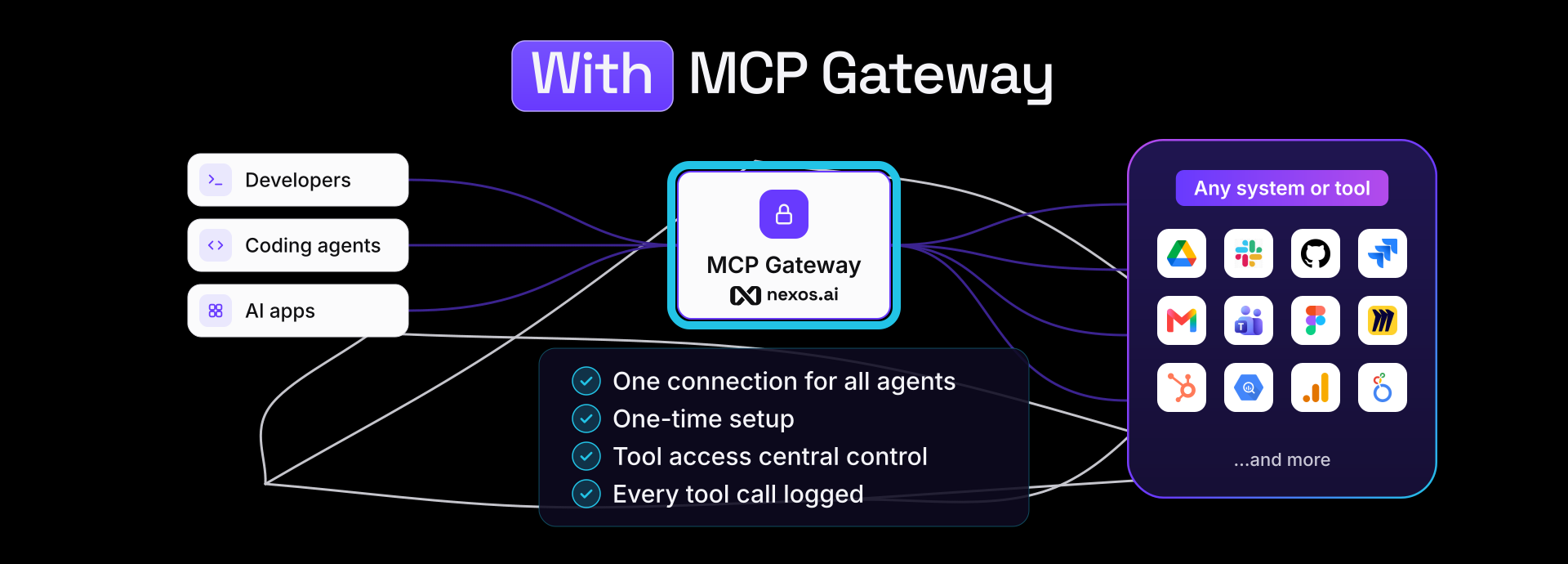
As more developers connect AI agents to company tools, MCP connections multiply, credentials spread across agents, and visibility becomes fragmented.
Too many MCP connections to manage
Avoid repeated configurations across coding agents and other MCP connections. Connect agents to company tools through one centralized MCP gateway.
Unmanaged and scattered access to company tools
Control which MCP servers and tools agents can access, with centralized permissions to grant or revoke access when needed
Limited visibility into Agent activity
Track MCP tool calls in one place to investigate failures, review usage, and maintain an audit trail.
MCP infrastructure built for enterprises
- Connect MCP-compatible coding agents, AI apps to supported company integrations through one end point.
- Reuse existing integrations, such as Slack, Jira, Confluence and more, as MCP tools without building separate MCP servers.
- Reduce duplicate MCP connection setups across different agents.
- Connect MCP-compatible coding agents, including Claude Code, Cursor and others.
- Use ready-made setup configurations for supported agents.
- Authenticate connections using a nexos.ai MCP Gateway API key.
- Keep working in your existing IDE and development environment.
- Authenticate MCP requests with Gateway API keys.
- Use personal API keys for user-specific integrations and organization credentials for company integrations.
- Manage integration credential policies centrally, with clear authentication errors.
- Enable SSO and centralized authentication through Okta, Microsoft Entra ID.
- Control MCP servers, integration and tool access through admin controls.
- Apply role-based access (RBAC) policies by organization, team, or user.
- Grant or revoke permissions without reconfiguring coding agents.
- Reduce shadow tooling and unauthorized MCP connections.
- Keep integrations disabled by default until approved by a company admin.
- Trace MCP tool calls to see which tools the agent invoked.
- Attribute tool activity by integration, tool, API key, company, team or project.
- Review execution results and logs for faster debugging.
- Keep searchable audit logs for accountability, and audit investigations.
- Track request volume, latency, and errors across MCP traffic.
- Monitor integration health and identify slow or failing tool-call activity.
- Analyze MCP usage by integration, API key, or team.
- Investigate failed requests and troubleshoot performance issues through Gateway logs.
Connect your coding agents to company tools

Connect tools and services
Make approved company integrations and MCP tools available to coding agents via single Gateway.
Authenticate and control access
Use Gateway API keys for authentication and RBAC policies to control access to company tools.
Discover and execute
Cursor, Claude Code, and other coding agents discover and invoke MCP tools.
Observe
Monitor MCP tool calls, track performance and troubleshoot errors.
One Gateway for AI
models and tools
AI Gateway
Access 200+ AI models via one API endpoint with caching, smart router, automatic failover, and cost controls.
Explore AI Gateway MCP Gateway
Connect coding agents to company tools, with authentication, access controls and observability.
What leading
teams say about us
Marijus Briedis
CTO @NordVPN
Reduction in total LLM costs
“nexos.ai helped us reduce coding-agent LLM costs by 46% without changing our prompts, models, or developer workflows. The optimization was transparent to our engineers, while giving us much better visibility into AI usage and spend.”
Read customer story COO
Oxylabs
Head of Product
Hostinger Horizons
Co-Founder and CTO
Payhawk
Enterprise security and compliance, built-in
No training on your data
Your data is never used to train AI models, with zero data retention on supported models.
SSO and access control
Manage authentication and permissions with SSO and role-based access control (RBAC)
Hosted in Europe
Keep supported model requests and data within EU-hosted infrastructure.
Audit logs
Track MCP tool activity and access events for security reviews and compliance


