Table of contents
Key takeaways
- Portkey alternatives vary by routing, cost, and governance focus.
- Match the tool to your priority, whether that's cost, observability, or control.
- Managed gateways cut ops overhead compared with self-hosted setups.
- Use a feature table to compare before migrating.
- nexos.ai unifies model access, governance, and cost control.
What is Portkey?
Portkey is a control layer, an AI gateway that sits between your application and your LLM providers, handling routing, retries, caching, failover, and observability. Portkey gives you one endpoint in front of multiple models, so you can switch providers without rewriting code. More recently, Portkey offers MCP gateway capabilities that let AI agents reach tools through the Model Context Protocol. Here are the core capabilities every Portkey alternative is measured against.
- LLM routing and fallbacks. Send each request to the right model, with automatic failover when a provider fails.
- Caching. Semantic caching and simple caching to cut latency and spend.
- Observability. Track latency, token usage, and cost across every call.
- Prompt management. Version, store, and reuse prompts across your team with built-in prompt management.
- SDKs and APIs. An OpenAI-compatible interface with a unified API and language SDKs.
- MCP gateway. An MCP gateway that connects agents to MCP servers through the Model Context Protocol.
Why teams look for a Portkey alternative
Portkey is a capable AI gateway, so the reasons teams evaluate a Portkey alternative are usually about fit, not failure. A gateway is core infrastructure, and the right gateway depends on your stack. Most teams evaluating Portkey alternatives come down to a handful of category requirements, from developer experience to security controls. Here are the common drivers.
- Broader multi-provider coverage. Teams want a wider model catalog and access to more LLM providers through one gateway.
- Deeper cost visibility. Finance wants unified cost tracking, per-team budgets, and per-provider breakdowns in one place.
- Stronger governance. Security teams want enterprise governance with RBAC, SSO, audit logs, and policy enforcement built in.
- A different hosting model. Some teams need a managed AI gateway for zero ops, others need self-hosted deployment for full control.
- A wider AI workspace. Many teams want the gateway to plug into a broader AI infrastructure and route all LLM traffic through one production stack, so the gateway does more than a standalone lightweight proxy or focused tool that covers only one job.
- Support for multiple providers. Teams want reliable access across multiple providers, so they avoid a setup locked to the same provider.
PRO TIP: Before switching, list your non-negotiables, like data residency, SSO and RBAC, and budget enforcement, so you compare tools against real requirements, so feature counts matter less.
How to evaluate a Portkey alternative
Before you shortlist tools, it helps to agree on the criteria that actually matter for your stack. Weigh each of these as you evaluate a Portkey alternative, because the right gateway depends on how you score them against your own priorities.
- Multi-provider model coverage. How many providers and models you can reach through one API.
- Routing and fallback logic. Whether the gateway supports latency and cost routing plus automatic fallback.
- Caching. Semantic caching to cut repeat costs and latency.
- Cost tracking and budgets. Unified cost tracking, budgets, and cost controls across teams.
- Observability. Tracing, usage patterns, and detailed logs for debugging and cost visibility.
- Safety and PII handling. Filters and sensitive data controls that keep risky content in check.
- SSO and RBAC. Access controls that map to your org.
- Compliance. SOC 2, GDPR, and other compliance requirements.
- MCP gateway support. Whether the gateway exposes MCP servers to your agents, with OAuth brokering for secure tool access.
- Hosting model. Managed gateway versus self-hosted or VPC deployment.
Criterion | What to check | Why it matters |
|---|---|---|
Model coverage | Number of providers and models | Flexibility to switch models |
Pricing model | Markup, per-token, self-host cost | Predictable spend at scale |
Routing | Fallback, latency/cost routing | Reliability and cost control |
Deployment | Managed vs. self-hosted/VPC | Data residency and ownership |
Security | RBAC, SSO, audit logs | Enterprise readiness |
Observability | Tracing, usage analytics | Debugging and cost visibility |
Best Portkey alternatives compared
With the criteria set, here's a neutral roundup of the strongest options in one format. The field of Portkey alternatives spans open-source gateways, managed marketplaces, API and edge gateways, enterprise platforms, and observability tools, and nexos.ai sits among these gateway options on equal footing. Whichever Portkey alternative you pick, the goal is the same: one gateway in front of every model.
Criteria | nexos.ai | LiteLLM | OpenRouter | TrueFoundry | Langfuse |
|---|---|---|---|---|---|
Multi-provider access | Yes | Yes | Yes | Yes | Partial |
Unified cost visibility | Yes | Partial | Partial | Yes | Partial |
Governance & access control | Yes | Limited | Limited | Yes | Limited |
MCP gateway support | Partial | Partial | Limited | Yes | Limited |
Hosting model | Managed | Self-hosted | Managed | Self-hosted/managed | Self-hosted/managed |
1. nexos.ai
All-in-one AI platform whose AI gateway unifies model access, governance, and cost control.
Pay-as-you-go + enterprise custom
Managed cloud
-
Model access, cost control, and governance in one platform
-
Broad model access across many LLM providers
-
Chat, Compare Models, and AI Agents included
-
Managed only, so it's not a self-hosted gateway
-
Not a standalone observability tool
nexos.ai is an all-in-one AI platform whose AI gateway provides unified access to leading models from providers such as OpenAI, Anthropic, Google, Meta, Mistral, and AWS Bedrock.
Cost visibility and observability are built into the gateway, not bolted on as a separate tracing product.
Key features: Unified AI access to many models, Chat, Compare Models, AI Agents, cost tracking, Smart Routing, intelligent caching, and enterprise governance controls behind one unified API.
Pros: nexos.ai brings model access, spend controls, observability, and policy enforcement into one platform, which makes multi-provider usage easier to monitor and manage.
Cons: As a managed AI gateway, it doesn't offer a self-hosted deployment for teams that require full control of their own infrastructure.
Best for: Teams that want centralized cost visibility, governance, and routing across multiple LLM providers through one AI gateway. Explore the nexos.ai AI gateway and the AI workspace for multiple LLMs to see how access comes together.
Pricing and open source: Proprietary. Pay-as-you-go pricing covers gateway features on top of standard provider token costs, with enterprise custom pricing available.

One AI gateway for unified LLM access
and AI spend control
One secure, lightweight layer to access, route, and manage 200+ models.
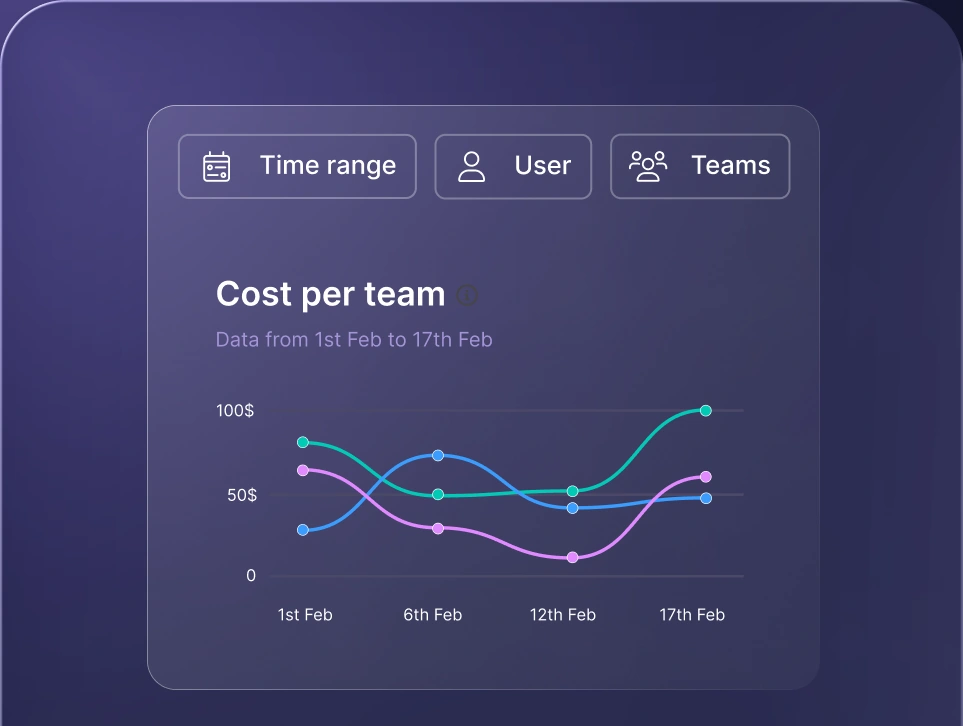
Monitor AI usage
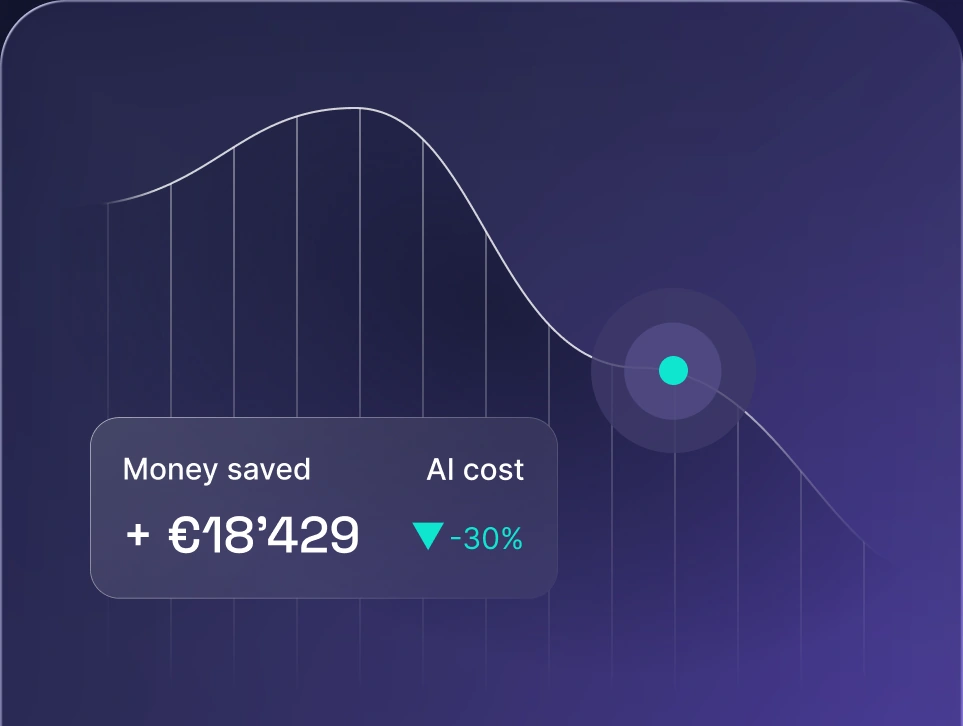
Control AI spend
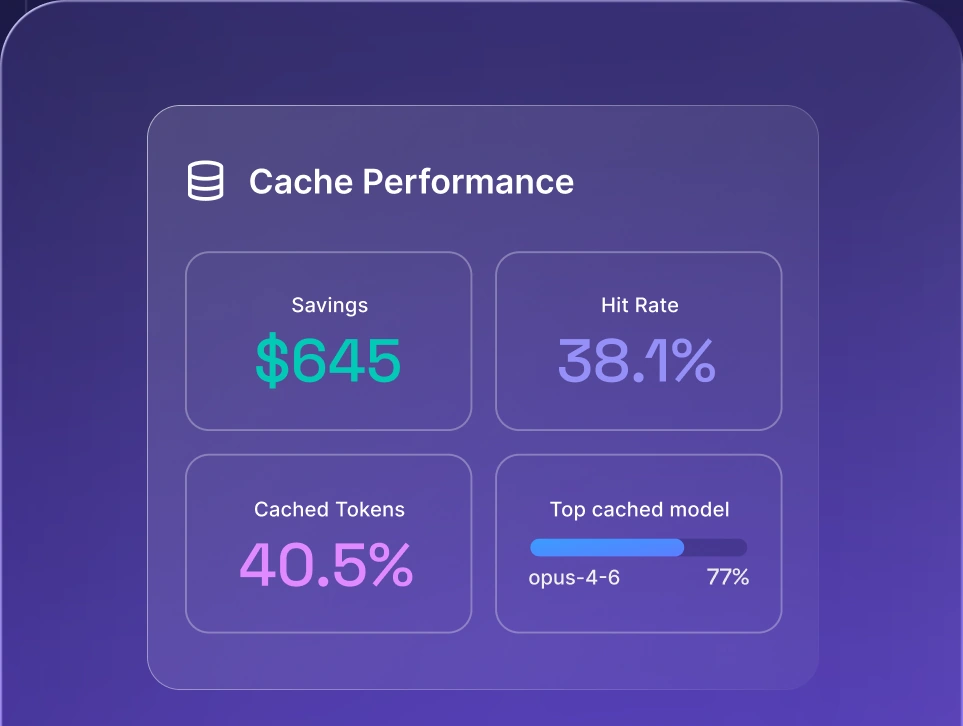
Optimize AI costs

2. LiteLLM
Open source, self-hosted LLM gateway with a broad model catalog and an OpenAI-compatible API.
Free core + enterprise custom
Self-hosted
-
Free, open source, and self hostable
-
Broad model catalog and provider coverage
-
OpenAI-compatible interface for easy swaps
-
You own uptime, patching, and scaling
-
Thinner governance and cost tracking out of the box
LiteLLM is a widely used open-source LLM gateway that gives you a single OpenAI-compatible API in front of many models and LLM providers. It's popular as a lightweight proxy for self-hosted routing, and it fits teams that want full control of their own infrastructure.
Key features: OpenAI-compatible interface, LLM routing and fallback logic, virtual keys, budgets, self-hosted deployment, and broad model access across many providers.
Pros: A free, open-source platform you can self host, with wide provider coverage and a familiar OpenAI-compatible API.
Cons: You take on the operational lift of running, patching, and scaling the infrastructure, and enterprise governance and cost tracking are lighter than in managed platforms.
Best for: Teams that want an open-source gateway and open-source self hosting, and can handle routing and ops themselves.
Pricing and open source: Open source and free to self host, with a commercial Enterprise tier available at custom pricing. You still pay provider token costs.
3. OpenRouter
Managed marketplace offering one API across a broad model catalog from many providers.
5.5% credit fee + enterprise custom
Managed cloud
-
Broadest model catalog with zero ops
-
One invoice across many providers
-
Bring your own key with a free monthly allowance
-
Availability-based routing, thin routing logic
-
Light governance and cost tracking
OpenRouter is a managed marketplace that gives you a single API and broad model access across hundreds of models from many providers. You buy credits once, then spend them on any model, which makes it a fast, zero-ops way to reach many models through one endpoint.
Key features: Unified API to a large model catalog, availability-based routing, automatic fallback, virtual keys, usage analytics, and bring your own key support.
Pros: The broadest model access here, near zero-ops setup, and one invoice across multiple providers.
Cons: Routing is availability-based, so it's thin on routing logic, and built-in governance and cost tracking are light.
Best for: Teams that want the widest model catalog and fast, zero-ops access over deep governance.
Pricing and open source: Proprietary and managed only. OpenRouter charges a 5.5% fee on credit purchases ($0.80 minimum). The first 1,000,000 bring your own key requests per month are free, then a 5% fee applies. Enterprise pricing is custom.
4. Kong AI Gateway
AI plugins layered on a mature API gateway, with strong policy enforcement and rate limits.
Free core + Konnect from ~$25/mo
Self-hosted + Konnect
-
Open source core, free to self host
-
Mature and reliable across production environments
-
Strong policy enforcement and rate limits
-
General-purpose API management by default
-
AI plugins gated to paid tiers
Kong AI Gateway adds AI specific plugins on top of Kong Gateway, the widely used API gateway. It brings enterprise governance, token rate limiting, and semantic caching to AI traffic, which suits teams already standardized on Kong.
Key features: Authentication, rate limits, traffic shaping, token rate limiting, semantic caching, cost controls, policy enforcement, MCP gateway support, and Prometheus and Grafana observability.
Pros: The open-source core gateway is free to self host with no functional limits, it's mature across production environments, and it slots into existing Kong deployments.
Cons: It's general purpose API management first, so it's not a model abstraction layer by default, and the AI plugins sit behind paid tiers.
Best for: Teams already running Kong who want a managed AI gateway close to their existing API gateway.
Pricing and open source: The open-source Kong Gateway is free to self host. Managed Konnect starts around $25 per month per serverless control plane, and Enterprise is custom, commonly $30,000 to $50,000+ per year.
5. Cloudflare AI Gateway
Managed edge gateway that leans on Cloudflare's edge network for caching and speed.
Free gateway + usage-based storage
Managed cloud
-
Free to start and fast to set up
-
Backed by Cloudflare's global edge network
-
Cost and log visibility built in
-
Static fallback, with limited routing logic
-
Lighter on deep governance and cost tracking
Cloudflare AI Gateway is a managed edge gateway that routes and caches AI traffic across Cloudflare's edge network. It's a low-friction way to add caching, rate limits, and usage controls in front of your model providers.
Key features: Edge caching, rate limits, usage controls, request logging, cost visibility, and static fallback behavior across many providers.
Pros: Free to use, fast to set up, and backed by a mature global network, with cost and log visibility built in.
Cons: Routing is limited to static fallback, so it's lighter on deep governance, cost tracking, and MCP gateway capabilities than a dedicated LLM gateway.
Best for: Teams already on Cloudflare who want a managed AI gateway close to their traffic, without heavy vendor lock-in.
Pricing and open source: Proprietary and managed only. The AI gateway itself is free to use. Persistent log storage is billed on usage through Cloudflare Workers, where the first 10 GB is free and additional ingestion runs about $1 per GB.
6. TrueFoundry
Enterprise AI gateway and MLOps platform with model serving, governance, and MCP gateway support.
Free tier + $499/mo Pro
Self-hosted + managed
-
Model serving, routing, and governance together
-
Full MCP gateway support with OAuth brokering
-
Governance and RBAC from the Pro tier
-
Heavier operational lift than a focused tool
-
Higher cost at the enterprise tier
TrueFoundry is an enterprise AI gateway and MLOps platform that combines model serving, routing, and governance in one stack. It offers full MCP gateway support, exposing MCP servers to your agents, with the dedicated support and production readiness larger organizations expect.
Key features: LLM routing, model serving, enterprise governance, RBAC, budgets, MCP gateway with OAuth brokering to MCP servers, audit logs, and self-hosted or managed deployment.
Pros: Broad capability in one platform, an MCP gateway with OAuth brokering, and enterprise features like RBAC and budgets from the Pro tier.
Cons: A heavier operational lift and higher cost than a focused gateway, with a longer path to production.
Best for: Larger teams that want model serving, routing, and enterprise governance in one platform and can staff the operational side. See our take on enterprise AI platforms for more.
Pricing and open source: Proprietary. A free Developer tier covers 50,000 requests per month, Pro is $499 per month for up to 1M requests with governance included, and higher tiers reach around $2,999 per month, with enterprise pricing by quote.
7. Langfuse
Open source observability and evaluation layer that pairs with a gateway for full visibility.
Free tier + paid plans
Managed + self-hosted
-
MIT licensed and free to self host
-
Deep tracing and detailed logs
-
Strong cost tracking and evaluation workflows
-
Pairs with a gateway, it doesn't replace one
-
Longer retention needs paid tiers
Langfuse is the most widely deployed open-source observability platform, covering tracing, evaluation, and prompt management for production systems. Its deep execution trees let you follow complex, multi-step runs end to end, and it usually sits next to a gateway for full LLM monitoring and observability.
Key features: Traces and spans, online and offline evaluations, datasets, prompt management and prompt tracking, cost tracking, and support for structured pipelines including Pydantic AI.
Pros: MIT licensed, EU-native, and free to self host at scale, with a generous free cloud tier and strong evaluation workflows.
Cons: It's an observability and evaluation layer, so it complements a gateway, and longer retention needs paid tiers.
Best for: Teams that already run a gateway and want deeper observability, cost tracking, and evaluation on top.
Pricing and open source: MIT licensed and open source, free to self host. Langfuse Cloud offers a free Hobby tier with 50,000 observations per month, with Core, Pro, and Enterprise tiers for longer retention and higher limits.
Managed vs. self-hosted AI gateways
Hosting model is often the real decision, so it helps to compare the two approaches side by side. Neither is universally better, so weigh control and data residency against time-to-value and ops burden.
Factor | Managed gateway | Self-hosted gateway |
|---|---|---|
Setup speed | Faster | Slower |
Ops overhead | Lower | Higher |
Data residency control | Vendor-dependent | Full control |
Time-to-value | Faster | Slower |
Takeaway: a managed AI gateway wins on speed and low ops, self-hosted wins on control and data residency, and the right call follows your compliance requirements. For a deeper look at coordinating models across any LLM gateway, including Portkey, see AI orchestration across providers.
How to migrate from Portkey to an alternative
Migration off Portkey is where most guides go quiet, so here's a practical, tool-agnostic checklist you can follow step by step when moving from Portkey to a new LLM gateway. Work through it in order to protect routing behavior, cost visibility, and infrastructure stability as you switch.
- 1.Audit current routing, fallbacks, and prompt configs.
- 2.Map features to the new tool's equivalents.
- 3.Update the endpoint or base URL and SDK config.
- 4.Run the new gateway in parallel and validate outputs.
- 5.Export logs and confirm cost and observability parity.
- 6.Cut over and monitor closely after migration.
PRO TIP: Run the new gateway in parallel with your existing setup on non-critical traffic first, so you can validate routing and cost behavior before a full cutover.
How nexos.ai unifies access to AI models
nexos.ai brings leading models together behind one AI gateway, so your team gets governance, cost visibility, and observability in a single platform. As an LLM gateway and Portkey alternative, it unifies what Portkey and separate observability tools would otherwise handle apart. You reach many models through one endpoint, route each request with Smart Routing, and see token usage and spend across every team in one control plane.
Access controls, audit logs, and policy enforcement give you enterprise governance without stitching tools together, and it all runs as a managed AI gateway with zero ops for your team. If you're weighing a model-agnostic AI infrastructure, nexos.ai is worth a look. As an LLM gateway and Portkey alternative in one, it removes the gap between routing and observability. Explore the platform or contact sales to see how it fits your stack.


