Table of contents
What is keyword research automation?
Keyword research automation uses software, workflows, or AI systems to speed up the process of finding and evaluating relevant keywords. Instead of manually building long lists, teams use automation to collect ideas, find related searches, group similar terms, check intent, spot content gaps, prioritize topics, and turn research into content briefs, SEO plans, or content marketing workflows.
The best setups combine automation with editorial judgment. Automation can give you promising keyword suggestions, but you still need to decide whether that topic aligns with the brand, buyer journey, product positioning, and current business goals.
How does automated keyword research work?
Automated keyword research follows a structured workflow. The exact setup may differ, but most processes share the same core steps:
- 1.Input collection. The process begins with seed keywords, product pages, competitor URLs, customer pain points, existing content, or business goals. These inputs tell the system what market, audience, or topic area to explore.
- 2.Keyword discovery. The system expands those inputs into related search queries, long-tail keywords, question keywords, comparison terms, and adjacent topics. This step helps teams find demand beyond the most obvious head terms.
- 3.Data enrichment. Keyword ideas become more useful when paired with data such as search volume, keyword difficulty, competition, search trends, Google Ads cost-per-click, search engine results page (SERP) features, ranking pages, and marketing data from paid campaigns. Integrations with Google Sheets, Google Search Console, the Google Ads API, and other data sources help bring this information into a single workflow.
- 4.Cleaning and deduplication. Raw keyword lists are rarely ready to use. They often include duplicates, irrelevant phrases, misspellings, branded terms, or keywords from the wrong market. Automation cleans the list before analysis starts.
- 5.Clustering. Instead of treating every keyword as a separate content idea, automated workflows group similar terms into clusters. A cluster may include a primary keyword, secondary keywords, questions, and related subtopics that you can target on the same page.
- 6.Intent classification. The system labels keywords by user intent, such as informational, commercial, transactional, or navigational. This step helps teams choose the right page type: a blog post, a landing page, a comparison page, a product page, or a support article.
- 7.Opportunity scoring. Keywords or clusters are ranked by factors such as business value, traffic potential, keyword difficulty, funnel stage, relevance, and current content coverage. This turns a large keyword list into a practical priority list.
- 8.Content mapping. Keyword clusters are matched to the right SEO action. Some may need new pages, some may fit existing pages, and others may point to refresh opportunities or internal linking actions.
- 9.Output generation. The final output may be a keyword map, content brief, topic plan, competitor gap report, FAQ list, metadata suggestions, or internal linking plan.
- 10.Review and refinement. A person reviews the output to assess search intent, remove weak suggestions, adjust priorities, and make sure the final plan fits the broader SEO strategy.
Benefits of automated keyword research
Automated keyword research helps SEO, Google Ads, and content teams work faster without lowering the quality bar. The strongest benefits include:
- Time savings. Automation reduces the time spent collecting, cleaning, sorting, and grouping keyword data. Teams can focus more on strategy, content quality, and conversion.
- More scalable research. Manual research becomes harder when you need to analyze hundreds of pages, several product lines, or multiple regions. Automation makes it easier to apply the same process across campaigns, languages, markets, and content hubs.
- Better consistency. When every SEO or Google Ads specialist uses a different method, keyword research becomes inconsistent. Automated workflows standardize how keywords are collected, scored, grouped, and mapped.
- Faster opportunity discovery. Automation can process large lists of relevant keywords and quickly find recurring themes, keyword gaps, question patterns, and underserved topics.
- Improved prioritization. Automation helps compare opportunities using shared criteria, such as relevance, demand, keyword difficulty, and business value, which can have a major impact on your search engine rankings.
- Stronger content planning. Automated clustering shows which keywords belong together, which need separate pages, and which can support a larger guide, category page, or landing page.
- Reduced human error. Large spreadsheets are easy to break. Automation reduces mistakes like duplicate keywords, inconsistent labels, missed clusters, or incorrect sorting.
- More frequent updates. Keyword research is not a one-time task. Automated workflows make it easier to refresh data, monitor changes, and revisit old assumptions.
- Better collaboration. When the system produces structured briefs, keyword maps, or topic plans, writers, editors, SEO specialists, and paid marketers can work from the same source.
Ways to automate keyword research (with examples)
There are two main ways to automate keyword research: traditional SEO tools and AI-powered tools. Both support the same broad goal: helping teams find, analyze, and prioritize keywords. The difference is how much of the workflow they can execute. While traditional tools are strong at collecting and presenting SEO data, AI agents for small businesses support human SEO specialists along their entire workflow, from understanding the keyword landscape to turning research into content marketing actions.
Traditional keyword research tools
Traditional keyword research tools are platforms built to collect, estimate, organize, and compare SEO data. Examples include Ahrefs, Semrush, Moz, SE Ranking, Similarweb, and Google Keyword Planner.
Most of these tools work in a similar way. You enter the main keyword, domain, URL, or competitor, and the tool returns keyword ideas, search volume estimates, difficulty scores, related keywords, ranking pages, and competitor gaps.
They’re useful because they make search data easier to access and compare. Instead of guessing which keywords matter, teams can look at ranking movements, backlinks, competitor pages, existing search results, and paid marketing data before deciding what to target.
The challenge is that traditional tools stop at the data layer. They help find opportunities, but people still need to interpret the data, clean it, group it, and turn it into a plan.
Common limitations:
- They still require manual work. Traditional tools generate search query lists quickly, but teams need to export data, merge files, remove duplicates, group terms, and build their own keyword map.
- Search volume is only an estimate. Many tools group, round, or model keyword volumes, hiding meaningful differences between terms. This is especially true for long-tail keywords, where small changes in volume affect prioritization.
- They can create more information than a team can use. A tool may return 20,000 keyword ideas, but that doesn’t mean you have 20,000 useful opportunities. Without a good workflow, teams start drowning in irrelevant keywords.
- Metrics need context. Difficulty scores, CPC, search volume, and competitor rankings are helpful signals but don’t provide final answers. A keyword may look promising but have the wrong intent, weak business value, or a SERP dominated by brands the team can’t realistically outrank.
- Collaboration is often messy. SEO teams export data into Excel or Google Sheets, writers work from separate briefs, paid search teams use different messaging angles, and editors apply brand guidelines later. Traditional tools can’t handle the entire process on their own.
AI-powered keyword research (AI agents)
AI-powered keyword research uses AI systems to support, speed up, or execute parts of the research process. AI agents take this further by working through multi-step tasks toward a defined goal.
To understand the meaning of AI agents, think of them as systems that follow instructions, use context, work with tools or data, and complete tasks with limited manual input. In keyword research, that’s useful because the work involves more than just finding keywords. It requires a chain of decisions: which terms are relevant, how they should be grouped, what intent they show, which pages they belong to, and which opportunities deserve priority.
For example, a keyword research agent could be given a goal like: “Find keyword opportunities for our AI project management software targeting small business operations managers in the US. Group keywords by intent, identify content gaps, and create five blog brief recommendations.”
The agent could then work through a process:
- 1.Analyze the product description and target audience.
- 2.Generate seed keyword categories.
- 3.Pull or process keyword data.
- 4.Group related keywords.
- 5.Classify search intent.
- 6.Compare opportunities against existing content.
- 7.Recommend priority topics.
- 8.Draft content briefs.
- 9.Flag anything that needs human review.
Keyword research with AI differs from simply asking a chatbot for keyword ideas. A basic prompt can generate suggestions, but an AI agent, like those from nexos.ai, can follow a repeatable workflow, use company context, and produce structured outputs.
AI agents also support the wider SEO workflow around keyword research. The same team may use agents to research topics, summarize competitor pages, prepare content briefs, check drafts against brand guidelines, create internal reports, or combine SEO data with the Google Ads API for paid and organic planning.
Automated keyword research is a good example of using AI for data analysis. It involves collecting data, finding patterns, grouping similar items, interpreting context, and making decisions. AI agents handle this analysis faster and turn it into practical next steps.
There are still AI adoption challenges to keep in mind. Agents need clear instructions, reliable inputs, and a defined review process. If the goal is vague or the data is weak, the recommendations will be weak too. Human review is still needed for search intent, brand fit, product accuracy, and final prioritization.
For more context, see AI agent examples, which explain how agents plan, gather information, interact with tools, and adjust their behavior as they work toward a goal.

Build no-code AI Agents in minutes
Move from chatting with AI to getting things done.
Chat with leading AI models
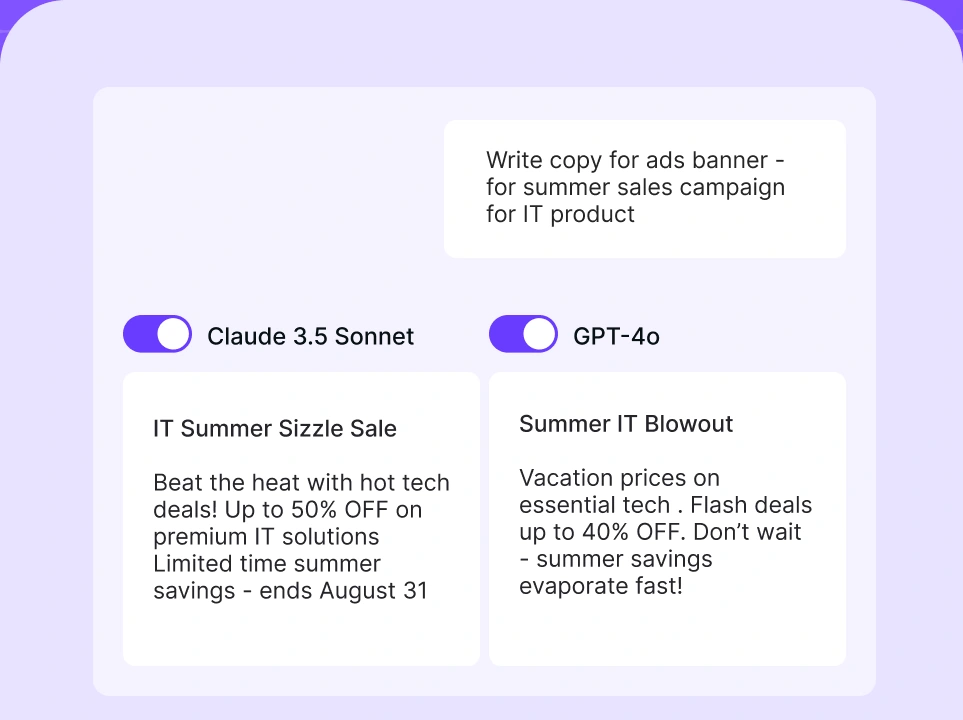
Compare AI models
Build no-code AI Agents

Why use AI agents instead of traditional keyword tools for automation
AI agents are useful when keyword research moves beyond collecting data. Traditional keyword tools still matter, but AI agents reduce manual work between finding an opportunity and turning it into an SEO action.
- They turn keyword data into next steps. Traditional tools help you find search terms and metrics. AI agents help organize those terms, interpret the patterns, prioritize opportunities, and turn the research into briefs, content plans, ad group ideas, or SEO recommendations.
- They use business context. A keyword with high search volume isn’t always valuable. AI agents consider the product, audience, funnel stage, brand positioning, and existing content before recommending a topic.
- They cut down spreadsheet work. Instead of manually exporting, cleaning, sorting, and labeling keyword lists, teams can use agents to group keywords by topic and intent, add search volume context, and prepare structured outputs for review.
- They support repeatable workflows. Once a keyword research agent is set up, teams can reuse the same process across product lines, markets, campaigns, or content refreshes.
- They help non-technical teams move faster. No-code AI agents make automation more accessible to marketers who understand the strategy but don’t want to build scripts or complex technical workflows.
- They can improve collaboration. AI agents can produce structured outputs for different stakeholders: SEO specialists, paid marketers, writers, editors, and managers.
- They are better suited to ongoing optimization. Keyword research is not static. AI agents help refresh research, compare changes, and update recommendations more regularly.
The key difference is that traditional SEO tools are data providers, while AI agents are workflow executors. Traditional tools show you what is happening in search. AI agents help complete more of the work that comes after that discovery.
How to automate keyword research with AI agents
To automate keyword research with AI agents, start with a clear workflow. The agent should complete a specific research process with defined inputs, rules, and outputs.
With a platform like nexos.ai, the process can be built around no-code AI agents. You can create nexos.ai AI agents without writing code, define the agent’s role, set the scope of work, and connect it to company data. It also offers templates for business teams, including marketing use cases.
Here is a practical workflow:
- 1.Define the SEO goal. Start by deciding what the keyword research should achieve. This keeps the agent focused. For example: “Find commercial and informational keyword opportunities for a no-code AI automation platform targeting marketing managers in the US and UK.”
- 2.Choose or create a keyword research agent. In nexos.ai, you can create a custom no-code agent or start from a relevant template. The agent should have a clear role, such as: “You are an SEO keyword research agent. Your job is to identify relevant keyword groups, sort them by intent, prioritize them by business value, and produce content recommendations for the marketing team.”
- 3.Add business and audience context. AI agents perform better when they understand the business. For example, a keyword research agent for a B2B SaaS company should know whether the company targets startups, mid-market teams, or enterprises. It should also know whether the content goal is organic traffic, demos, trials, education, or sales enablement. It should know the conversion goals, the preferred tone of voice, and the topics to exclude.
- 4.Connect relevant data sources. Keyword research improves when the agent has access to useful data. Depending on your setup, that may include existing website pages, blog content, competitor lists, Google Search Console exports, and similar. nexos.ai supports integrations that turn files and apps into a secure AI knowledge base, including Google Sheets, SharePoint, Jira, and Confluence.
- 5.Set clear research rules. Tell the agent how to evaluate keywords and how to format the output. For example: “Group keywords by topic and intent. Include the main keyword, secondary keywords, funnel stage, recommended page type, priority score, and suggested next action. Identify keywords that trigger SERP features like list snippets and product reviews. Export the final table to Google Sheets.”
- 6.Run keyword discovery and clustering. Once the agent has the goal, context, data, and rules, use it to generate or process keyword ideas. Clustering is often one of the most time-consuming parts of manual keyword research. It requires pattern recognition, search intent analysis, and editorial judgment. AI can speed up the first pass so the SEO specialist can focus on refining the final plan.
- 7.Classify intent and map page types. Ask the agent to label each keyword cluster by search intent and recommend the right content format. For example:
- “What is keyword research automation?” = informational blog post
- “Best keyword research tools” = commercial comparison page
- “AI keyword research software” = product or solution landing page
- “nexos.ai keyword research agent” = branded or product-led page
- “How to automate keyword research examples” = practical guide or tutorial
- 8.Prioritize the best opportunities. Ask the agent to score keyword groups using criteria such as relevance, search demand, difficulty, funnel stage, business value, and existing content coverage. This helps the team spot valuable keywords that deserve attention first. A long-tail keyword with lower search volume but a strong buying intent may be more valuable than a broad keyword with higher volume but weaker relevance.
- 9.Generate content briefs. Once the target keywords are approved, the agent can turn them into content briefs with target and secondary keywords, target audience, suggested H2/H3 structure, product angle, and so on. The brief should give the writer a strong starting point while leaving room for expertise, examples, tone, and judgment.
- 10.Review, approve, and refine the workflow. Even when using autonomous AI agents, keep a human review step before adding any recommendations to the SEO roadmap. Check intent, product accuracy, brand fit, topic overlap, keyword relevance, and prioritization. Then use what you learn to improve the agent with clearer instructions, stronger exclusions, better examples, and more specific output formats.
How to automate keyword research: Key takeaways
Automated keyword research helps teams move from scattered keyword lists to a clear, repeatable process. The result is less manual work, stronger consistency, faster planning, and better scalability.
Traditional SEO tools still play an important role. They are strong data providers. They help teams understand search volume, keyword difficulty, competitors, backlinks, and SERP behavior. But they often leave the next steps to the user.
AI agents add another layer: execution. They can work with business context, follow defined rules, analyze keyword metrics, create clusters, map intent, and produce structured outputs for SEO, content, and paid marketing teams. That makes them useful for teams that want to automate SEO keyword research beyond exports, spreadsheets, and one-off prompts.
nexos.ai is one example of this shift. Its AI agents support no-code agent creation, templates, defined roles, scoped tasks, and connected company data. For teams that want to integrate keyword research automation into broader AI for marketing workflows, an all-in-one AI platform can centralize the process and make AI easier to manage across teams.


