Table of contents
Best AI productivity tools comparison table
Tool | Best for | Ease of use | Free plan | Starting price |
|---|---|---|---|---|
nexos.ai | All-in-one multi-model workspace | Very easy | No (14-day money-back guarantee) | Custom enterprise plan |
ChatGPT | General AI assistant | Easy | Yes | $20/month |
Jasper AI | On-brand content at scale | Moderate | No (7-day trial) | $39/mo (annual plan) |
ClickUp (Brain) | AI project management | Moderate | Yes | $7/user/mo + AI add-on |
Zapier | Cross-app workflows | Moderate | Yes | $19.99/mo |
Fireflies.ai | Meeting intelligence | Very easy | Yes | $10/mo (annual plan) |
Motion | AI scheduling | Easy | No (7-day trial) | $12.73/mo (annual plan) |
What are AI productivity tools?
AI productivity tools are software that uses large language models (LLMs) and autonomous agents to carry out work, rather than just search faster or autocomplete a sentence. They're active, not passive: a traditional project tracker holds your tasks and waits, while an AI productivity tool reads a task, drafts the update, flags blockers, and pings the right person before reporting back.
How we tested and selected these AI productivity tools
We focused on AI productivity tools that are actively maintained in 2026. Each tool was judged against three criteria: performance, usability, and value.
- Performance: Does the tool deliver consistently, or only in a demo? Many tools handle a controlled example but fail on messy, real-world tasks. We tested each tool on repeated real tasks and scored the breadth of its AI feature set.
- Usability: Can a team get value on day one, or does the tool require training first? We chose practical defaults and interfaces a team can adopt quickly.
- Value: What does the tool cost per person? We compared pricing tiers, checked for a free plan, and calculated the effective per-seat cost. Seat minimums and mandatory add-ons often raise the advertised price, so we priced each tool at its realistic entry cost.
The best AI productivity tools by category
We split our picks into nine task-based categories:
- AI chatbots and virtual assistants
- AI content writing tools
- AI project management tools
- AI workflow automation tools
- AI meeting assistants
- AI presentation tools
- AI tools for social media management
- AI scheduling tools
- AI tools for email writing
AI chatbots and virtual assistants
AI chatbots do the heavy lifting, answering questions, drafting your work, and digging through data. Virtual assistants keep you organized by managing tasks and running your daily routine.
1. nexos.ai
nexos.ai is an all-in-one AI platform built for secure, enterprise-grade AI adoption. Instead of keeping separate ChatGPT, Claude, and Gemini subscriptions, you get 200+ AI models in a single secure workspace, and it chooses the best model for your use case. You can also build unlimited no-code AI productivity Agents for recurring tasks, from competitor tracking to a morning brief pulled from Slack, Gmail, and your calendar.
Pros:
- 200+ models in one secure workspace, under one login
- Integrates with Slack, Jira, GitHub, Looker, and other workplace apps
- Run one prompt across several models and compare AI models side by side
- Unlimited no-code Agents for recurring tasks
- SOC 2 Type 2 and ISO 27001-certified, GDPR-compliant, hosted in Europe
- Customer data isn’t used for model training
Cons:
- Getting the most from model switching can take a little practice
- No free tier, though the 14-day money-back guarantee lets you try it risk-free
Price: Enterprise custom plan for teams, plus the 14-day money-back guarantee.
Price per person: Customized pricing.
Who is it for: Engineering leaders, data and ops people, and marketing managers at growing teams who just want one multi model AI chat that does the job from anywhere.

Build no-code AI Agents in minutes
Move from chatting with AI to getting things done.
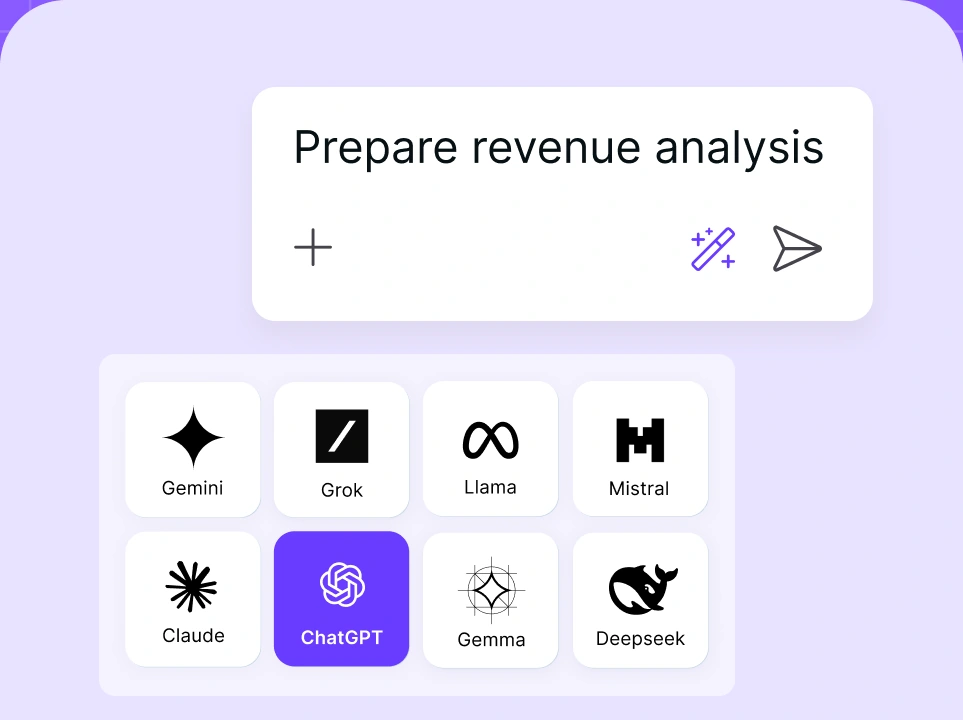
Chat with leading AI models
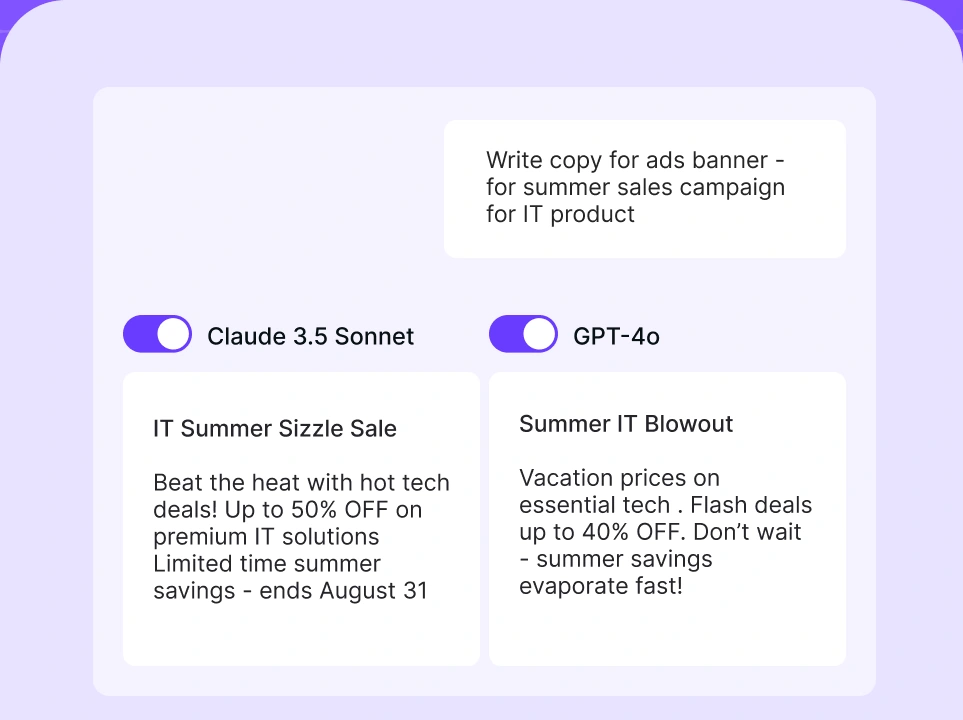
Compare AI models
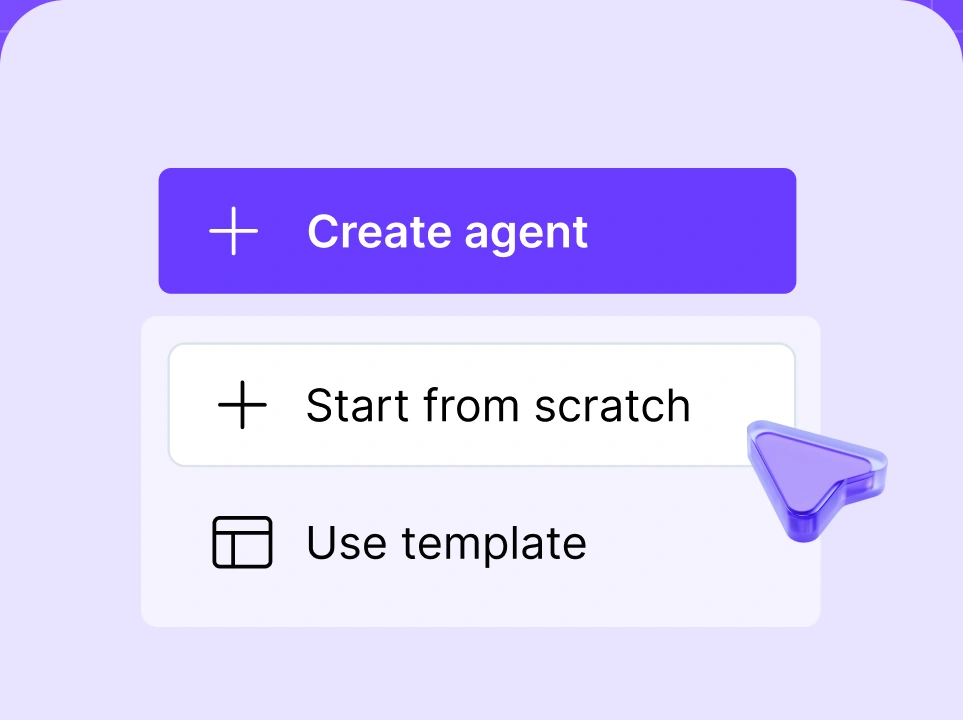
Build no-code AI Agents

2. ChatGPT
ChatGPT is a chatbot that writes, codes, works through problems, reads your files (PDFs, spreadsheets, images), and searches the web, all in one window. With Agent mode, it now browses sites, fills out forms, and completes multi-step tasks on its own instead of just answering.
Pros:
- Reliable across writing, analysis, and code
- A huge ecosystem of custom GPTs and integrations
- Forgiving and easy for anyone to start with
Cons:
- One model family, so its blind spots become yours
- Company data belongs in a setup with proper AI governance, not a personal login
Price: Free tier; Go at $8/mo; Plus at $20/mo; Pro at $200/mo; Business (formerly Team) around $25/seat/mo annually – with a two-seat minimum.
Price per person: About $20 solo, roughly $25 per seat for teams.
Who is it for: Individuals and small teams who want one capable generalist. For work use, run it inside something governed so your data stays yours.
3. Claude
Claude is an AI productivity tool that handles long documents (up to 200K tokens of context), maintains a consistent tone across long conversations, and is commonly used for nuanced drafting, careful analysis, and coding tasks like debugging and code review.
Pros:
- Strong long-form reasoning and a pretty capable human tone
- Big context window for large documents
- Careful with complicated, multi-step instructions
- Analyze data like a pro
Cons:
- Fewer built-in extras than ChatGPTs ecosystem
- Single-model too, so no one tool wins every task
Price: Free tier; Pro at $20/mo; Team at roughly $25/seat/month annually.
Price per person: $20–$25/mo.
Who is it for: Writers, analysts, and anyone whose work rises or falls on tone.
AI content writing tools
AI writing tools help you generate long or short-form content without the need for a copywriter. New tools can preserve your brand voice instead of producing generic AI output.
1. Jasper AI
Jasper AI is an enterprise-focused AI copywriting platform that learns your brand voice and runs campaign-length workflows to keep output on-brand. It leans heavily into Agents, so a single brief can produce ads, emails, and landing page copy all in one go.
Pros:
- Brand-voice training keeps your team’s output consistent
- 100+ specialized agents and marketing-ready workflows
- Integrates well with the content creation tools you already run
Cons:
- Pricier than a generalist chatbot
- Overkill if you only write now and then
Price: Creator at $39/mo annually ($49 monthly); Pro at $59/mo annually ($69 monthly); Business plans are custom. There’s a 7-day trial but no permanent free option.
Price per person: From $39–$69/month depending on tier and duration.
Who is it for: Marketing and content teams publishing at volume who want to sound pro.
2. Grammarly
Grammarly is an AI-powered writing assistant that goes beyond grammar and spelling to rewrite for tone, draft copy from short prompts, and work across nearly every app you type in – from your browser and email to documents and Slack.
Pros:
- Works everywhere you write, from email to Google docs
- Good tone detection and one-click rewrites
- Drafts and replies from a single prompt
Cons:
- Can get a bit bossy about style
- The heavier generative features are locked into higher tiers
Price: Free tier; Pro at $12/mo annually; Business at $15/seat/month.
Price per person: Around $12–$15/month.
Who is it for: Anyone who writes for a living, or just needs to sound clear and concise in every message.
3. Copy.ai
Copy.ai is an AI copywriting tool that works best with short-form volume, churning out ad variations, cold outreach, product descriptions, and captions so you’re choosing between options instead of staring at a blank screen.
Pros:
- Fast bulk generation for short copy
- Great for testing lots of angles quickly
- Tons of writing styles
- Generous free tier to try before you buy
Cons:
- The short-form focus shows up badly on long, structured pieces
- Output needs a human edit before it ships
Price: Free tier; Starter at $49/mo annually.
Price per person: Roughly $49 for solo use.
Who is it for: Founders and marketers who need lots of variations fast and will handle the polishing stage themselves.
AI project management tools
AI project management tools flag at-risk tasks, draft project plans, and answer status questions without a meeting. This is what separates them from traditional trackers, which store tasks and wait for manual updates.
1. ClickUp (with ClickUp Brain)
ClickUp with ClickUp Brain is a project management platform. Tasks, docs, chat, and dashboards sit alongside an AI layer that drafts plans, summarizes long comment threads, and answers questions about your team's workload in plain language.
Pros:
- Many features at a competitive price
- AI runs through task management, docs, and chat rather than sitting in a silo
- Strong reporting and custom views
Cons:
- Overwhelming
- Brain is a paid add-on
Price: Free tier; Unlimited at $7/user/mo and Business at $12/user/mo (both annually); the ClickUp Brain add-on runs an additional $7–$9/user/mo.
Price per person: Around $14 to $16 per seat with Brain.
Who is it for: Teams that want a single tool to do everything, and don’t mind a steep learning curve.
2. Asana
Asana is a task management suite. Its AI predicts where a project might slip, spots potential bottlenecks before they cost you a deadline, and suggests how to shift resources to keep things on track. For big teams with plenty of moving parts, that early warning is the real value.
Pros:
- Best-in-class for complex, cross-team problems
- AI Studio lets you build custom no-code workflows
- Deep reporting and portfolio views
Cons:
- The Starter-to-Advanced price jump is steep
- More structure than a small, dynamic team needs
Price: Free tier; Starter at $10.99/seat/mo; Advanced at $24.99/seat/mo (both annually).
Price per person: From around $11 to $25 depending on the tier.
Who is it for: Larger organizations juggling many projects and dependencies at once.
3. Monday.com
Monday.com is a customizable work management platform. Monday AI lets you build custom AI apps inside your own workspace, and it's commonly used for CRM and marketing operations where data needs sorting and routing at scale.
Pros:
- Fits in almost any workflow
- Excellent visual dashboards
- Solid support
Cons:
- Seat minimums (often 3) make it awkward if you’re going at it alone
- Costs climb as you add new features
Price: Basic at $9/seat/mo; Standard at $12/seat/mo (both annually).
Price per person: Between $9 and $12/mo.
Who is it for: Operations-heavy businesses that want an environment shaped to fit them.
AI workflow automation tools
AI workflow automation tools connect your apps so work between them is connected automatically, without manual copy-pasting. The best tools use deep AI integrations to keep your calendar, inbox, and CRM connected.
1. Zapier
Zapier is a workflow automation platform connecting 7,000+ apps. Zapier Agents let you build bots that monitor your apps and act on a trigger – for example, posting a Slack summary the moment a new lead hits your CRM. Its no-code agent builder handles multi-step flows without writing code.
Pros:
- Connects 7,000+ apps, more than anyone
- The no-code agent builder is actually usable
- Reliable
Cons:
- Costs climb quickly at high task volume
- Complex flows need planning to stay readable
Price: Free tier; Pro from $19.99/mo annually.
Price per person: Depends on task volume, often $20 - $50 for active users.
Who is it for: Operations teams stitching together cross-platform pipelines.
2. Make
Make (formerly Integromat) is a visual workflow automation tool that lays out each step as a flowchart. It's built for complex, branching logic at a lower cost than most alternatives, which is why teams that outgrow simple trigger-based tools tend to move here.
Pros:
- Powerful visual builder for complex logic
- Strong value for the power you get
- Handles advanced branching easily
Cons:
- Steeper to learn than plug-and-play tools
- The canvas can get busy fast
Price: Free tier; Core around $9/mo annually.
Price per person: Roughly $9 to $16 for active use.
Who is it for: Ops and technical users who want fine control over multi-step flows.
3. n8n
n8n is a workflow automation platform that can be self-hosted. It's developer-oriented and commonly used for AI-driven flows where data privacy and deep customization matter more than a polished no-code interface.
Pros:
- Self-hosting keeps sensitive data in-house
- Deeply customizable and developer-friendly
- Fair-code license with an active community
Cons:
- More setup than Zapier
- Not built for non-technical users
Price: Free self-hosted tier; cloud plans from around $20/mo.
Price per person: Free if self-hosted; cloud varies.
Who is it for: Technical and privacy-conscious teams who want to own their workflows.
AI meeting assistants
Meeting assistants can join an online call, transcribe it, and summarize it, so you can listen actively instead of writing notes.
1. Fireflies.ai
Fireflies.ai is a meeting intelligence platform that joins calls, transcribes them, tracks sentiment, flags competitor mentions, and builds a searchable record of every conversation your team has had – so you can query months of meetings in plain language.
Pros:
- Deep search across every past meeting
- Sentiment analysis and conversation insights
- Solid CRM integrations
Cons:
- The "Ask Fred" assistant needs a higher tier
- Heavy volume can bump into credit limits
Price: Free tier (800 minutes); Pro at $10/seat/mo annual ($18 monthly); Business at $19/seat/mo annual ($29 monthly); Enterprise at $39.
Price per person: About $10 to $19 for most teams.
Who is it for: Sales and customer success teams who treat conversations as data.
2. Otter.ai
Otter.ai is an AI note-taking tool that joins meeting platforms such as Zoom, Teams, or Google Meet calls, transcribes in real time, and delivers a summary with action items before the call ends.
Pros:
- Accurate real-time transcription
- Auto-summaries with action items
- Very beginner-friendly
Cons:
- Minute caps on lower tiers
- Speaker labels can slip on crowded calls
Price: Free tier; Pro at $8.33/mo; Business at $20/seat/mo (annual).
Price per person: Around $8 to $20.
Who is it for: Project managers and consultants living in back-to-back meetings.
3. Krisp
Krisp is an AI noise-cancellation and meeting-notes app that removes background noise from both ends of a call in real time. Its AI meeting notes feature layers transcription and summaries on top – working with any meeting platform.
Pros:
- Real-time noise removal that just works
- Plays nicely with any meeting app
- Added AI note-taking
Cons:
- Heavier on older machines
- The notes feature is newer than dedicated rivals
Price: Free tier; Pro at $8/mo (annual).
Price per person: About $8.
Who is it for: Remote workers and anyone calling from somewhere noisy.
AI presentation tools
AI presentation tools save you the hours you'd otherwise lose to nudging text boxes, turning a rough idea into a real deck faster than you'd expect.
1. Gamma
Gamma is an AI presentation tool that generates a full deck, layout, imagery, and copy, from a text description in seconds, so you're refining a draft instead of building slides from scratch.
Pros:
- Idea to deck in seconds
- Good-looking interactive elements
- Far quicker than building slides by hand
Cons:
- The top "Ultra" tier is expensive
- Less pixel-level control than manual design
Price: Free tier; Plus at $8/mo; Pro at $15/mo annually.
Price per person: About $8 to $15.
Who is for: Founders and sales reps who need good decks, fast.
2. Beautiful.ai
Beautiful.ai is an AI presentation tool whose Smart Slides automatically rearrange layout as you add content, keeping designs consistent without manual formatting.
Pros:
- Enforces clean design automatically
- Great for data visualization
- Saves real time on formatting
Cons:
- Less freeform than Gamma for pure AI generation
- The template approach caps how wild you can get
Price: Pro for individuals at $12/mo (annual); Team plans higher.
Price per person: Around $12 and up.
Who is it for: Consultants and corporate teams who need consistent, on-brand visuals.
3. Canva
Canva is a design platform covering presentations, social graphics, and documents. Magic Design generates any of these from a text prompt, backed by a large template library and built-in AI writing and image generation.
Pros:
- Genuinely easy for non-designers
- Massive template and asset library
- AI writing and image tools included
Cons:
- The best features sit behind Canva Pro
- Popular templates start to look familiar
Price: Free tier; Pro at $15/mo (annual, one user).
Price per person: About $15 solo; cheaper per seat on Teams.
Who is it for: Marketers, small teams, and anyone who wants professional visuals without design chops.
AI tools for social media management
Social media management tools help with planning, drafting, and scheduling across every platform. They also allow you to automate the non-creative repetitive tasks usually associated with publishing social media content.
1. Buffer
Buffer is a social media scheduling tool. Its AI Assistant turns one idea into platform-specific posts, suggests angles, and schedules everything from a single dashboard.
Pros:
- Clean, easy interface
- AI repurposing across platforms
- Affordable for solo creators
Cons:
- Lighter analytics than the enterprise suites
- Fewer deep collaboration features
Price: Free tier; Essentials around $5/channel/mo (annual).
Price per person: Roughly $5 to $10 for a small setup.
Who is it for: Solo creators and small teams who want posting to stay painless.
2. Hootsuite
Hootsuite is a social media management platform for teams running multiple accounts. Its OwlyWriter AI drafts captions and content ideas, and built-in scheduling, monitoring, and analytics keep a full brand presence in one place.
Pros:
- Handles many accounts and teams
- Strong analytics and social listening
- AI caption and content generation
Cons:
- Pricier than the lightweight options
- More tool than a solo creator needs
Price: Standard from around $99/mo annually.
Price per person: Depends on seats, often $50+ per active user.
Who is it for: Agencies and larger brands managing multiple accounts.
3. Vista Social
Vista Social is a social media management tool bundling AI-assisted content, scheduling, review management, and reporting, priced lower than most comparable platforms.
Pros:
- Feature-rich for the money
- AI content help plus review management
- Good reporting for small teams
Cons:
- Smaller brand and community than the giants
- The interface takes a little learning
Price: Plans from around $39/mo annually.
Price per person: Roughly $15 to $25 depending on seats.
Who is it for: Freelancers and small agencies who want depth on a budget.
AI scheduling tools
AI scheduling tools organize your day by automatically planning, prioritizing, and handling meetings and tasks, saving you valuable time.
1. Motion
Motion is an AI scheduling tool that slots your tasks, meetings, and deadlines into your calendar by priority. When a meeting overruns, it reshuffles the rest of the day automatically, and its scheduling links handle external booking without back-and-forth emails.
Pros:
- Adjusts your calendar in real time as priorities change
- Takes over daily planning decisions for you
- Includes a well-designed mobile app
Cons:
- No permanent free tier, just a 7-day trial
- Premium pricing
Price: Pro AI at $19/mo ($12.73/mo billed annually); Business AI at $29/seat/mo ($19.43/seat/mo annually).
Price per person: About $13 to $19 depending on plan.
Who is it for: Founders and managers with a packed calendar.
2. Reclaim.ai
Reclaim.ai is a free AI scheduling tool for Google Calendar and Outlook. It auto-schedules tasks, habits, and breaks, and protects focus-time blocks from being overwritten by meetings.
Pros:
- Excellent at protecting focus time
- A free tier that's actually usable
- Multi-calendar sync across Google and Outlook
Cons:
- The deeper features need a paid plan
- Habits take a little tuning to get right
Price: Free tier; Plus at $8/user/mo; Business at $12/user/mo (annual).
Price per person: Around $8 to $12.
Who is it for: Individual contributors who need to protect their flow.
3. Sunsama
Sunsama is a daily planning tool that combines your tasks and calendar into a single plan. It pulls work in from your other tools and paces daily goals to avoid overload.
Pros:
- Encourages realistic boundaries
- Calm, focused interface
- Good at consolidating tasks from many apps
Cons:
- No permanent free tier
- Premium price for a planner
Price: Around $16/mo (annual).
Price per person: About $16.
Who is it for: Solopreneurs and creatives who value intention over volume.
AI tools for email writing
AI email writing tools are designed to save you time. They write, proofread, edit, and manage your inbox for you, so you can focus on what matters most.
1. Superhuman
Superhuman is a premium AI email client built for speed. It drafts full replies from a one-line prompt, matches your tone, summarizes long threads, and adds keyboard-shortcut navigation through the inbox.
Pros:
- Fast, keyboard-first workflow
- AI drafts and thread summaries
- Real reduction in inbox time
Cons:
- Premium price
- The shortcuts take a little learning
Price: Starter around $30/mo (annual).
Price per person: About $30.
Who is it for: Executives and founders whose inbox is basically a job.
2. SaneBox
SaneBox is an AI email filtering tool that works inside your existing email app. It learns what matters to you and moves everything else into a "SaneLater" folder, leaving your main inbox for priorities.
Pros:
- Works with any email provider
- Almost no setup
- Cuts inbox noise sharply
Cons:
- Takes a few days to learn your habits
- It's about triage, not writing
Price: Snack plan around $4.92/mo (annual).
Price per person: About $5 to $10.
Who is it for: Anyone losing half an hour a day to inbox triage.
3. Shortwave
Shortwave is an AI-native email client. It summarizes threads, drafts replies, and lets you ask questions across your whole inbox in plain language.
Pros:
- AI summaries and drafting built in
- Natural-language inbox search
- Clean, modern experience
Cons:
- Newer, smaller ecosystem
- Best features need a paid plan
Price: Free tier; paid plans from around $7/mo (annual). Price per person: Roughly $7 to $20.
Who is it for: Knowledge workers who want an AI-first inbox from the ground up.
How to choose the right AI productivity tools for you
More tools do not equal more productivity. The users who benefit most from AI pick a small number of tools that match their workload. Follow five steps to choose yours:
- 1.Find your biggest time drain. Which task eats the most hours for the least payoff? Inbox, meeting notes, rebuilding decks, video creation? Whatever it is, that’s where your first tool needs to go.
- 2.Start with one tool per category. Don’t grab five at once. Pick one AI writing assistant, one scheduler, one meeting assistant, and get comfortable with each before adding new ones.
- 3.Try before you commit. A free trial or money-back window beats guessing every time. Demos flatter, but a normal day in your life tells you the truth.
- 4.Check integrations first. The best tool is the one that slots into the workflow you already have. If it won’t talk with your calendar, inbox, or CRM, it’s just another program working in a silo.
- 5.Revisit every quarter. These tools move fast, and today’s best pick could slip to second or third in a few months, so it’s worth a quick check-in now and then.
Adding tools without a clear reason doesn't increase productivity. It adds logins and creates more places for work to get lost. An overwhelming stack signals a need to consolidate, not expand.
nexos.ai: the all-in-one AI platform for team productivity
nexos.ai closes that gap by putting the tools your team already switches between into one workspace, cutting the logins and context-switching that slow work down.
It includes a multi-model AI Chat with 200+ models – with GPT, Claude, Gemini, and Grok and more under one login. Build unlimited no-code Agents, powered by Agentic AI, for the work you repeat: competitor research, content drafts, meeting summaries, or a morning update pulled from Slack, Gmail, and your calendar.
Run a prompt across several models and compare the answers before choosing one, or turn a plain prompt into slides, reports, or download-ready files.


