Table of contents
What are AI marketing tools?
AI marketing tools are software platforms that use artificial intelligence to plan, create, run, and measure marketing work that was previously done manually. They generate copy, design visuals, schedule posts, score leads, and pull patterns out of customer data.
The difference between older automation tools and modern AI-powered ones comes down to how they make decisions. Older automation followed fixed rules you set up in advance. For example, an email tool from 2015 sent message B only if a subscriber ignored message A.
Modern AI-powered tools decide for themselves. Many now run on large language models that learn from millions of past examples, and the most advanced ones act as AI Agents that carry out multi-step tasks on their own. You describe the outcome, and the tool plans and executes the steps.
What is AI used for in marketing?
AI is used in marketing to handle repetitive, data-heavy, and creative tasks, freeing you to focus on strategy and judgment. It sits inside your existing workflow and speeds up the parts that scale badly with human hours.
Here are some of the most common ways marketers put AI to work:
- Generating and editing copy at scale, from blog drafts to ad variations to product descriptions
- Automating email sequences that adapt to how each subscriber behaves
- Producing images, video, and voiceover without a design or production team
- Analyzing campaign performance across channels and surfacing what to change next
- Researching competitors and keywords in minutes instead of days
- Personalizing website content, offers, and recommendations for each visitor
- Answering customer questions through chatbots that understand context
Repetitive, data-driven marketing tasks are what AI now does faster and often better, and newer multimodal AI tools handle text, image, and video in a single workflow. This is part of a wider shift toward AI in the workplace, where everyday marketing tasks increasingly run with a model in the loop.
30 best AI marketing tools
Below is a quick comparison, then a deeper look at each tool. Every category section opens with a table of the three standout picks, primary use, price range, and who they suit best, followed by a full profile of each tool.
Category | Top AI marketing tools | Primary use | Price range (per month) | Best for |
|---|---|---|---|---|
Marketing automation | nexos.ai, HubSpot, Zapier | Automate campaigns and repetitive workflows | Custom to $890+ | Teams consolidating scattered tools and manual busywork |
Content writing | Jasper AI, Writer, ChatGPT | Long-form and brand-voice marketing campaign content | $20 to $69/seat | Copywriters and content teams producing at scale |
Social media | Brandwatch, Hootsuite, Brand24 | Scheduling plus social listening and analytics | $99 to custom | Social and comms teams managing many accounts |
Image and video | Canva (Magic Studio), Runway, Descript | Visual and audio content creation | $10 to $76/seat | Designers, video editors, and lean creative teams |
SEO optimization | Surfer SEO, Clearscope, ContentShake AI | Optimize content to rank higher | $40 to $399 | SEO specialists and content marketers |
Analytics and insights | nexos.ai, Tableau, Adobe Experience Platform | Turn multi-channel data into decisions | Custom to $75/seat | Data-driven marketers and ops teams |
AI marketing tools for marketing automation
AI tools for marketing automation take over the repetitive tasks: sending follow-up emails, moving leads between stages, syncing data across apps, and triggering campaigns based on behavior. Instead of clicking through the same steps every day, you set the goal once and the tool runs it, adjusting as customer behavior changes.
1. nexos.ai
nexos.ai is an all-in-one AI platform that brings 200+ AI models and tools into one place, so your marketing team runs its entire workflow without paying for a dozen separate subscriptions. Instead of a writing tool here, an analytics tool there, and a research tool somewhere else, you get AI chat, with the platform automatically picking the best model for each task.
Teams new to AI in marketing automation can start with nexos.ai Agents to turn a brief into ads, emails, and landing page copy in one session, then reuse that workflow for every new campaign. A marketing manager can set this up directly, without waiting on engineering, to automate research, content, and reporting.
Pros
- One subscription replaces scattered AI tool spend
- Auto-selects the strongest model per task
- AI Agents take care of repetitive, time-consuming tasks
- Reusable workflows keep briefs, research, and outputs in one place
- Enterprise-grade security and compliance built in
Cons
- Broad platform, so teams wanting a single hyper-specialized feature may over-buy
- Best value shows once a team consolidates multiple tools rather than adding one more
Price and plans: Custom pricing based on team size and usage. Pricing scales with how many models and seats you need, and consolidating existing subscriptions usually offsets the cost.
Who is it for: Marketing teams at growing and enterprise companies that want to stop paying for five different AI tools and consolidate into one secure AI workspace for multiple LLMs.

Build no-code AI Agents in minutes
Move from chatting with AI to getting things done.
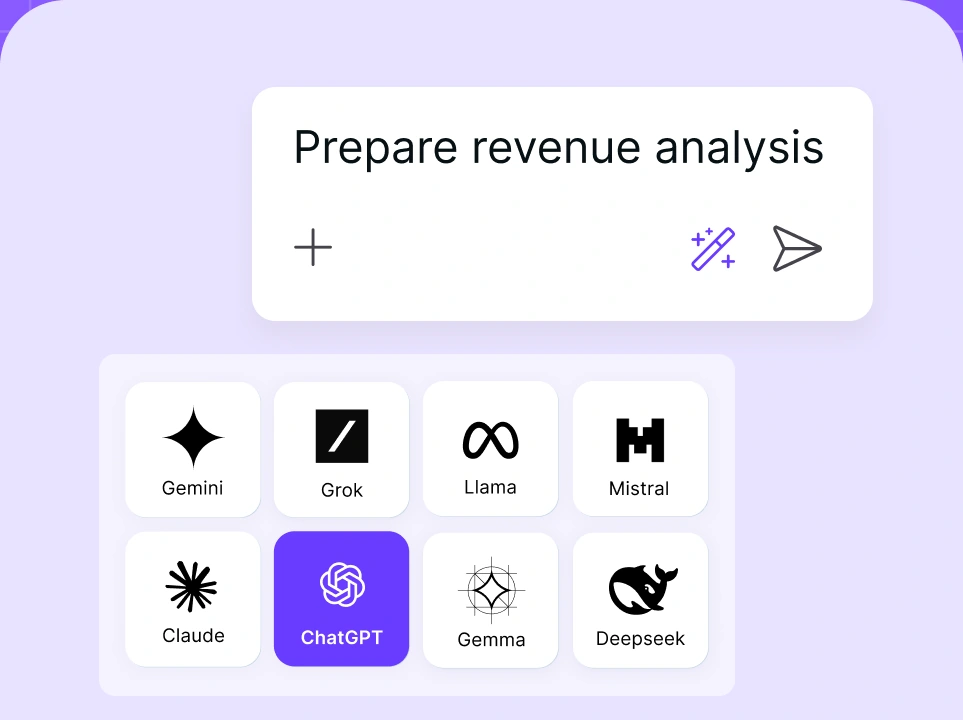
Chat with leading AI models
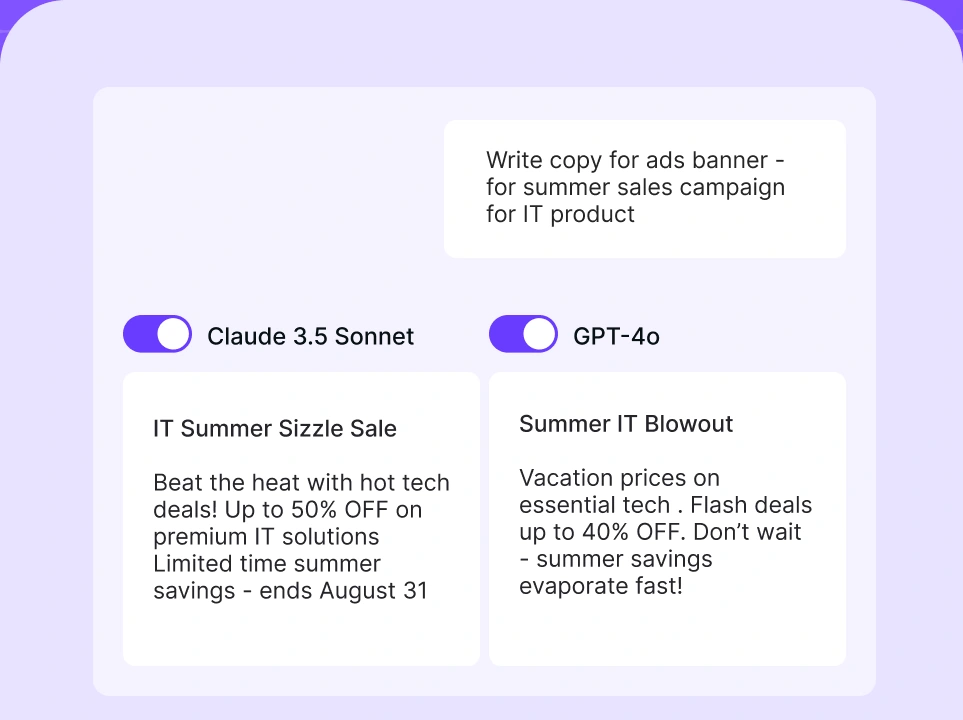
Compare AI models
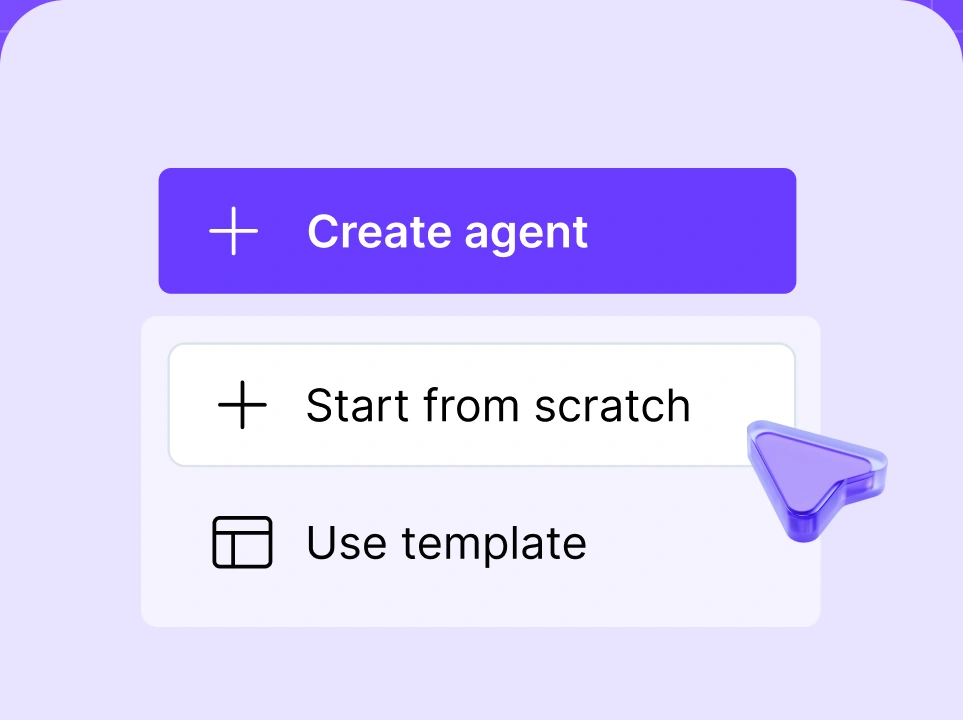
Build no-code AI Agents

2. HubSpot
HubSpot is an all-in-one marketing, sales, and service platform whose AI layer, Breeze, powers content generation, lead scoring, and workflow automation across the whole customer lifecycle. It promotes itself as the single source of truth for your funnel, connecting email, ads, landing pages, and CRM data so automations fire on complete customer context rather than one channel's data.
Pros
- Deep, mature automation tied directly to a full CRM
- AI features spread across marketing, sales, and service
- Large integration ecosystem and strong documentation
Cons
- Professional tier gets expensive fast, plus mandatory onboarding fees
- More platform than a small team needs for basic automation
Price and plans: Marketing Hub Professional starts at $890/month with a one-time $3,000 onboarding fee. A Starter tier begins near $20/user/month. For a 5-person team on Professional, that lands around $178 per person per month before onboarding.
Who is it for: Mid-market and enterprise marketing teams that want automation, CRM, and reporting in one system and can justify the price with pipeline volume.
3. Zapier
Zapier is a no-code automation tool that connects your apps and now uses AI to build and run multi-step workflows, called Zaps, across thousands of services. It promotes itself as the connective tissue of your stack, letting a form entry, a Slack alert, a spreadsheet row, and an email all trigger each other without a developer.
Pros
- Connects to 7,000+ apps, more than almost any competitor
- AI features help draft and troubleshoot workflows in plain language
- Genuinely no-code, so marketers set it up themselves
Cons
- Task-based pricing climbs quickly with heavy usage
- Complex logic can get fiddly to debug
Price and plans: Free tier available. The Professional plan starts at $19.99/month billed annually for 750 tasks, with Team plans from roughly $69/month.
Who is it for: Marketers and small teams who want to stitch their existing tools together and kill manual copy-paste work without writing code.
4. ActiveCampaign
ActiveCampaign is an email marketing and automation platform whose AI predicts send times, wins back at-risk contacts, and generates campaign content, all tuned for behavior-driven customer journeys. It promotes itself as customer experience automation, meaning every email, SMS, and follow-up adapts to what each contact does.
Pros
- Powerful visual automation builder with predictive AI
- Combines email, SMS, and CRM in mid-tier plans
- Strong deliverability reputation
Cons
- Learning curve on advanced automations
- Contact-based pricing grows with your list
Price and plans: Marketing plans start around $15/month for small lists and scale with contact count and features.
Who is it for: Small to mid-sized teams that live in email and SMS and want automations that react to individual behavior, not just batch sends.
5. Klaviyo
Klaviyo is a marketing automation platform built for ecommerce, using AI to predict customer lifetime value, forecast churn, and personalize email and SMS at the individual level. It promotes itself as the data-first choice for online stores, pulling directly from your store data to trigger the right message at the right moment.
Pros
- Deep ecommerce integrations, especially Shopify
- Predictive analytics baked into segmentation
- AI-generated subject lines and send-time optimization
Cons
- Priced for ecommerce, less fit for other models
- Costs rise with profile count
Price and plans: Free up to 250 contacts, then paid plans scale by number of profiles and channels.
Who is it for: Ecommerce brands that want revenue-focused email and SMS automation driven by store and purchase data.
AI marketing tools for content writing
AI marketing tools for content writing generate long-form marketing content, like blog posts, articles, and product pages, while using brand guidelines at scale. For copywriters and editors, they handle the first draft; editors revise it for accuracy, tone, and structure before publishing.
1. Jasper AI
Jasper AI is a marketing-focused AI writing platform that generates long-form content, ad copy, and campaign assets while holding to a brand voice you train it on. It promotes itself as the AI purpose-built for marketing strategy teams, with 100+ agents and templates for specific marketing formats.
Pros
- Brand voice and memory features keep output on-brand
- Marketing-specific templates and campaign workflows
- Integrates with SEO and other marketing tools
Cons
- Higher price point than general writing tools
- Output still needs a human edit for facts and nuance
Price and plans: Creator starts at $49/month and Pro at $69/seat/month, with Business on custom pricing. For a 3-seat Pro team, that is $69 per person per month.
Who is it for: Content and copywriting teams that publish at volume and need brand consistency across many writers.
2. Writer
Writer is an enterprise AI writing platform that combines content generation with brand guardrails, terminology control, and compliance checks across an organization. It promotes itself as the full-stack generative AI platform for enterprises, aimed at keeping large teams on-message and on-brand.
Pros
- Strong governance, style, and terminology enforcement
- Built for whole-company rollout, not just marketing
- Custom AI models trained on company data
Cons
- Enterprise focus means a heavier setup than solo tools
- Pricing geared toward larger teams
Price and plans: Team plans start around $18/user/month with a 14-day trial, and Enterprise on custom pricing.
Who is it for: Larger marketing and sales efforts inside enterprises that need every writer, technical or not, producing consistent, compliant content.
3. ChatGPT
ChatGPT is a general-purpose AI assistant from OpenAI that drafts copy, brainstorms angles, and researches topics across almost any marketing task. It works as a flexible AI chat partner, and two of the three top competing articles list it, which reflects how many marketers now start their first draft here.
Pros
- Extremely versatile across writing, research, and ideation
- Fast, familiar, and low friction to adopt
- Business plan adds shared workspace and admin controls
- Broad AI capabilities thanks to machine learning
Cons
- Not marketing-specific, so no brand-voice memory out of the box
- Needs careful prompting and fact-checking for published work
Price and plans: Plus is $20/month per person. The Business plan runs $25/user/month billed annually (or $30 monthly), minimum two users.
Who is it for: Individual marketers and teams who want one flexible assistant for drafting, research, and quick ideation across every channel.
4. Grammarly
Grammarly is an AI writing assistant that checks grammar, clarity, tone, and now generates and rewrites text, keeping every piece of marketing copy clean and on-brand. It promotes itself as the tool that makes your whole team write better, and two of the three top competing articles include it for exactly that reason.
Pros
- Best-in-class grammar, spelling, and clarity checks
- Works everywhere your team writes, from email to CMS
- Brand tone and style guardrails on paid plans
Cons
- Editing-first, so it is a companion to a writing tool, not a replacement
- Full team features sit behind higher tiers
Price and plans: Free tier available. Pro is $12/member/month billed annually ($30 monthly), with Business plans typically $18 to $25/user/month.
Who is it for: Any marketing team that wants a final polish and tone check on everything it publishes, from a solo writer to a whole department.
5. Hemingway App
Hemingway App is a writing-clarity tool that flags dense sentences, passive voice, and hard-to-read passages, and its newer AI features rewrite them on request. It promotes itself as the editor that makes your writing bold and clear, aimed at tightening marketing copy before it ships.
Pros
- Instantly surfaces readability problems
- Simple, distraction-free interface
- AI rewrite suggestions for flagged issues
Cons
- Narrow scope, focused on readability rather than generation
- Not built for team collaboration
Price and plans: Free web editor available, with an AI-enabled plan at a low monthly rate.
Who is it for: Copywriters and editors who want punchy, readable copy and a fast clarity pass before publishing.
AI marketing tools for social media
AI marketing tools for social media split into two functions: creating and scheduling content, and listening to what people say back. On the creation side, they draft captions, suggest post times, and queue content across networks from one calendar. On the listening side, they track mentions, sentiment, and trends to measure campaign performance.
1. Brandwatch
Brandwatch is a consumer intelligence and social media management platform that uses AI to track billions of online conversations, measure sentiment, and manage publishing across accounts. It promotes itself as the enterprise choice for understanding your audience, combining deep social listening with a full management suite.
Pros
- Massive data coverage across social, news, blogs, and forums
- AI-driven sentiment and trend analysis
- Combines listening with scheduling and engagement
Cons
- Enterprise pricing puts it out of reach for small teams
- Depth means a steeper onboarding
Price and plans: Custom pricing, with reported entry points around $800 to $3,000/month depending on the solution and seats.
Who is it for: Enterprise brands and agencies that need to understand and empower AI driven audience segmentation.
2. Hootsuite
Hootsuite is a social media management platform whose AI drafts captions, recommends best post times, and now can analyze data and performance across every connected account. It promotes itself as the command center for social teams, letting you plan, publish, and report from one calendar.
Pros
- Manages many networks from a single dashboard
- AI caption writer and optimal-time suggestions for social media posts
- Solid analytics and team collaboration features
Cons
- Per-seat pricing adds up for larger teams
- Advanced listening sits in higher tiers
Price and plans: Standard starts at $99/month, Professional around $149/month, and Team plans from $249/month. For a 3-person team on Team, that is roughly $83 per person per month.
Who is it for: Social and marketing efforts that manage multiple accounts and want scheduling, engagement, and reporting in one place.
3. Brand24
Brand24 is an AI social listening and media monitoring tool that tracks mentions across social, news, blogs, and podcasts, then scores sentiment and flags spikes in real time. It promotes itself as the affordable way to know what people say about your brand the moment they say it.
Pros
- Accessible pricing compared to enterprise listening tools
- Real-time alerts and AI sentiment analysis
- Clean reporting for stakeholders
Cons
- Keyword and mention limits on lower tiers
- Less publishing functionality than full management suites
Price and plans: Individual starts around $199/month ($149 to $199 depending on billing), with Pro tiers scaling to $599/month.
Who is it for: Small to mid-sized teams that want serious social listening and reputation monitoring without an enterprise contract.
4. SocialBee
SocialBee is a social media scheduling tool that uses AI to generate posts, recycle evergreen content, and organize your calendar by content category. It promotes itself as the smart scheduler for small businesses that want a steady, varied posting cadence without daily effort.
Pros
- Category-based scheduling keeps content balanced
- AI post generator and content recycling
- Affordable for solopreneurs and small teams
Cons
- Lighter on deep analytics and listening
- Smaller AI integration set than the big suites
Price and plans: Paid plans start at a low monthly rate per workspace, with tiers based on accounts and users.
Who is it for: Solopreneurs and small marketing teams that want consistent, organized posting on a budget.
5. BuzzSumo
BuzzSumo is a content research and data integration platform that uses AI to surface top-performing content, trending topics, and relevant influencers in any niche. It promotes itself as the tool that shows you what content works before you create your own.
Pros
- Fast content and topic discovery
- Influencer identification and outreach data
- Trend and question research for content planning
Cons
- Focused on research rather than publishing
- Higher tiers needed for full data access
Price and plans: Paid plans start in the mid-tier range and scale by features and users.
Who is it for: Content and social marketers who want to base their calendar on what already earns engagement in their space.
AI marketing tools for image and video creation
AI marketing tools for image and video creation let teams without a designer or video editor ship polished creative. These tools generate images from a text prompt, perform video editing by transcript, remove backgrounds in a click, and produce voiceover that sounds human.
1. Canva (Magic Studio)
Canva (Magic Studio) is a design platform whose AI suite generates images, writes copy, creates Meta and Google ads, resizes assets across formats, and removes backgrounds, all inside a drag-and-drop editor anyone can use. It promotes itself as the design tool that turns non-designers into producers, wrapping generative AI around templates so a marketer ships a full campaign's visuals without opening Photoshop.
Pros
- Huge template library plus AI generation in one place
- Magic Resize adapts one design to every channel instantly
- Brand kits keep team output on-brand
Cons
- Generative features have monthly credit limits
- Not built for advanced, pixel-level design work
Price and plans: Free tier available. Pro is around $15/month for one person, and Teams runs about $10/user/month with a 3-seat minimum.
Who is it for: Small marketing teams and solo marketers who need to produce a steady stream of on-brand visuals without a dedicated designer.
2. Runway
Runway is an AI video generation and editing platform that creates video from text or image prompts and offers advanced editing tools like object removal and motion tracking. It promotes itself as the creative suite for AI-native video, aimed at teams that want cinematic output without a production crew.
Pros
- Industry-leading text-to-video and image-to-video quality
- Full editing toolkit alongside generation
- 4K export on higher tiers
Cons
- Credit-metered plans limit heavy output
- Learning curve for the more advanced tools
Price and plans: Free tier with one-time credits. Standard is $12/user/month billed annually, Pro is $28/user/month, and Unlimited is $76/user/month.
Who is it for: Video-forward marketing teams and creators who want to generate and edit short-form video without a shoot.
3. Descript
Descript is an AI audio and video editor that lets you edit recordings by editing the transcript, plus features like filler-word removal, voice cloning, and studio-quality sound. It promotes itself as editing made as easy as editing a doc, aimed at podcasters, video teams, and anyone who would rather not touch a timeline.
Pros
- Edit video and audio by editing text
- AI removes filler words and background noise automatically
- Overdub voice cloning for quick corrections
Cons
- New usage model meters media minutes and AI credits
- Complex projects can strain the transcript-first approach
Price and plans: Free tier available. Hobbyist is $16/month billed annually, and Creator is around $24 to $35/month depending on billing.
Who is it for: Content teams, podcasters, and video creators who want fast, transcript-based editing without pro editing software.
4. DALL·E 3
DALL·E 3 is OpenAI's text-to-image model that generates detailed, on-prompt visuals from plain descriptions, available inside ChatGPT and via API. It promotes itself as the image generator that actually understands your prompt, useful for quick concept art, ad visuals, and blog imagery.
Pros
- Strong prompt adherence and text rendering in images
- Accessible directly through ChatGPT
- Fast concepting for campaigns and thumbnails
Cons
- Less fine-grained control than dedicated design suites
- Usage tied to ChatGPT plans or API credits
Price and plans: Included with ChatGPT Plus at $20/month, or pay-as-you-go through the API.
Who is it for: Marketers who want quick, custom imagery for content and ads without a design tool or stock library.
5. ElevenLabs
ElevenLabs is an AI voice generation platform that produces natural, expressive voiceover and cloned voices in dozens of languages. It promotes itself as the most lifelike AI audio available, aimed at video, ad, and content teams that need voiceover without a booth.
Pros
- Highly realistic, expressive voice output
- Voice cloning and multilingual support
- Simple API for scaled audio production
Cons
- Character-based limits on lower tiers
- Voice cloning raises consent and usage considerations
Price and plans: Free tier available, with paid plans starting at a low monthly rate and scaling by character count.
Who is it for: Video and content teams that need professional voiceover for ads, explainers, and social clips at scale.
AI marketing tools for SEO optimization
AI marketing tools for SEO optimization analyze the top-ranking pages for a keyword and tell you exactly what to change so your page can compete. They extract the terms, structure, and depth those pages share, score your draft against that benchmark, and suggest what to add.
1. Surfer SEO
Surfer SEO is a content optimization platform that scores your writing in real time against top-ranking pages and tells you which terms, headings, and length will help you rank. It promotes itself as the tool that takes the guesswork out of on-page SEO, and every serious content team knows the name.
Pros
- Real-time content score as you write
- Clear term and structure recommendations
- Integrates with Google Docs and AI writers
Cons
- Over-optimizing to the score can hurt readability
- Credit and article limits on lower tiers
Price and plans: Essential is around $79 to $99/month, with higher tiers up to roughly $399/month.
Who is it for: Search engine optimization specialists and content marketers who want data-backed guidance on every page they publish.
2. Clearscope
Clearscope is an SEO content optimization platform that grades content against search intent using AI-driven term analysis and keyword discovery. It promotes itself as the premium, accuracy-first choice for teams that take content quality seriously.
Pros
- Accurate, intent-focused term recommendations
- Clean grading scale that is easy for writers to follow
- Reliable keyword discovery reports
Cons
- Higher entry price than most competitors
- Fewer all-in-one features beyond optimization
Price and plans: Essentials starts around $129/month (or $99 with discount), with Business near $399/month.
Who is it for: Content teams and agencies that prioritize accuracy and are willing to pay a premium for it.
3. ContentShake AI
ContentShake AI is Semrush's AI writing and SEO tool that combines topic research, competitor analysis, and optimized drafting in one workflow. It promotes itself as the fast lane from keyword to published, ranking-ready blog post.
Pros
- Research, writing, and optimization in one tool
- Built on Semrush data
- Beginner-friendly guided workflow
Cons
- Less depth than dedicated optimization tools for advanced users
- Best value tied to the Semrush ecosystem
Price and plans: Free trial available, with a paid plan around $60/month for unlimited AI content plus optimization.
Who is it for: Small teams and solo marketers who want research, writing, and SEO in a single, guided workflow.
4. Brandwell
Brandwell is an AI content platform (formerly Content at Scale) built to generate long-form, SEO-optimized blog posts that read as human-written and pass AI detection. It promotes itself as the tool for producing ranking content at volume without sounding robotic.
Pros
- Long-form SEO drafts with built-in optimization
- Bulk content production for high-volume sites
- Human-like output aimed at passing detectors
Cons
- Long-form focus means less fit for short copy
- Output still needs editorial review
Price and plans: Paid plans scale by monthly content volume, starting in the mid-tier range.
Who is it for: Content-heavy sites and agencies that need SEO-optimized long-form drafts produced at scale.
5. Originality AI
Originality AI is an AI content detection and plagiarism tool that scores how likely text is AI-generated and flags copied passages, helping SEO teams keep content credible. It promotes itself as the fact-checking and originality layer for teams publishing at scale.
Pros
- Accurate AI-detection and plagiarism scanning
- Team dashboard for reviewing many pieces
- Useful for editorial QA and freelancer oversight
- Reliable as far as AI content detectors go
Cons
- Detection is a guide, not an absolute verdict
- Narrow scope, focused on checking rather than creating
Price and plans: Pay-as-you-go credits plus a low monthly subscription option.
Who is it for: Editors and content managers who need to verify originality and quality across a large volume of published work.
AI tools for marketing analytics and consumer insights
AI marketing tools for analytics and consumer insights turn raw, multi-channel data into decisions you can act on. They pull numbers from your ads, email, site, and social into one view, then use AI to summarize what happened, explain why, and point to what to do next.
1. nexos.ai
nexos.ai is an AI platform that lets you upload raw marketing data, ask questions in plain language, and get back clean charts, executive-ready visualizations, and written summaries, all without a data analyst. For marketing analytics, you feed in campaign exports, ask what changed and why, and the platform returns the analysis, the dashboard, and a written recommendation in one pass. Every model call behind that analysis runs through nexos.ai's LLM observability, which tracks output quality and flags errors before they reach the report.
Pros
- Plain-language questions in, executive-ready charts and summaries out
- Turns hours of reporting into a single prompt
- Keeps data, analysis, and decks in one secure workspace
- Enterprise-grade security and compliance
- One of the best AI tools for most people
Cons
- Broad platform, so single-metric dashboard shoppers may over-buy
- Value compounds when it replaces several tools, not just one
Price and plans: Custom pricing based on team size and usage, with consolidation of existing tools typically offsetting the cost.
Who is it for: Marketing and ops teams that need fast, decision-ready analysis and leadership decks without waiting on a data team.
2. Tableau
Tableau is a data visualization and analytics platform whose AI layer, Einstein, surfaces trends, forecasts outcomes, and explains data in natural language. It promotes itself as the standard for turning complex data into interactive dashboards anyone in the business can read.
Pros
- Connects to almost any data source
- Powerful, flexible, interactive dashboards
- AI-driven explanations and forecasting
Cons
- Priced and designed for analysts, not casual users
- Real setup and learning investment required
Price and plans: Viewer, Explorer, and Creator seats are priced per user per month, with Creator seats at the top of the range around $75/user/month.
Who is it for: Data-forward marketing and analytics teams that need powerful, shareable dashboards across the organization.
3. Adobe Experience Platform
Adobe Experience Platform is an enterprise customer data and actionable insights platform that unifies data across channels and uses AI to build real-time customer profiles and predict behavior. It promotes itself as the foundation for personalized experiences at enterprise scale.
Pros
- Real-time unified customer profiles across channels
- Predictive AI for segmentation and personalization
- Deep integration with the Adobe marketing suite
Cons
- Enterprise-only complexity and cost
- Requires significant setup and data governance
Price and plans: Custom enterprise pricing based on data volume and modules.
Who is it for: Large enterprises that need a unified customer data foundation to power personalization at scale.
4. Salesforce Customer 360
Salesforce Customer 360 connects sales, service, marketing, and commerce data into one view, with Einstein AI generating insights and next-best-action recommendations. It promotes itself as the single, complete picture of every customer across the business.
Pros
- Unifies customer data across every Salesforce cloud
- AI-driven predictions and recommendations
- Massive integration and app ecosystem
Cons
- Full value requires broad Salesforce adoption
- Complex and costly for smaller teams
Price and plans: Priced per cloud and per user, custom based on the products you combine.
Who is it for: Organizations already invested in Salesforce that want a unified, AI-enriched view of the customer.
5. Triple Whale
Triple Whale is an ecommerce analytics platform that centralizes ad, store, and attribution data, using AI to summarize performance and recommend where to spend next. It promotes itself as the profit-focused command center for direct-to-consumer brands.
Pros
- Consolidates ad and store data with AI attribution
- Clear, real-time profit and performance dashboards
- Built specifically for ecommerce decision-making
Cons
- Focused on ecommerce, less fit for other models
- Attribution accuracy depends on clean data setup
Price and plans: Paid plans scale by ad spend and store revenue, starting in the mid-tier range.
Who is it for: Direct-to-consumer and ecommerce brands that want profit-first analytics across their ad and store data.
How to choose the right AI marketing tool for your business
Choosing the right AI marketing tool comes down to matching the tool to your goal, your team, and your existing stack. Work through these five steps before choosing a tool.
- 1.Define your goal first. Decide what you actually want to fix before you shop. More content? Better attribution? Faster campaign launches? A tool that solves a problem you do not have is just another subscription.
- 2.Evaluate your team's technical level. Match the tool to the people using it. A no-code platform suits a lean marketing team, while a data-heavy analytics suite needs someone comfortable with dashboards and setup.
- 3.Check how it fits your existing stack. Confirm the tool connects to what you already use. A writing tool that will not plug into your CMS, or an analytics tool that ignores your ad platform, creates more manual work than it removes.
- 4.Calculate the real per-person cost. Divide the plan price by the number of people who will actually use it, and factor in onboarding fees. A $900/month platform across a 5-person team is very different from the same price for two seats.
- 5.Test before you commit. Use the free trial on real work, not a demo task. A tool only proves its worth on your briefs, your data, and your deadlines.
How can the nexos.ai platform help you with marketing?
nexos.ai brings 200+ AI models and tools into one platform, replacing separate subscriptions for each function. Instead of paying separately for a writing tool, a market research tool, an analytics tool, and a design assistant, you get ChatGPT, Claude, Gemini, Grok, and more in one platform that automatically routes each task to the model suited to it.
Teams build workflows using natural-language prompts, with no coding required. In a single session, you can:
- Turn a brief into ads, emails, and landing page copy
- Pull competitor and keyword research without a separate SEO subscription
- Turn campaign performance data into charts and written summaries for a leadership deck
The same workflow setup works for small businesses and large teams alike, since you build it once and reuse it for every new campaign.


