Table of contents
Key takeaways
- The best Claude alternative depends on whether you need a chatbot, coding agent, or automation platform.
- nexos.ai gives both technical and non-technical teams access to Claude and other models through one managed workspace and AI gateway.
- ChatGPT is a broad general-purpose alternative, while Gemini suits large files and Google Workspace users.
- Perplexity is useful for current research because it searches the web and cites its sources.
- Cursor, GitHub Copilot, OpenCode, Aider, and Codex offer different approaches to AI-assisted development.
- Gumloop, OpenClaw, and Notion Agent, are agent-focused and automate multi-step workflows.
Why look for a Claude alternative?
Claude handles writing, reasoning, document analysis, and coding well, but it won’t be the right fit for every user or task. Common reasons to consider alternatives to Claude include:
- Usage limits and cost. Claude Pro runs $20/month, while Max plans cost $100 or $200. Intensive use of Claude Code or Cowork burns through shared allowances fast.
- Model choice. Claude tools rely strictly on Anthropic models. Most teams eventually need access to GPT, Gemini, open-weight models, or dynamic model routing.
- Ecosystem integration. Gemini connects closely with Google Workspace, Microsoft Copilot works within Microsoft 365, and GitHub Copilot fits directly into GitHub workflows.
- Specialized features. Claude may not be the first choice when native image generation, real-time cited search, open-source deployment, or workflow automation is the priority.
- Centralized control. Businesses may need SSO, role-based permissions, audit logs, model policies, and consolidated cost reporting.
Best Claude AI alternatives for everyday use
The following Claude AI alternatives cover general writing, analysis, research, file work, and day-to-day questions. Some replace Claude.ai directly. Other tools are better used alongside it because they solve a narrower problem particularly well.
Tool | Best for | Pricing |
|---|---|---|
nexos.ai | Accessing Claude and competing models in one workspace | Custom enterprise plan |
ChatGPT | Broad general-purpose assistance | Free; paid plans from $8/month |
Google Gemini | Large files and Google Workspace integration | Free; paid plans vary by region |
Perplexity AI | Current web research with citations | Free; Pro $17/month and Max $167/month with annual billing |
Microsoft Copilot | Teams working in Microsoft 365 | Free chat; paid Microsoft 365 plans |
Grok | Current social and news context | Free; SuperGrok from $30/month |
Each tool has a different focus. The right choice depends on whether you value model range, polished writing, source-backed research, ecosystem access, or live information most.
1. nexos.ai
One managed workspace for Claude and more than 200 competing models.
Custom Enterprise plan
Managed cloud
-
Access to commercial and open-weight models
-
One interface for chat, research, files, and agents
-
Centralized access, usage, and spending controls
-
More than occasional users may need
-
Takes longer to learn than a basic chatbot
nexos.ai is an all-in-one AI platform that brings Claude and its alternatives into one managed environment. Instead of asking a team to choose one assistant, it provides access to more than 200 models from providers such as Anthropic, OpenAI, Google, Meta, and Mistral.
Its AI workspace for multiple LLMs covers daily business tasks in a single interface. Users can chat across models, search the web, work with files, compare responses side by side, and build no-code agents without managing a separate subscription for each provider.
Best for: Teams and businesses that want model flexibility with centralized security, spending, and access controls.
Features:
- Access to 200+ commercial and open-weight AI models.
- One AI chat interface for writing, research, document analysis, and file creation.
- Automatic model selection based on the task.
- Side-by-side output comparison.
- Real-time web search with visible sources.
- No-code agents and integrations with tools such as Slack, Google Drive, Jira, SharePoint, Confluence, and Zendesk.
- Centralized AI use and spending reporting.
- SSO and role-based access controls for supported business plans.
- SOC 2 Type 2, ISO 27001, ISO 42001, and GDPR compliance.
Strengths: Teams can use and compare different models without having to manage separate subscriptions. Administrators also gain centralized control over access, policies, usage, and spending.
Limitations: The platform is better suited to regular team use than occasional personal chat. Its broader feature set takes longer to learn than that of a basic assistant.
Pricing: AI Workspace is available on a custom Enterprise plan.

AI Workspace: smarter AI
adoption across multiple LLMs
Move from chatting with AI to getting things done.
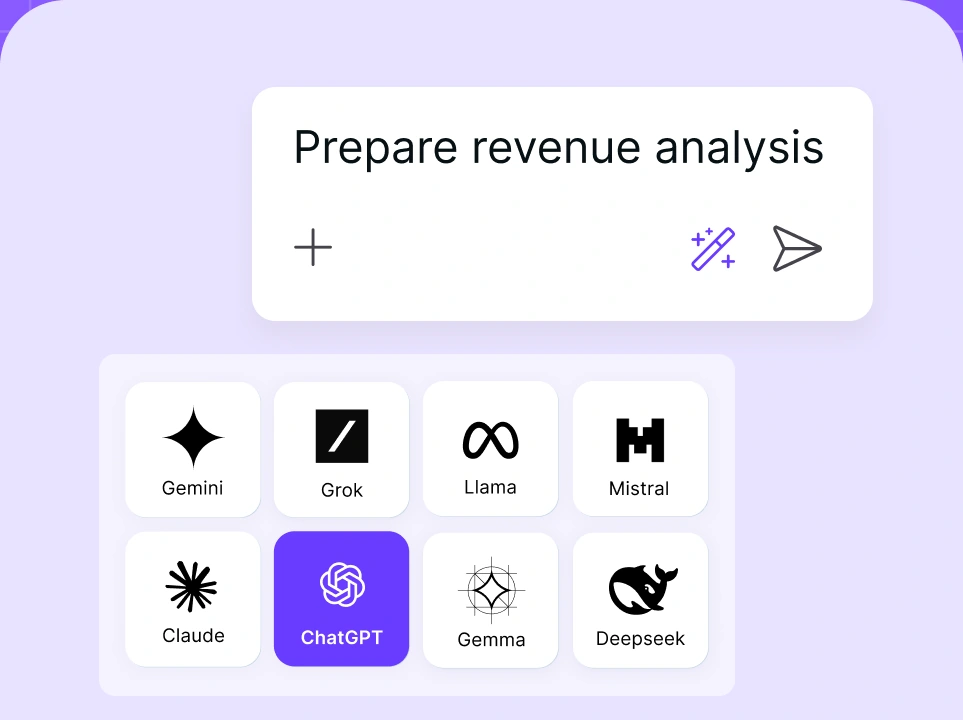
Chat with leading AI models
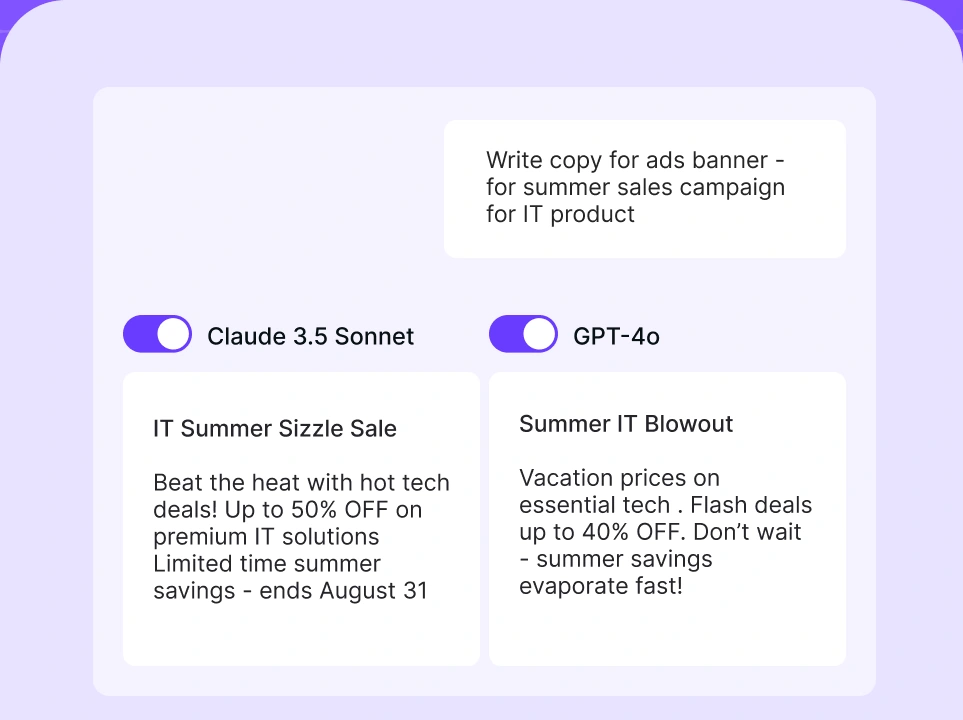
Compare AI models
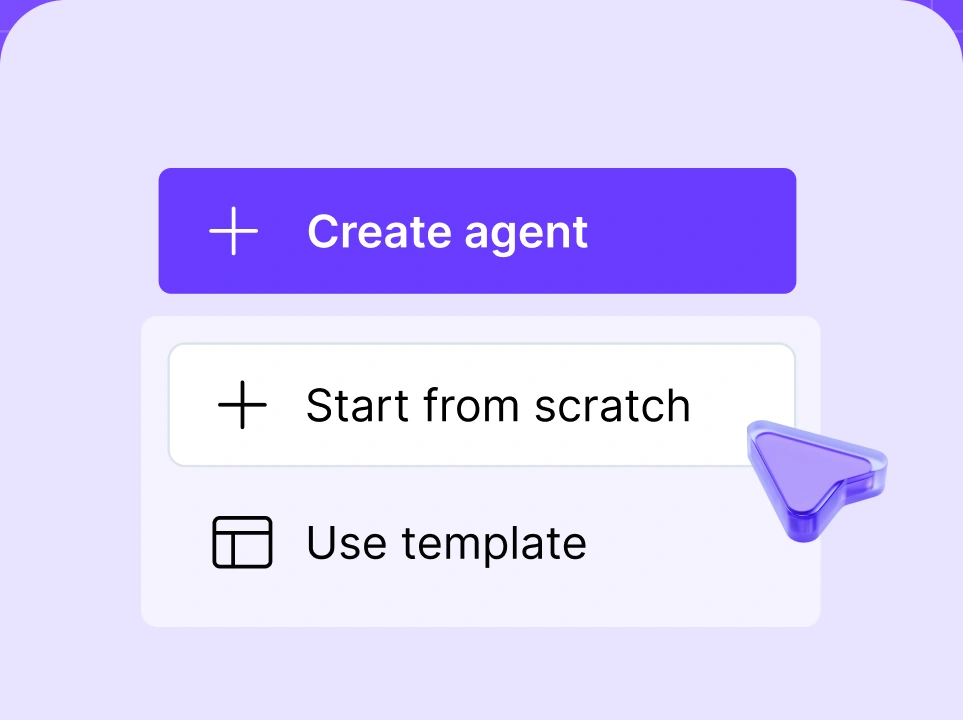
Build no-code AI Agents

2. ChatGPT
General-purpose assistant for text, images, research, coding, and voice.
Free; paid plans from $8/month
Managed cloud and desktop apps
-
Covers a broad range of everyday tasks
-
Strong image, voice, data, and coding tools
-
Extensive integration and customization options
-
Features and limits also vary considerably by plan
-
Claude is better for nuanced long-form writing
ChatGPT is OpenAI’s general-purpose AI assistant. It combines chat, web research, file analysis, image generation, voice, coding, and agentic task execution into one product.
Best for: Individuals and teams who want a single assistant capable of handling a wide range of text, visual, technical, and administrative tasks.
Features:
- Analysis of text, image, audio, documents, and data.
- Native image generation and editing.
- Web search and deep research.
- Voice conversations and computer-use capabilities.
- Projects, memory, reusable skills, and custom workflows.
- Connections to services such as Google Workspace, Microsoft 365, Slack, and GitHub on eligible plans.
- Codex tools for local, cloud, and asynchronous development work.
Strengths: ChatGPT handles more types of work than most assistants, including writing, research, coding, voice processing, data analysis, and image generation.
Limitations: Claude is better for nuanced long-form writing. Features, models, and usage limits also vary by plan.
Pricing: A free plan is available. US plans start at $ 8/month for Go, $20/month for Plus, and $100/month for Pro.
For a more detailed comparison, read our full guide about Claude vs. ChatGPT.
3. Google Gemini
General-purpose assistant closely integrated with Google Workspace.
Free; paid plans vary by country
Managed cloud
-
Handles large files and source collections
-
Works directly with Gmail, Docs, Sheets, and Drive
-
Supports text, images, audio, video, and code
-
Some features depend on region and account type
-
Long-form prose requires more editing than Claude
Google Gemini is Google’s general-purpose AI assistant for working with text, images, audio, video, files, and code. It combines advanced reasoning with current information from Google Search and direct integration with products such as Gmail, Docs, Sheets, and Drive.
Best for: People working with large source collections or organizations already standardized on Google Workspace.
Features:
- Text, image, audio, video, and file understanding.
- A context window of up to one million tokens on Google AI Pro and Ultra plans.
- Deep Research for multi-source web reports.
- Integration with Gmail, Docs, Sheets, Drive, and other Google products.
- Image, video, and music generation on eligible plans.
- Access to advanced AI models like Gemini 3.1 Pro, subject to plan limits.
- Related specialized tools such as Gemini Notebook, Jules, and Google’s agentic products for code generation.
Strengths: Gemini works particularly well with Google apps, allowing users to work with existing emails, documents, spreadsheets, and files. Its large context window accommodates extensive source collections and codebases.
Limitations: Some features are limited by plan, country, or account type. Claude may still be preferable for nuanced long-form prose.
Pricing: Gemini has a free tier. Google AI plans include Plus, Pro, and Ultra options, with prices and included services varying by country. Business customers should check their Google Workspace or Gemini Enterprise pricing separately.
4. Perplexity AI
Search-first assistant that answers questions with inline web citations.
Free; Pro from $17/month annually
Managed cloud
-
Fast research faster using current web sources
-
Citations appear beside relevant claims
-
Paid plans provide access to several model providers
-
Sources and citations still require manual checking
-
Less suited to extended or creative writing tasks
Perplexity is a search-first AI service. It retrieves current web pages, produces a direct answer, and places citations beside the claims they support.
Best for: Researchers, analysts, journalists, marketers, and other users whose work depends on current, traceable information.
Features:
- Live web research with inline citations.
- Pro Search and Deep Research for complex questions.
- File uploads and source-focused research.
- A choice of models from providers such as OpenAI, Anthropic, and Google on eligible plans.
- Model Council, which compares several models before synthesizing an answer.
- Comet browser tools and Perplexity Computer for advanced reasoning and longer agentic tasks.
- Enterprise controls and data protections.
Strengths: Perplexity makes web research faster and keeps its sources visible for review. Eligible plans also provide access to Claude models alongside their competitors.
Limitations: It’s less suited to long-form or creative writing tasks. Citations should still be checked to confirm that each source supports the associated claim.
Pricing: A free plan is available. US pricing starts at $17/month for Pro and $167/month for Max when billed annually. Enterprise plans are priced separately.
5. Microsoft 365 Copilot
Workplace assistant embedded across Microsoft 365 applications.
Free chat; paid Microsoft 365 plans
Managed cloud
-
Works inside Word, Excel, Outlook, and Teams
-
Uses authorized company files, email, and meetings
-
Fits existing Microsoft administration and security
-
Offers less value outside Microsoft’s ecosystem
-
Licensing and agent charges are difficult to compare
Microsoft 365 Copilot is Microsoft’s workplace AI assistant. It’s embedded across the Microsoft 365 environment rather than operating only as a separate chatbot.
Best for: Organizations already working in Microsoft 365 and storing their documents, email, meetings, and internal knowledge in Microsoft services.
Features:
- AI assistance inside Word, Excel, PowerPoint, Outlook, Teams, and the Microsoft 365 Copilot app.
- Drafting, summarization, presentation creation, and spreadsheet analysis.
- Answers grounded in workplace content the user is authorized to access through Microsoft Graph and Work IQ.
- Copilot Search, Notebooks, agents, and connectors.
- Business administration and security controls.
- Standalone Copilot Chat for eligible Microsoft 365 users.
Strengths: Copilot works directly inside Microsoft 365 apps and can use authorized company files, email, and meeting information.
Limitations: Its main benefits depend on the Microsoft ecosystem. Also, licensing is confusing because Copilot Chat, Microsoft 365 Copilot, consumer Microsoft 365 plans, and agent-related services have separate entitlements and usage charges.
Pricing: Basic chat is free. US consumer plans include Microsoft 365 Personal at $99.99 per year, Family at $129.99 per year, and Premium at $199.99 per year. Microsoft 365 Copilot business pricing varies by plan, region, contract, and whether Microsoft 365 is included.
6. Grok
General-purpose assistant with real-time access to the web and X.
Free; SuperGrok from $30/month
Managed cloud
-
Useful for tracking news and online discussions
-
Search, reasoning, voice, and media tools
-
Available without a paid subscription for basic use
-
Social sources can be incomplete or unreliable
-
Requires firm direction for polished writing
Grok is xAI’s general-purpose assistant. It offers search, reasoning, voice, image generation, and real-time access to public information, including content from X.
Best for: Users who want current social, cultural, and news context alongside general AI-powered assistance.
Features:
- Real-time web and X search.
- Native image and video generation, voice, and dedicated reasoning modes.
- Connectors and multi-agent reasoning on higher plans.
- Available through the web, mobile, X, and API.
Strengths: Grok is unmatched for tracking breaking news and live social trends. Its generous free tier and a $30/month SuperGrok plan also offer competitive value.
Limitations: Inputs from social media raise the risk of unverified or inaccurate info. Grok has a shorter record than Claude in long-form business writing, and its casual default style requires a lot of direction for serious work.
Pricing: Grok is free to try. SuperGrok costs $30 per month, while SuperGrok Plus costs $100 per month.
Best Claude Code alternatives for developers
Claude Code is a terminal-based coding agent that can inspect a repository, edit files, run commands, execute code, and work through multi-step software tasks. Developers looking for Claude Code alternatives may want a visual IDE, broader access to models, open-source control, or a different way to delegate work.
The options below include commercial and open-source alternatives to Claude Code. The main differences lie in workflow, model access, control, and pricing, so the best choice depends on how developers prefer to review and direct changes.
Tool | Best for | Pricing |
|---|---|---|
nexos.ai | API access to multiple models through one gateway | Provider cost plus a 5% gateway fee |
Cursor | Visual IDE with integrated coding agents | Free; paid plans from $20/month |
GitHub Copilot | GitHub-centered development workflows | Free; paid plans from $10/month with included AI Credits; extra credits cost $0.01 each |
OpenCode | Open-source, model-independent coding | Free tool; model costs vary |
Aider | Git-native terminal pair programming | Free tool; model costs vary |
OpenAI Codex | Delegated local and cloud development tasks | Free; paid plans from $8/month |
These alternatives to Claude Code range from individual coding assistants to production infrastructure.
1. nexos.ai
One managed API for routing requests across more than 200 models.
Provider rates plus a 5% platform fee
Managed cloud
-
Switch providers without rebuilding integrations
-
Centralizes cost, security, and usage management
-
Includes routing, failover, caching, and observability
-
Not a local repository-editing assistant
-
Requires initial integration and policy configuration
nexos.ai provides engineering teams an AI gateway for more than 200 models. It’s designed for teams building AI into products, services, and internal tools — not for a single developer asking an assistant to edit a local repository.
Best for: Engineering teams needing multi-model access, smart routing, cost controls, and governance in production.
Features:
- A single API for 200+ models from top providers.
- Request routing based on cost, speed, or quality.
- Automatic provider failover.
- Built-in prompt and response caching, context compression, and RAG support.
- Request-level logging, latency tracking, and granular cost attribution.
- Hard spend caps, API key management, and administrative controls.
- No-code agents for workflows that don’t require a custom application.
- Enterprise SSO, RBAC, audit logs, policies, and service-level options.
Strengths: A direct commitment to Claude Code or the Anthropic API makes an application dependent on one provider. nexos.ai provides the flexibility expected from the best AI gateways, allowing engineering teams to switch providers without rebuilding their integrations and to manage model costs, security, and usage centrally.
Limitations: nexos.ai is production infrastructure rather than a direct replacement for Claude Code’s local development experience. It also requires initial integration and policy configuration.
Pricing: Users pay the underlying model rate plus a 5% platform fee. Enterprise pricing is customized.

One AI gateway for unified LLM access
and AI spend control
One secure, lightweight layer to access, route, and manage 200+ models.
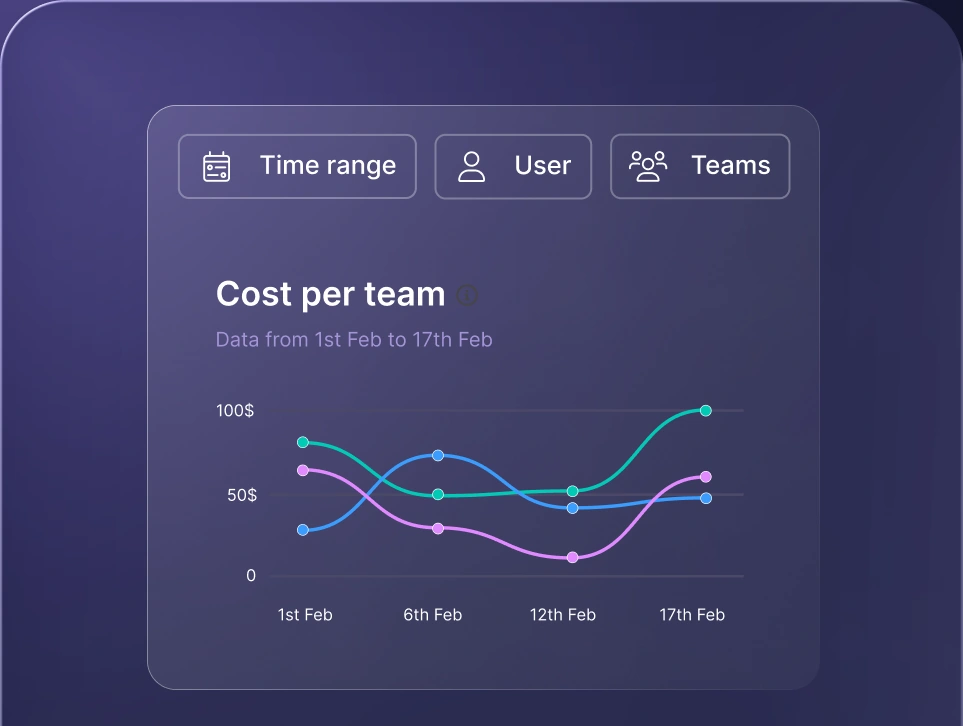
Monitor AI usage
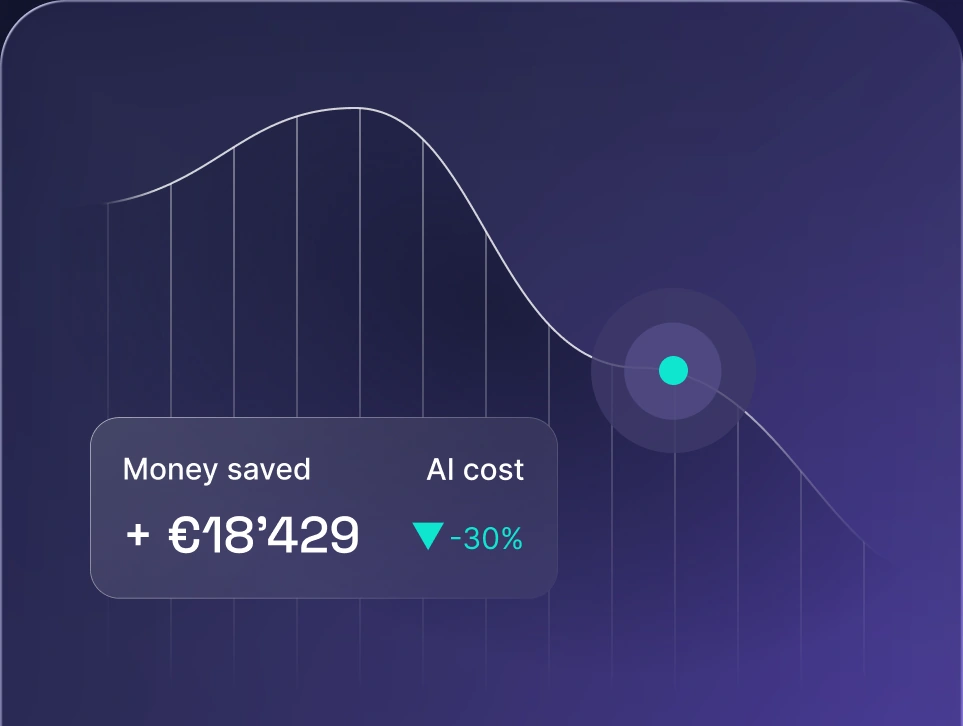
Control AI spend
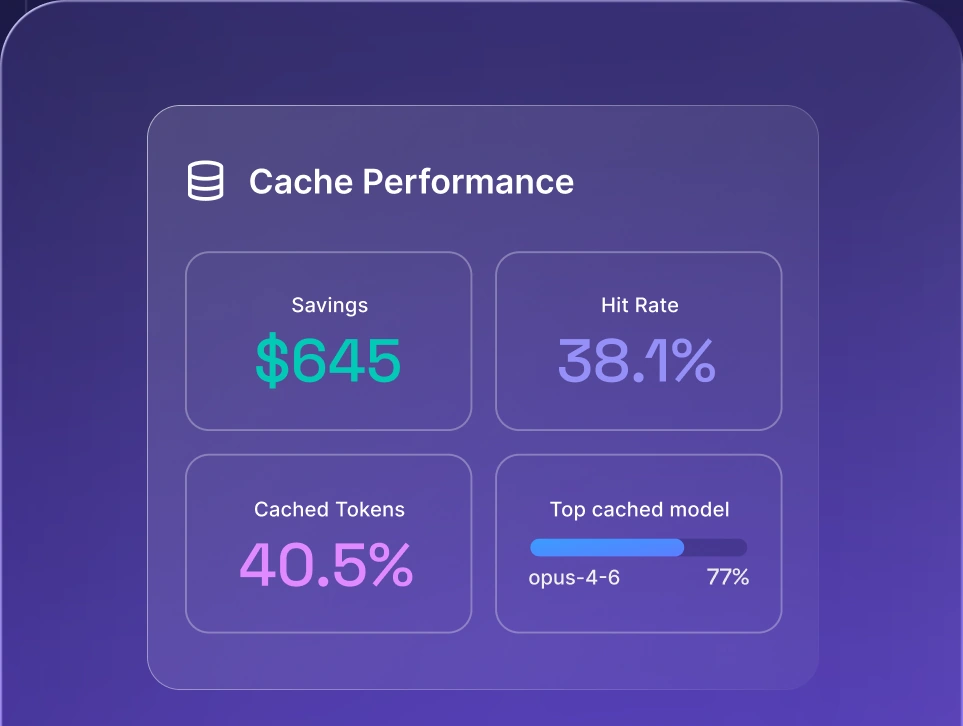
Optimize AI costs
2. Cursor
AI-focused code editor built on Visual Studio Code.
Free; Pro from $20/month
Desktop and cloud
-
Familiar graphic environment for VS Code users
-
Supports inline help and delegated agent tasks
-
Provides access to models from several providers
-
Heavy agent use can increase costs quickly
-
Teams using another IDE must change environments
Cursor is an AI-focused code editor based on Visual Studio Code. It combines a familiar graphical editor with code completion, chat, repository context, and agents that can complete multi-step development tasks.
Best for: Developers who want multi-model agentic coding inside a visual IDE.
Features:
- Inline code completion and natural-language editing.
- Agent mode for multi-file changes and execution of terminal commands.
- Access to models from several providers.
- Cloud agents that can run without occupying the local machine.
- Parallel development workflows using separate worktrees.
- Rules, skills, hooks, Model Context Protocol (MCP) connections, and shared team context.
- Bugbot for automated code review.
- Import of VS Code extensions, settings, themes, and keybindings.
Strengths: Cursor is more approachable than a terminal-first agent and supports both interactive coding and delegated cloud tasks. It combines agentic coding and model choice with a familiar visual editor based on VS Code.
Limitations: Heavy agent use becomes expensive. Cursor is a VS Code-based editor, so teams using JetBrains or another IDE would need to change their working environment. Also, OpenAI plans to remove its models from Cursor in November 2026, although other providers will remain available.
Pricing: A free Hobby plan is available. Pro starts at $20 a month (with extended agent limits) and Teams at $40 per user. Ultra costs $200 per month and includes 20 times the standard Pro agent allowance and priority access to new features. The Enterprise plan has custom pricing.
3. GitHub Copilot
GitHub’s coding assistant for completion, chat, review, and delegated tasks.
Free; Pro from $10/month + metered credits
IDE, CLI, GitHub, and cloud
-
Strong inline completion across major editors
-
Fits naturally into GitHub issues and pull requests
-
Lower entry price than many coding agents
-
Features differ by editor and subscription
-
Token-based AI Credits can raise costs
GitHub Copilot is GitHub’s AI development product. It began as an autocomplete tool but now covers chat, coding agents, code review, the command line, and task delegation on GitHub.
Best for: Developers and GitHub-centric teams needing inline completions, chat, and agent workflows integrated with their existing tools.
Features:
- Inline completions in VS Code, Visual Studio, JetBrains, and other major IDEs.
- Chat, edit, and agent modes.
- Interactive coding with access to models from multiple providers.
- Coding-agent tasks launched from GitHub issues and development tools.
- Repository-aware assistance, pull-request creation, and code review.
- Copilot CLI for terminal-based work.
- Organization policies, usage controls, and enterprise administration.
Strengths: Copilot combines fast inline completion with native GitHub workflows. Developers can draft boilerplate, explore unfamiliar APIs, review pull requests, and delegate scoped tasks without adopting a separate development platform. Its $10 Pro plan is also more accessible than that of many premium coding agents.
Limitations: Feature availability varies by editor and plan. Chat, CLI, and agent tools consume AI Credits based on token usage, so complex tasks increase costs.
Pricing:
- Free: Limited AI Credits for chat and agent testing (code completion is unlimited)
- Pro ($10/mo): 1,500 AI Credits ($0.01 per credit).
- Pro+ ($39/month): 7,000 credits.
- Max ($100/month): 20,000 credits.
- Business: Pooled team usage and administrative budget controls.
4. OpenCode
Open-source coding agent supporting hosted and local models.
Free; model and computing costs apply
Local, desktop, IDE, or self-hosted
-
Supports more than 75 model providers
-
Offers control over models, privacy, and spending
-
Works through terminal, desktop, and IDE interfaces
-
Requires more configuration than managed tools
-
Local performance depends on hardware and model quality
OpenCode is an open-source, model-agnostic coding agent. It can run in a terminal, desktop application, or IDE extension and supports more than 75 model providers, including local models.
Best for: Developers who want model freedom, open-source software, privacy, or direct control over model costs.
Features:
- Terminal, desktop, and IDE interfaces.
- More than 75 providers through Models.dev.
- Local models and OpenAI-compatible APIs.
- Multiple sessions and parallel agents.
- Language Server Protocol integration.
- Shareable session links.
- Support for eligible ChatGPT, GitHub Copilot, and GitLab Duo subscriptions.
- Custom commands, tools, plugins, and MCP servers.
Strengths: OpenCode offers considerably more model choice than provider-specific coding agents. Developers can switch between hosted and local models while keeping the same interface, reducing provider dependence and giving them more control over data and costs.
Limitations: It takes more effort to configure than a managed coding assistant. Privacy and cost still depend on the selected provider, model, extensions, and connected tools. Local-model code quality also depends on the model and available hardware.
Pricing: The tool is free. Users pay for model access or local computing; optional OpenCode Go costs $10 a month.
5. Aider
Open-source terminal pair programmer that records changes in Git.
Free; model and computing costs apply
Local and self-hosted
-
Creates ordinary commits that are easy to review
-
Makes edits easy to compare or reverse
-
Works with compatible local and hosted models
-
Doesn’t provide an integrated visual editor
-
Results depend heavily on the selected model
Aider is an open-source command-line pair programmer. It works inside a Git repository and records AI-generated edits as ordinary commits.
Best for: Developers who want terminal workflows, reviewable edits, and straightforward Git-based version control.
Features:
- Repository maps for understanding the wider codebase.
- Support for models from several providers.
- Local-model access through Ollama and OpenAI-compatible APIs.
- Auto-commits with descriptive messages.
- Diff-based editing and instant rollbacks.
- Automatic linting and tests after applying code changes.
- Voice prompts, image inputs, and web-page context.
- A scripting interface for automated workflows.
Strengths: Aider’s Git integration makes it easy to inspect, compare, and reverse changes. Users can move between Claude, GPT, Gemini, and compatible local or hosted models without replacing the coding interface.
Limitations: It’s terminal-first and doesn’t offer the integrated visual experience that Cursor provides. Its output depends heavily on the selected model, and its maintenance cadence has slowed recently.
Pricing: Aider is free and open-source under the Apache 2.0 license. Users pay any API or local-compute costs associated with their chosen model.
6. OpenAI Codex
Coding agent for interactive development and delegated software tasks.
Free; paid plans from $8/month
CLI, IDE, desktop, and cloud
-
Runs clearly scoped tasks in parallel
-
Available through CLI, IDE, desktop, and cloud tools
-
Supports coding, testing, review, and scheduled work
-
Limited to OpenAI models
-
Delegated tasks need clear prompts and review
OpenAI Codex is a coding agent for inspecting repositories, editing files, running commands, reviewing code, and completing multi-step development tasks. It supports interactive local work via the CLI and IDE, as well as delegated tasks in isolated cloud environments.
Best for: Developers who want one tool for hands-on coding and delegated tasks, particularly well-defined work that can run independently or in parallel.
Features:
- CLI, IDE extension, and desktop app to manage local and cloud projects.
- Isolated cloud environments that can run tasks in parallel.
- Direct integrations with GitHub, GitLab, Linear, and Slack.
- Automated code review and scheduled tasks.
- Access to GPT-5.6 Sol, Terra, and Luna on supported tiers.
- Custom sandboxing, reasoning depth, permissions, and tool access
Strengths: Codex works across local and cloud environments, allowing developers to move between close collaboration and task delegation. Separate tasks can run in parallel, while completed changes remain available for review before they’re accepted.
Limitations: Codex needs clear prompts and tight constraints to produce good results. Multi-task cloud runs quickly use up plan allowances. Codex also limits users to OpenAI models.
Pricing: Free basic access is available. Paid plans start at $8 per month for Go, $20 per month for Plus, and $100 per month for Pro. Business costs $20 per user per month; Edu and Enterprise pricing is available on request.
Best Claude Cowork alternatives for agents and automation
Claude Cowork lets users assign broader tasks involving files, research, and connected tools. It’s designed for work that goes beyond answering a prompt but doesn’t necessarily require custom software.
The strongest Claude Cowork alternatives focus on cloud collaboration and repeatable automation. Unlike a desktop assistant acting for one user, these platforms can run shared workflows when an event occurs, pass information between business apps, and pause for human approval.
Tool | Best for | Pricing |
|---|---|---|
Gumloop | Collaborative cloud agent building | Free; Pro from $37/month |
Notion Agent | Tasks and knowledge work inside Notion | Included with Notion Business; usage charges apply |
OpenClaw | Self-hosted agents with broad model and messaging support | Free and open-source; model and hosting costs apply |
These platforms support common agentic AI use cases, from researching and updating records to running shared workflows across business apps.
1. Gumloop
Visual cloud platform for building shared agents and automated workflows.
Free; Pro from $37/month + orchestration fee
Managed cloud
-
Makes workflow building accessible to non-developers
-
Agents can be shared across teams
-
Workflows continue running without a user’s computer
-
Complex workflows consume credits quickly
-
Excessive for occasional or one-off tasks
Gumloop is a cloud platform for building AI agents and automated workflows. Its visual interface allows technical and non-technical team members to connect models, company data, business applications, and decision steps.
Best for: Teams that want to build, share, and manage agents in the cloud instead of running them on one person’s computer.
Features:
- Visual workflow and agent builder.
- More than 35 hosted AI models, with custom proxy support for enterprise users.
- Connections to company data and work applications.
- Browser automation through supported integrations.
- Shared agents, workflows, templates, credentials, and credit pools.
- Unlimited seats and teams on the Pro plan.
- Company Brain for permission-aware organizational context.
- Policies, guardrails, analytics, and administrative controls.
Strengths: Gumloop makes cloud-based agents easier to build and share across a team. The visual builder also makes common workflows accessible to people who don’t write code. Technical staff can manage connections and security while business users work with reusable agents.
Limitations: Complex AI coding workflows require careful testing to catch edge-case bugs, especially when multiple agents are chained together. Frequent or complex workflows burn through usage limits quickly, and the platform may be excessive for occasional or one-off tasks.
Pricing: A free plan is available. Pro starts at $37 a month and includes an 8% orchestration fee, while Enterprise pricing is customized.
2. Notion Agent
Workspace assistant that automates tasks within the Notion ecosystem.
Free with Notion Business; usage charges may apply
Managed cloud
-
Works with existing pages, databases, and tasks
-
Keeps agent actions inside the team’s workspace
-
Simple for non-technical users to adopt
-
Offers limited value to teams that don’t use Notion
-
Not a replacement for a coding or desktop agents
Notion Agent is an AI assistant built into Notion. It uses workspace pages, databases, connected apps, and web sources to answer questions, complete multi-step work, and automate tasks within the Notion ecosystem.
Best for: Teams already managing documentation, projects, databases, and internal knowledge in Notion.
Features:
- Searches and answers across the workspace.
- Database autofill and structured content generation.
- Multi-step tasks using Notion content, connected external tools, and the web.
- Actions involving pages, blocks, databases, tasks, status fields, and assignees.
- Enterprise Search across connected services.
- Custom agents for recurring team tasks.
- Permission-aware access to workspace content.
Strengths: Notion Agent works directly with existing pages, databases, tasks, and connected knowledge, and outputs stay where teams already work. It’s simple enough for non-technical users to build custom agents without engineering help.
Limitations: Value depends heavily on the use of Notion. It’s also primarily a workspace and knowledge agent. It’s not a direct substitute for a developer-focused coding agent or a general desktop assistant.
Pricing: Notion Agent is included with Notion Business. Custom Agents cost $10 per 1,000 Notion credits after the trial. Enterprise pricing is customized.
3. OpenClaw
Self-hosted assistant that works across messaging apps and connected tools.
Free; model and infrastructure charges apply
Local or self-hosted
-
Gives users control over models and stored state
-
Works in WhatsApp, Telegram, Slack, and other apps
-
Supports files, commands, and custom tools
-
Setup and maintenance require technical knowledge
-
Broad permissions require careful security configuration
OpenClaw is an open-source agent that runs on a user-controlled computer or server. It connects AI models to files, commands, web tools, and messaging services, allowing users to assign and manage tasks through applications such as WhatsApp, Telegram, Slack, Discord, Signal, and Microsoft Teams.
Best for: Tech-savvy individuals and teams that want a self-hosted agent with broad model and messaging support.
Features:
- Local or server-based deployment through a self-hosted gateway.
- Support for hosted, subscription-backed, and local models.
- Connections to WhatsApp, Telegram, Slack, Discord, Signal, Microsoft Teams, iMessage, and other channels.
- File access, command execution, web tools, and messaging actions.
- Persistent memory, scheduled jobs, and recurring background tasks.
- Skills, plugins, MCP support, and custom tools.
- Desktop applications for macOS, Windows, and Linux.
- Personal and shared team configurations.
Strengths: OpenClaw gives users direct control over the agent, its models, and where its state is stored. Its broad messaging support also makes the assistant available without requiring users to keep a separate workflow application open.
Limitations: OpenClaw requires hands-on setup, ongoing maintenance, and security management. It can read files, run commands, and access credentials, which makes strict permission controls essential. Sandboxing isn’t enabled by default, and a shared gateway is intended for people who trust one another.
Pricing: OpenClaw is free and open-source under the MIT license. Users only pay for hosting, model API calls, and connected services.
How to choose the right Claude alternative
Choose a tool based on the work you need to complete instead of the length of its feature list:
- Define the main task. For general writing and analysis, compare nexos.ai, ChatGPT, and Gemini. For cited web research, start with Perplexity. For development, choose among Cursor, Copilot, OpenCode, Aider, and Codex. For recurring business processes, consider Gumloop, OpenClaw, or Notion Agent.
- Choose your model strategy. Decide if you want a single model or a multi-provider setup. One model keeps things simple; a gateway or multi-model workspace stops vendor lock-in.
- Consider your existing tools. Integration with Google Workspace, Microsoft 365, GitHub, or Notion may matter more than minor differences in output quality.
- Estimate the full usage costs. Account for subscriptions, model credits, API usage, gateway fees, and team overhead.
- Confirm the required controls. Enterprise teams handling company or customer data may need SSO, RBAC, audit logs, retention controls, spending caps, data residency, and model policies.
- Test real work. Compare tools using your actual codebases, documents, and prompts. Generic LLM benchmarks may not reflect performance within your workflow.
Why choose one alternative when you can access them all?
Switching from Claude to a single competitor simply replaces one form of vendor lock-in with another. Teams rarely have only one type of task: they may use Claude to produce the preferred long-form draft, Gemini to handle a large document collection, and GPT to get better speed or tools for a structured task.
A multi-model workspace centralizes your tools without separate accounts and fragmented chat histories. Developers can take the same approach at the API level, routing traffic to different providers through a single integration.
The nexos.ai Compare AI Models feature sends one prompt to multiple models side by side, making it easy to compare output quality, tone, speed, and cost before choosing the right model for each task.
How nexos.ai's AI gateway works in practice
nexos.ai provides an enterprise-grade AI gateway that places a single managed layer between an organization’s applications and more than 200 AI models. Developers integrate with one OpenAI-compatible API while the gateway handles routing, reliability, visibility, and policy enforcement.
Its main capabilities include:
- Unified model access. Applications can connect to Claude, GPT, Gemini, and open-weight models through one endpoint, backed by automatic failover and LLM caching to cut repeat costs and downtime.
- Smart LLM routing. Smart routing selects a suitable model based on factors such as task complexity, cost, quality, and performance. A routine classification request doesn’t need to use the most expensive frontier model, while a deep reasoning task can be sent to a stronger option.
- LLM observability. Request-level logs track model use, latency, errors, token consumption, and cost. Engineering and finance teams can monitor providers using a single set of dashboards.
- AI governance. nexos.ai governance lets organizations control which users, teams, and applications can access each model. Enterprise options include SSO, RBAC, audit logs, policy enforcement, spending caps, and EU data residency.
- Cost management. Budgets, usage attribution, caching, context compression, and routing help teams understand and reduce spending without applying the same limit to every application.
- One platform for technical and business teams. Developers use the gateway, while other employees can work through the managed Workspace and no-code LLM agents. Both sides operate under shared organizational controls.
The main advantage isn’t simply the number of available models. Teams can change providers, test new models, and control production AI use without having to rebuild the surrounding security, billing, and monitoring layer each time.


