Table of contents
What is an AI personal assistant and how does it work?
An AI personal assistant is an application that uses artificial intelligence to understand requests, work with relevant information, and help a person complete everyday tasks.
Most assistants are built around a large language model (LLM)and use natural language processing to interpret what the user says and generate an appropriate response. The assistant can then use additional systems to retrieve information, remember context, connect to external tools, or perform actions.
Different types of assistants have different capabilities:
- Conversational assistants. Tools such as ChatGPT and Claude respond to questions, analyze information, generate content, and help users think through decisions.
- Workflow assistants. These are more closely integrated with daily productivity systems and can work with calendars, tasks, notes, meetings, and email. Their main purpose is not simply to answer questions but to reduce the administrative work involved in organizing a day.
- AI Agents. These can interpret a goal, plan several steps, use tools, check results, and continue until the task is complete. An AI Agent may collect information from several systems, update a document, create follow-up tasks, and send the finished result for approval.
The distinction of AI agent vs. AI assistant isn’t always clear-cut. Many products now combine both approaches: they offer a chat interface for direct requests and agentic features for multi-step work.
What makes the best AI personal assistant app?
The best AI personal assistant software doesn’t necessarily have the longest feature list. It’s the one that reliably reduces work without creating extra administration, confusion, or risk.
Look for the following qualities:
- Real value. The assistant should solve recurring problems, such as managing an overloaded calendar, summarizing information, preparing documents, or tracking follow-ups. An impressive demonstration is less important than daily usefulness.
- Low context switching. Strong assistants bring relevant information into one workspace or work inside the apps you already use. You shouldn’t have to copy every email, task, note, or document into a separate chat.
- Useful integrations. Calendar, email, cloud storage, messaging, notes, project management, and customer relationship management integrations allow an assistant to work with real context. The usefulness of an integration also depends on whether it can only read information or take approved actions.
- Controlled automation. The assistant should handle repetitive tasks without removing human oversight. Rescheduling a task is low-risk. Sending a contract, approving a payment, or deleting a file should require stronger controls and, ideally, explicit approval.
- Intelligence and context. Good assistants follow detailed instructions, work with long documents, and maintain context across a project.
- Reliable outputs. AI assistants can make mistakes, omit context, or generate AI hallucinations. Strong tools provide sources when needed, distinguish suggestions from facts, and make it easy to review outputs and actions before relying on them.
- Transparent privacy and permissions. The assistant will be accessing emails, calendars, files, messages, and company systems. Check what it can see, how long data is stored, whether it’s used to train models, and how you can limit or revoke access. These are key considerations in responsible AI use and AI ethics.
- Fast onboarding. A tool should provide useful results before the user spends days configuring dashboards, prompts, and integrations. More technical products can still be worthwhile, but their setup requirements should align with the value they deliver.
- Orchestration and control. Businesses using several models or agents need a way to route tasks, monitor costs, apply policies, and recover when a model or provider fails. This is the role of AI orchestration.
There’s no single best option for everyone. A freelancer needing help with research and writing will look for different capabilities than an executive managing an overloaded calendar, a family coordinating appointments, or a company deploying agents across departments.
The 10 best AI personal assistant tools in 2026 at a glance
The following table provides a quick comparison of the best AI personal assistant tools covered in this guide. Use it as a starting point before reading the detailed reviews below.
Tool | Core strengths | Best for | Key limitations |
|---|---|---|---|
nexos.ai | Multi-model AI workspace, no-code Agents, integrations, governance | Solopreneurs and teams that want several AI tools in one platform | Credit allowance and business-oriented setup |
Saner.AI | Proactive planning across notes, tasks, email, and calendars | Busy professionals and people who struggle with information overload | Smaller integration ecosystem than larger platforms |
ChatGPT | Broad general intelligence, research, files, memory, apps, scheduled tasks | General personal and professional use | Not a dedicated calendar or task manager |
Claude | Writing, analysis, long projects, files, connectors | Knowledge workers, researchers, writers, and developers | Less focused on day planning and scheduling |
Gemini | Google integration, multimodal work, calendar actions, family sharing | Google users, Android users, and households | Some features depend on region, account, or plan |
Perplexity | Current research, citations, web search, source discovery | Research, monitoring, comparisons, and news | Limited personal planning and task management |
Reclaim | Automatic scheduling, focus time, habits, and calendar defense | People with crowded Google or Outlook calendars | Primarily a calendar assistant |
Motion | Automated task planning, project management, scheduling, and workload control | Professionals and teams wanting one work-planning system | Can feel prescriptive and costs more than basic planners |
Akiflow | Unified task inbox, time blocking, Aki assistant, meeting notes | Productivity-focused professionals using several task tools | No permanent free plan and a learning curve |
OpenClaw | Self-hosted, open-source, highly extensible action-taking agent | Developers and technical power users | Complex setup and substantial security responsibility |
* Pricing and product capabilities were checked in July 2026. Plans, promotions, usage limits, and regional prices may change.
How we evaluated the best AI personal assistants
No single benchmark captures whether an assistant will improve someone’s working day. To identify the top AI personal assistants, we assessed tools against the following criteria:
- Daily usefulness. We considered whether the product solves problems people encounter repeatedly, like email triage, research, scheduling meetings, and preparing documents.
- Depth of automation. Some assistants only suggest what the user should do, while more capable products create tasks, update calendars, work through multi-step processes, or trigger workflows. We also considered whether users can approve, limit, or reverse those actions.
- Integrations and access to context. We examined connections to email, calendars, cloud files, messaging services, notes, project tools, and company knowledge.
- Intelligence and output quality. The evaluation considered instruction-following, reasoning, research quality, writing, file analysis, and ability to handle complicated requests.
- Setup and ease of use. We considered how quickly a new user can reach a useful outcome.
- Reliability, privacy, and control. We looked for features such as citations, permission management, approval steps, business privacy commitments, access controls, auditability, and security guidance.
- Pricing and value. We compared free access, paid plans, usage restrictions, included models, automation depth, and how many separate applications a product could realistically replace.
Voice assistants such as Siri, Alexa, and Google Assistant are not included in this comparison. They're designed mainly for short, hands-free commands and for controlling smart home devices rather than research, writing, planning, or other forms of knowledge work.
Top 10 best AI personal assistant tools in 2026
Each product below is reviewed using the criteria outlined above.
1. nexos.ai
nexos.ai is an AI platform for business that helps individuals and teams use leading AI models, create content, conduct research, and automate repetitive work from a single place. The platform combines a multi-model AI workspace with no-code Agents and integrations for common work tools.
Key features:
- Access to more than 200 AI models from one interface.
- A no-code builder for creating custom AI Agents.
- Integrations that allow nexos.ai Agents to work with business tools and internal information.
- Shared projects that retain chats, files, sources, and relevant context.
- Compare Models, web research, document creation, slides, charts, and file analysis.
- Business controls including usage monitoring, role-based access, observability, model fallback, and cost tracking.
Pros:
- Brings AI chat, research, content creation, file generation, and automation into one platform.
- Suits both independent professionals and teams.
- Reduces the need to maintain separate subscriptions and interfaces for several AI models.
- Allows non-technical users to create AI assistants using natural-language instructions.
- Provides stronger central control than most consumer-facing assistants.
Cons:
- Individual users who only need a research or writing tool may not use its broader business features.
- The standard plan includes 1,000 monthly credits, which may require monitoring when Agents run frequently.
- Setting up useful business Agents still requires clear processes, good source data, and appropriate testing.
Pricing: Enterprise plan with customized pricing.
Best for: Companies and business teams that want to bring multi-model AI, research, content creation, and no-code Agents into one Workspace.

Build no-code AI Agents in minutes
Move from chatting with AI to getting things done.
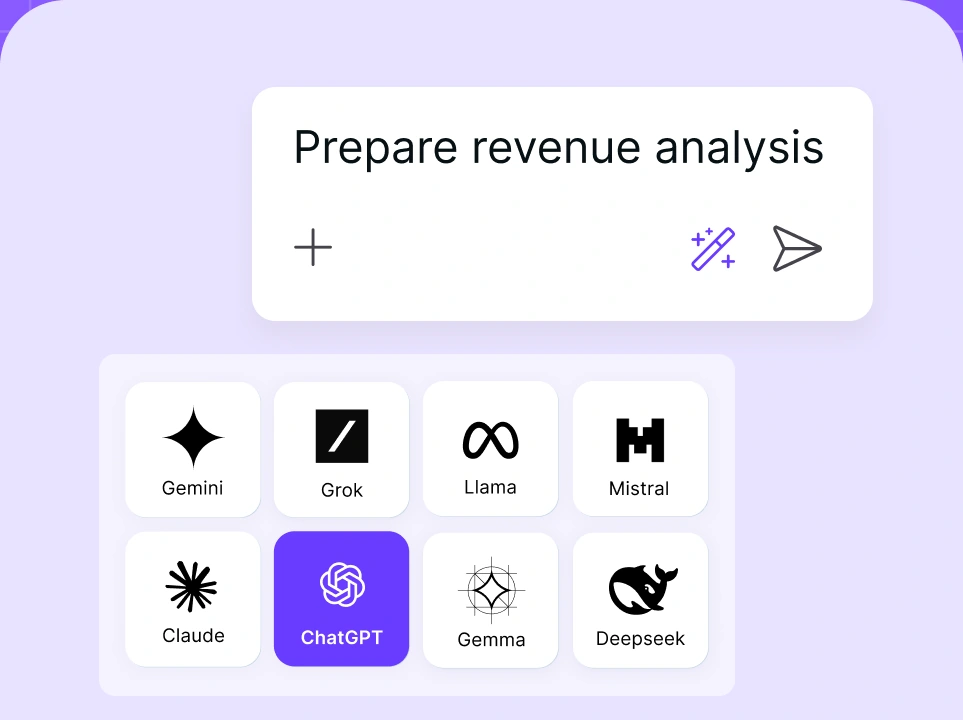
Chat with leading AI models
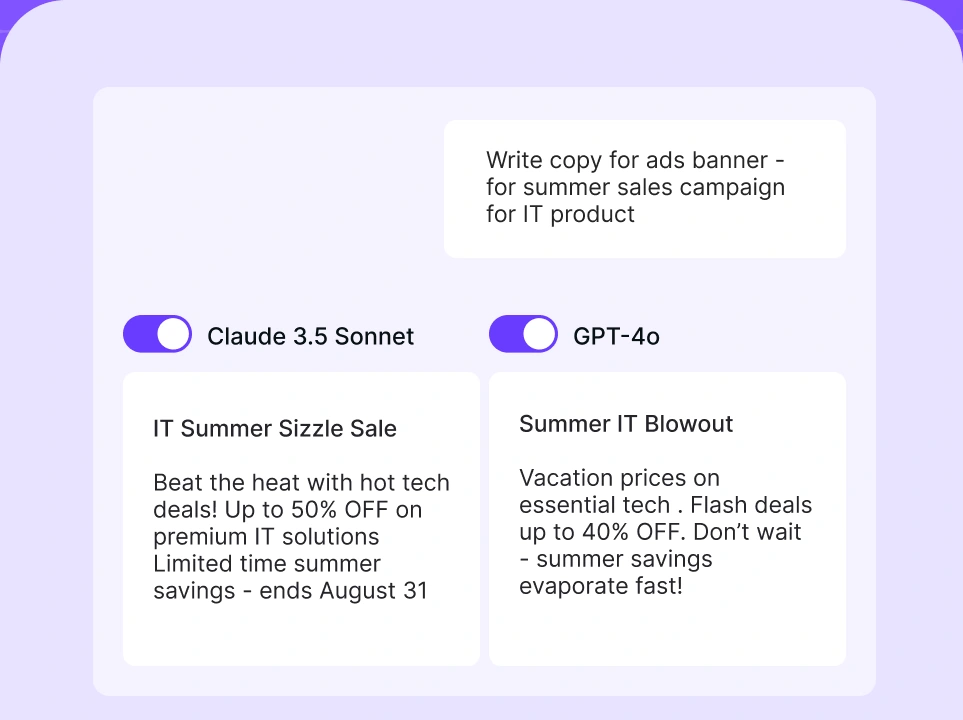
Compare AI models
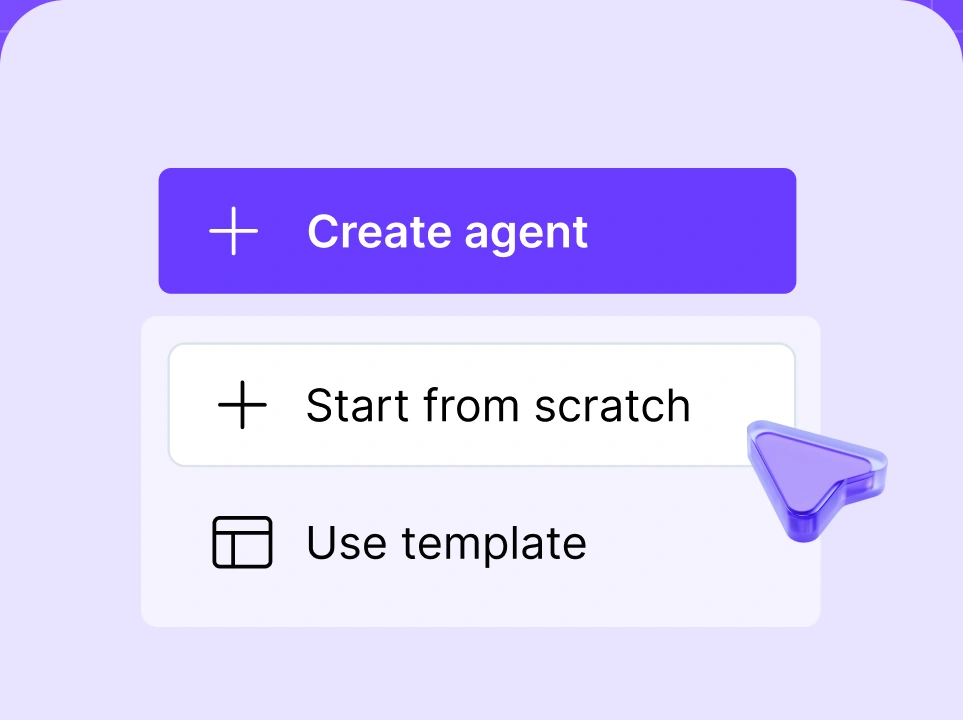
Build no-code AI Agents

2. Saner.AI
Saner.AI is an AI-based personal assistant designed to organize information across notes, tasks, email, and calendars. Its assistant, Skai, focuses on telling users what needs attention and helping them move from unstructured thoughts or messages to a practical next step.
Key features:
- Daily plans based on your tasks, notes, calendar events, and emails.
- Natural-language capture for thoughts, reminders, and tasks.
- Email-to-task conversion with the original message attached for context.
- Semantic AI search across notes and connected sources.
- Task breakdown, prioritization, rescheduling, and suggestions.
- Google Calendar synchronization and Outlook support.
Pros:
- Suits users who find traditional productivity systems overwhelming or difficult to maintain.
- Combines knowledge capture and task planning rather than treating them as separate activities.
- The assistant can surface overdue work or relevant notes without waiting for a precise prompt.
- A free plan lets you test the basic workflow.
Cons:
- Its ecosystem and user base are smaller than those of ChatGPT, Gemini, and major Microsoft or Google productivity tools.
- Larger teams may need another platform for advanced reporting, resource planning, permissions, or governance.
- Proactive suggestions are only useful when the underlying notes, tasks, and calendar information are kept reasonably up to date.
Pricing: Saner.AI offers a free plan. Paid plans start at $8 per month for Starter, while Standard costs $16 per month and includes higher limits and broader access to its AI features.
Best for: Busy professionals, founders, students, and users with ADHD or similar difficulties managing fragmented information and deciding what to do next.
3. ChatGPT
ChatGPT is the most broadly adopted general-purpose assistant in this comparison. It can research, write, analyze files and data, work with images, remember user preferences, organize projects, run scheduled tasks, and connect to external apps.
Key features:
- Writing, research, analysis, coding, planning, and general questions.
- Memory that can retain relevant preferences and context across conversations.
- Projects for keeping related chats, files, and instructions together.
- Different modes for instant answers and deeper reasoning.
- Deep research and agent mode for more complicated, multi-step requests.
- Scheduled tasks on eligible paid plans.
- Apps that connect ChatGPT to external services and internal business tools.
- Custom GPTs for specialized instructions, knowledge, and actions.
- File, spreadsheet, image, and document analysis.
Pros:
- Covers a wider range of personal and work tasks than most specialist assistants.
- Easy to begin using without configuring a formal productivity system.
- Strong mobile experience makes it a practical candidate for the best AI personal assistant for iPhone.
- Large adoption means employees and clients are likely to be familiar with the interface.
Cons:
- It doesn’t manage an entire calendar or task list as comprehensively as Reclaim or Motion.
- The range of models, modes, apps, projects, and usage limits may be confusing.
- Generated answers and autonomous actions require review, especially when source material is incomplete.
- Some business capabilities are available only in Business or Enterprise workspaces.
Pricing: ChatGPT has a free plan. Plus costs $20 per month. Pro is available in $100 and $200 monthly tiers with different usage allowances. ChatGPT Business costs $20 per user per month when billed annually, or $25 per user per month when billed monthly, with a two-seat minimum.
Best for: Individuals who want one flexible assistant for research, writing, learning, planning, files, and everyday questions, as well as teams that need a familiar AI personal assistant for work.
4. Claude
Claude is an AI assistant developed by Anthropic, with particular strengths in writing, analysis, coding, complex requests, and long-term project work. Its interface is simple and uncluttered, while features such as Projects, Artifacts, Research, connectors, and computer use make it useful for work that goes beyond ordinary chat.
Key features:
- Writing, editing, reasoning, coding, data visualization, and file creation.
- Projects for organizing chats, documents, and instructions.
- Web search and Research for more detailed information gathering.
- Memory and user preferences.
- Connectors for Slack, Google Workspace, Microsoft 365, Outlook, and remote tools.
- Artifacts for creating documents, applications, tools, and interactive outputs.
- Claude Code, Cowork, Design, and other specialized work environments on paid plans.
Pros:
- Produces clear, well-structured writing and follows detailed editorial guidance closely.
- Handles long documents, complex instructions, and extended analysis well.
- Projects and connectors support ongoing work without forcing users to rebuild context each time.
- The free plan includes several features that other providers reserve for paid tiers.
Cons:
- Heavy users may encounter plan limits, making Max considerably more expensive than Pro.
- Its growing range of separate environments may be excessive for someone who only needs a basic assistant.
Pricing: Claude has a free plan. Pro costs $20 per month or $17 per month with annual billing. Max starts at $100 per month. Team plans start at $20 per seat per month when billed annually, subject to minimum-team requirements.
Best for: Writers, analysts, researchers, developers, and other knowledge workers who care more about the quality of complex outputs than automatic calendar management.
5. Gemini
Gemini is Google’s general AI assistant. Its main advantage is its position within the Google ecosystem, where it can work with services such as Gmail, Calendar, Drive, Docs, Sheets, Slides, Meet, and NotebookLM.
Key features:
- General conversation, research, writing, coding, images, audio, and file analysis.
- Calendar actions, including finding, creating, and editing events.
- Gemini inside Gmail, Docs, Sheets, Slides, and Meet on eligible plans.
- Deep Research and project notebooks that synchronize with NotebookLM.
- Scheduled actions for qualifying personal and Workspace accounts.
- Creating documents and presentations in Canvas and exporting them to Google Docs or Google Slides.
- Family sharing of eligible Google AI Pro benefits.
Pros:
- A natural fit for users who already rely on Google products.
- Gemini can work inside familiar applications rather than requiring constant copying into a separate assistant.
- Available across the web, Android, and Apple devices, including iPhone, iPad, and Mac.
- Eligible Google AI Pro benefits can be shared with up to five family members, although availability varies by feature and account.
- It can also work with compatible smart devices through the Google Home ecosystem.
Cons:
- Some newer or more agentic features are restricted by region, language, device, age, account type, or subscription.
- The number of Google AI plans and bundled services makes pricing difficult to compare.
- It offers less control over cross-provider models than a platform such as nexos.ai.
Pricing: Gemini has a free version. In the US, Google AI Pro costs $19.99 per month and includes higher Gemini limits, 5 TB of storage, expanded NotebookLM access, and Gemini features across Google apps. Business pricing is tied to eligible Google Workspace plans.
Best for: Google Workspace users, Android users, families already using Google Calendar and Gmail, and people who want an assistant embedded in their existing documents and communication tools.
6. Perplexity
Perplexity is an AI personal virtual assistant built for web research. It searches current sources, combines the most relevant information, and shows where its answers come from, making it especially useful when you need current information and a clear trail back to the original sources.
Key features:
- Current web search with linked sources.
- Pro Search and deeper research for complicated questions.
- Access to several advanced AI models.
- Spaces for organizing research by project or subject.
- File analysis and image generation on paid plans.
- Perplexity Computer and the Comet assistant for more agentic browser work on eligible plans.
Pros:
- Makes it easy to inspect the evidence behind a response.
- Particularly efficient for comparisons, market research, current events, and unfamiliar subjects.
- Users can switch between models without having to maintain multiple accounts.
- The free version is useful enough for occasional research.
Cons:
- It’s not built to manage a full calendar, task list, or personal knowledge system.
- It’s stronger at factual research than open-ended creative tasks.
- Sources may be weak, outdated, or misinterpreted, so users should check the original material.
- Advanced agentic tools and higher research limits are reserved for more expensive plans.
Pricing: Basic search is free. Perplexity Pro costs $20 per month or $200 per year and includes higher limits, Spaces, file analysis, and access to advanced models. Enterprise and higher-usage plans cost more.
Best for: People who use an AI personal assistant for news monitoring, source-backed research, product comparisons, travel planning, or rapid briefings on current subjects.
7. Reclaim
Reclaim is an AI calendar assistant that automatically finds time for tasks, habits, meetings, breaks, and focused work. It operates through Google Calendar or Outlook rather than asking users to replace their existing calendar.
Key features:
- Automatic scheduling and rescheduling of tasks.
- Time for focused work based on weekly goals.
- Flexible recurring habits.
- Smart Meetings for adjusting meeting times to avoid conflicts and prioritize tasks.
- Buffer time between meetings.
- Synchronization across work and personal calendars to reduce double-booking.
- Scheduling links and integrations with popular task management tools.
Pros:
- Addresses a common problem: finding time for important work.
- Adjusts flexible events automatically when the calendar changes.
- Helps protect personal appointments and uninterrupted focus time across multiple calendars.
- Offers a free plan for individual users.
Cons:
- It doesn’t replace a general research, writing, or document assistant.
- Users need to define sensible priorities, scheduling windows, and flexibility rules.
- An automatically optimized calendar becomes unrealistic if too many tasks are added.
Pricing: Reclaim offers a free plan for individual use. The Starter plan begins at around $10 per user per month with annual billing, while the Business plan starts at $15 per user per month. Monthly rates and promotional pricing may vary.
Best for: Professionals who already know what they need to do but struggle to protect enough calendar time to do it.
8. Motion
Motion is an AI-powered work platform with "AI employees", including a calendar, task manager, project management tool, meeting assistant, documents, notes, and team reporting. Its central promise is that users enter their work and deadlines, while Motion decides how that work fits into the available schedule.
Key features:
- Task prioritization and time blocking.
- Dynamic rescheduling when work is delayed or meetings change.
- AI project planning, workflows, reports, documents, and notes.
- Meeting scheduling and calendar management.
- Workload and capacity monitoring for teams.
- Desktop, iOS, and Android apps.
Pros:
- Brings tasks, projects, and schedules into one system.
- Automatic replanning reduces the effort required to rebuild a daily agenda.
- Business plans include workload management, timelines, reporting, permissions, and time tracking.
Cons:
- Automatic scheduling may feel too rigid for users who prefer to plan their day manually.
- Migrating tasks and projects from existing tools takes time and effort.
- It costs more than a simple task manager or free calendar assistant.
- AI credit allowances need to be considered alongside the subscription price.
Pricing: Motion’s Pro AI plan starts at $19 per seat per month with annual billing. Business AI starts at $29 per seat per month annually. Both include a monthly allocation of AI credits, with additional credits charged separately.
Best for: Executives, consultants, agencies, and teams that want an AI tool for work to manage both individual schedules and structured projects.
9. Akiflow
Akiflow is a digital planner that gathers tasks from email, Slack, Notion, Asana, ClickUp, Todoist, and other systems into a universal inbox. Its assistant, Aki, helps users manage tasks, review calendars, capture requests, and run recurring workflows.
Key features:
- One central inbox for tasks from connected work tools.
- Google and Outlook calendars combined in a single view.
- Time blocking, recurring tasks, priorities, routines, and daily planning.
- Aki assistant in Akiflow and WhatsApp.
- Creating and updating tasks or calendar blocks using natural language.
- Meeting transcription, summaries, and action-item extraction.
- Automated workflows for daily briefings, conflict checks, reminders, and replanning.
Pros:
- Reduces fragmentation without requiring users to abandon all existing task systems.
- Offers more manual control than fully automatic schedulers.
- Fast keyboard-based capture suits people who process a high volume of tasks.
- Meeting action items can be converted directly into tasks.
Cons:
- There is no permanent free plan.
- The many planning options take time to learn.
- Users who want complete automatic scheduling may prefer Motion or Reclaim.
- It remains primarily a personal productivity system rather than an enterprise AI governance platform.
Pricing: Akiflow costs $34 per month when billed monthly or $19 per month when billed annually. A seven-day free trial is available.
Best for: Founders, managers, and productivity-focused professionals who receive tasks through several services but still want direct control over their daily plan.
10. OpenClaw
The OpenClaw AI personal assistant is an open-source, self-hosted agent system that connects messaging apps to an always-available assistant running on the user’s computer or server. It can use tools, maintain memory, run scripts, interact with files, and complete actions through installed skills and integrations.
Key features:
- Self-hosted gateway for WhatsApp, Telegram, Slack, Signal, Teams, Discord, iMessage, and other channels.
- Support for several model providers.
- Tool use, persistent sessions, memory, multi-agent routing, and scheduled work.
- Extensible skills and plugins.
- Control over hosting, configuration, credentials, and available tools.
- Open-source MIT-licensed software.
Pros:
- Offers far more customization than a conventional AI personal assistant app.
- Can be accessed through messaging tools people already use.
- Suitable for building a persistent, agentic AI personal assistant with specialized capabilities.
- Self-hosting gives technical users more control over infrastructure and data flow.
Cons:
- Setup and maintenance require technical knowledge of hosting, updates, credentials, permissions, and security.
- Third-party skills can run code or access connected systems and need to be reviewed before use.
- An incorrectly configured agent may expose files, credentials, messages, or accounts.
- It's not safe by default for non-technical users or shared environments with mutually untrusted users.
Pricing: OpenClaw itself is free and open source. The real cost depends on the chosen model APIs, hosting, hardware, storage, and any paid external services. This makes costs less predictable than a fixed consumer subscription.
Best for: Developers and technically experienced users who want to make their own personal assistant AI agent and are prepared to isolate it, restrict its permissions, audit skills, and maintain the system.
How to choose the best AI personal assistant
There’s no universal best AI personal assistant. Start with the problem you want to solve, the information the tool must access, and the level of autonomy you’re comfortable granting.
- Choose nexos.ai if you’re a solopreneur or a business team looking for a single platform for AI chat, research, content creation, and no-code automation. It’s a strong fit if you want access to several leading AI models and custom Agents without paying for multiple separate tools.
- Choose Saner.AI if you struggle to capture scattered thoughts, find information later, or turn messages and notes into clear tasks. It’s particularly useful for people who find rigid productivity systems overwhelming.
- Choose ChatGPT if you want a flexible assistant for writing, research, file analysis, learning, planning, data, and general questions. It’s a practical starting point for users who need broad support rather than one specialized workflow.
- Choose Claude if your work involves long documents, careful writing, analysis, coding, or complicated project context. It’s less suitable when the main goal is to optimize every hour of a calendar.
- Choose Gemini if your work and household already depend on Gmail, Google Calendar, Drive, Docs, and other Google services. It also suits households that want planning support alongside smart home control.
- Choose Perplexity if research is the priority. It works well for current information, market comparisons, source discovery, and briefings that can be checked against original material.
- Choose Reclaim if meetings regularly push aside focused work, exercise, breaks, or personal commitments. It’s a direct solution when the main problem is finding protected time in a crowded calendar.
- Choose Motion if you want software to plan both tasks and projects around deadlines and available time. It works best when you’re willing to make it the central system for managing work.
- Choose Akiflow if your tasks come from many applications and you want a single inbox and calendar without sacrificing manual control over your schedule.
- Choose OpenClaw if you want a self-hosted, highly customizable agent and understand the technical and security responsibilities that come with it.
Before committing, examine common LLM challenges, such as inaccurate outputs, missing context, privacy risks, unpredictable costs, model changes, and over-automation.
Many users will get better results from a small tool stack than from one assistant trying to do everything:
- A freelance writer can use Claude for drafting and analysis, Perplexity for current research, and Reclaim for scheduling.
- A household built around Google services can use Gemini for planning and shared information, with Reclaim coordinating work and personal calendars.
- A company can use nexos.ai for controlled agents and shared model access, while Motion manages project schedules for individual teams.
Each tool should have a clear role. Connecting three assistants to the same inbox and calendar can create duplicated tasks, conflicting actions, and unnecessary access to private information.


