Table of contents
Why look for Zapier alternatives?
Zapier is a strong starting point. But it has real limits that push teams to look elsewhere.
- Task-based pricing gets expensive fast. Every action in a Zap counts as a separate task. A 5-step workflow firing once burns 5 tasks. For high-volume teams, this adds up quickly and unpredictably. (learn how to calculate your actual AI ROI)
- Workflow logic is too rigid. Multi-branch conditional logic, loops, and complex data transformations are clunky in Zapier. What takes 5 minutes in a more flexible tool can require workarounds or code steps available only on premium plans.
- The free tier is barely usable. Zapier's free plan caps you at 100 tasks/month with single-step Zaps. It’s enough to experiment, not enough to run a real workflow.
- No self-hosting. All your sensitive data flows through Zapier's US-based AWS servers. For teams with data residency requirements, GDPR obligations, or strict security policies, this is a dealbreaker.
- AI features are limited and siloed. Zapier's AI Actions cover basic summarization and classification. More advanced features like Agents and Chatbots are separate products with separate pricing, and you don't get an integrated AI-first experience.
- Integration gaps for non-SaaS tools. With 8,000+ apps, Zapier covers a lot. But if you're building on custom APIs, legacy systems, or need deep data transformations, the native connectors often fall short.
Any one of these reasons is enough to start looking. Together, they explain why the market for Zapier alternatives has never been stronger.
Zapier alternative #1: nexos.ai
nexos.ai is an all-in-one AI platform built for business teams that want to automate workflows, access 200+ AI models, and build no-code AI Agents, all from a single, secure workspace. If Zapier connects your apps, nexos.ai connects your apps and makes them intelligent. It's the right fit for marketing, sales, HR, and operations teams who need real AI-native automation software without depending on engineering.
nexos.ai | |
|---|---|
What it is | All-in-one AI platform: no-code AI agents, multi-model workspace, workflow automation, and AI gateway in one place |
How it works | Build no-code AI Agents using a visual builder; connect to 200+ LLMs and your existing tools (Slack, Gmail, Google Drive, etc.); automate repetitive tasks with scheduling and triggers |
Key features | No-code platform, AI agent builder, multi-model chat, AI integrations (Slack, Gmail, Calendar, CRM), centralized usage dashboard, GDPR/SOC 2/ISO 27001 compliance |
Pros | Combines AI chat, Agents, and automation in one tool; no-code agent creation; advanced security features and strong governance; transparent pricing; 200+ AI models under one API |
Cons / limitations | Self-hosting is still rolling out; not designed for simple trigger-action and basic automation without an AI layer; newer platform (launched 2025) |
Best for | Business teams (marketing, sales, HR, ops) at SMBs and enterprises (50–500+ employees) who want AI-powered workflow automation and centralized governance |
Pricing | Enterprise plan with custom pricing |
vs. Zapier | nexos.ai goes beyond automation: it adds AI Agents, multi-model access, and team-level governance that Zapier doesn't offer. Zapier connects apps; nexos.ai makes those connections intelligent. |
Here's a closer look at what sets nexos.ai apart and what real users say about it.
How nexos.ai is different from Zapier
The gap between nexos.ai and Zapier isn't about features, but about what kind of tool you're actually buying.
- AI-first, not automation-first. Zapier automates task sequences. nexos.ai builds agents that reason, research, and act, not just execute linear steps.
- One platform, not a stack of tools. nexos.ai replaces your AI chat tool, your automation layer, and your LLM management dashboard in a single workspace.
- 200+ models, centrally governed. Your team accesses OpenAI, Anthropic, Mistral, and more from one secure user interface with controls, audit logs, and usage tracking built in.
- No code, real power. Marketing Managers and HR Leads build Agents that run candidate evaluations, content reviews, and lead scoring without writing a line of code.
- Built for enterprise compliance. SOC 2 Type 1, ISO 27001, GDPR-compliant, with European data residency available. Zapier's data lives on US-based AWS servers.
Put simply: nexos.ai isn't a smarter Zapier, it's a different category of tool.
nexos.ai reviews
Users consistently highlight time savings and governance as the two biggest wins.
- Nord Security: “nexos.ai saves us 10+ hours each week. We created a custom Agent that analyzes, evaluates, and writes feedback for candidates based on objective metrics. Now, we find high-quality talent in minutes and don’t waste hours writing feedback from scratch.”
- Pigu.lt: “nexos.ai transformed the core of our e-commerce operations. What would have taken us three years and millions of euros to accomplish manually, we achieved in just six weeks at a fraction of the cost.”
- Payhawk: “Teams were exploring AI independently: great for innovation, but terrible for coordination, compliance, and budget. We needed a centralized platform that maintained security and let all teams benefit from AI at the same time.”
- Oxylabs: “nexos.ai has significantly accelerated our AI transformation journey. With seamless access to the latest models and transparent cost management, we’ve gained both agility and clarity.”
The pattern is consistent: teams switch to nexos.ai to consolidate tools, cut costs, and deploy AI faster, without adding engineering headcount.
Build your first no-code agent, connect your stack with AI integrations, or explore the AI Workspace for multiple LLMs. See nexos.ai pricing.

Build no-code AI Agents in minutes
Move from chatting with AI to getting things done.
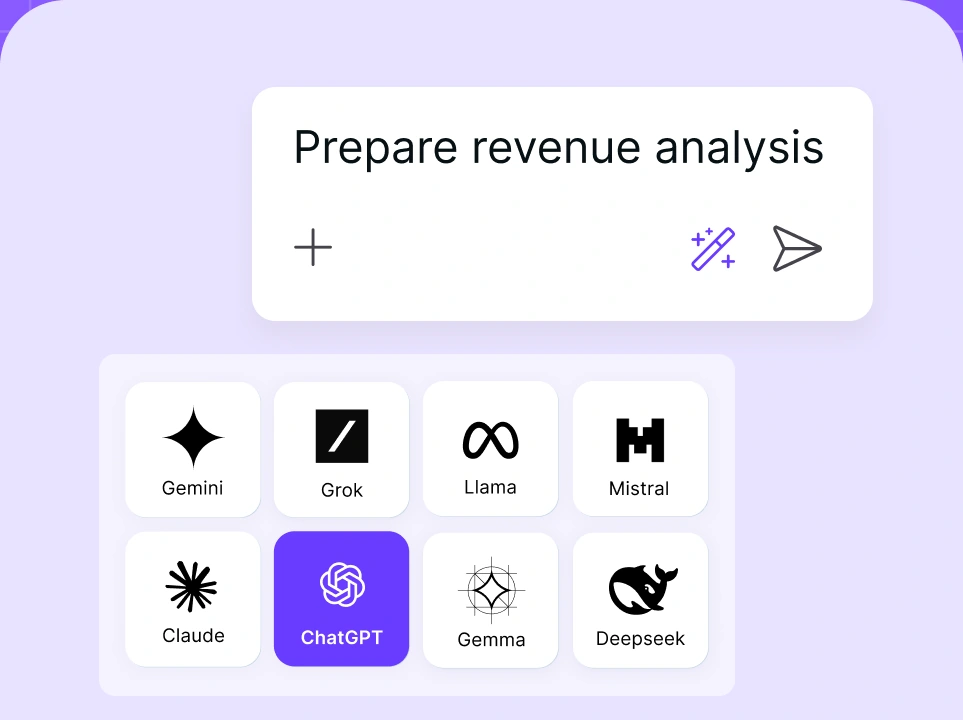
Chat with leading AI models
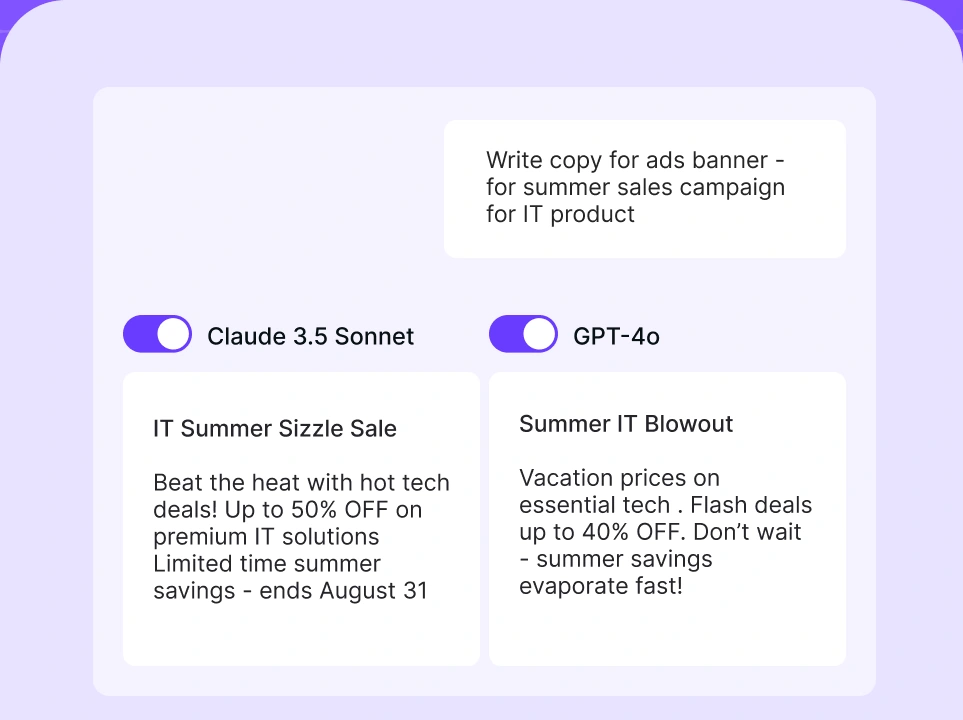
Compare AI models
Build no-code AI Agents

Zapier alternative #2: Make (formerly Integromat)
Make is a visual workflow automation platform that positions itself between Zapier's simplicity and developer-level tools like n8n. If you need multi-step logic, branching flows, and real-time execution visibility, at a lower price than Zapier, Make is a strong contender. Also, Make is best for SMB and mid-market teams with moderate technical skills who have outgrown Zapier's linear workflow model. Many consider it one of the most popular automation tools, serving as an AI workflow builder for complex tasks.
Make | |
|---|---|
What it is | Visual workflow automation platform with drag-and-drop scenario builder |
How it works | Build "scenarios" on a visual canvas using modules for each app; use routers, iterators, and aggregators to handle branching logic |
Key features | 2,000+ app integrations, visual scenario builder, real-time execution view, routers and aggregators for complex logic, AI-assisted workflow building and AI features |
Pros | Up to 60% cheaper than Zapier at equivalent volumes; strong visual clarity; better branching logic than Zapier; EU-based platform |
Cons / limitations | Steeper learning curve than Zapier; complex scenarios with many branches can get cluttered; cloud-only (no self-hosting); ~1,800 integrations vs. Zapier's 8,000+ |
Best for | SMBs and mixed technical/non-technical teams needing complex, multi-step logic at competitive pricing |
Pricing | Free: 1,000 ops/month. Core: from ~$9/month. Pro/Teams: from ~$16–$29/month. Enterprise: custom pricing |
vs. Zapier | More powerful logic at a significantly lower cost. Zapier is easier to start; Make is cheaper and more capable to scale |
Read on for what actually makes Make tick and what users think after switching.
How Make is different from Zapier
Make's visual canvas shows you your entire workflow at a glance, not just a linear list of steps. Routers (branching), iterators (loops), and aggregators (merging data paths) let you build logic that Zapier simply can't match without expensive workarounds. Make's operations-based pricing is also more economical than Zapier's per-task model for complex workflows.
Make reviews
Users praise Make's visual builder and cost savings, but note the learning curve for advanced features. Most report being able to recreate existing Zapier workflows in Make within an afternoon. The main complaint: large scenarios with many branches can become difficult to navigate visually.
Zapier alternative #3: n8n
n8n is an open-source, self-hostable workflow automation platform built for technical teams who need maximum flexibility, full data control, and real AI agent capabilities. n8n is the only major automation tool you can run entirely on your own infrastructure with no per-execution cost. It also offers the deepest native AI integration capabilities of any automation solutions platform in this list, including LangChain support, 70+ AI nodes, persistent agent memory, and vector database connections. The depth of n8n integrations available is a big part of why technical teams keep choosing it over simpler tools.
n8n | |
|---|---|
What it is | Open-source, self-hostable workflow automation platform with native AI agent support |
How it works | Node-based visual canvas; each workflow starts with a trigger node; data flows through action nodes with full branching, looping, and code execution |
Key features | Full self-hosting, JS/Python code nodes with npm access, 400+ integrations, AI Agent node (LangChain-based), 70+ AI nodes, persistent agent memory, vector store support, SAML SSO, LDAP |
Pros | Zero per-execution cost on self-hosted; full data sovereignty; most code-flexible of all options; powerful AI agent capabilities; strong enterprise security for self-hosted |
Cons / limitations | Requires complex setup and infrastructure management for self-hosting; fewer native integrations than Zapier or Make; steeper learning curve for non-developers |
Best for | Developer teams, regulated industries (healthcare, finance), organizations building custom AI workflows, teams with strict data residency requirements |
Pricing | Self-hosted: free (open source). Cloud: starts at ~$20–24/month for 2,500 executions. Enterprise: custom |
vs. Zapier | n8n wins on cost (especially at scale), data control, and AI agent depth. Zapier wins on ease of use and integration breadth. |
Here's what that looks like in practice and what the tradeoffs actually cost you.
How n8n is different from Zapier
Zapier charges per task, every step in every Zap. n8n charges per execution, meaning a 200-step AI agent workflow costs the same as a 2-step one. Self-hosted n8n has no per-execution cost at all. For teams running high-volume or complex automations, this can represent thousands in annual savings. Recent releases introduced expanded AI workflow capabilities with multi-agent orchestration, native LangChain integration, and persistent agent memory: capabilities Zapier's separate Agent product doesn't match in depth.
n8n reviews
Technical teams consistently rate n8n among the best tools for building AI-powered automation solutions. The main friction points are the initial setup for self-hosting and the need for coding skills to fully unlock its potential. Teams in healthcare, finance, and legal frequently cite data sovereignty as the primary reason they chose n8n over Zapier.
Explore n8n integrations to see how n8n fits your stack.
Zapier alternative #4: Microsoft Power Automate
Power Automate is Microsoft's automation platform, and if your organization already runs on Microsoft 365, Teams, SharePoint, or Dynamics, it may already be included in your license. Power Automate’s ability to work on Microsoft’s ecosystem is the biggest advantage and the biggest limitation at the same time. The tool is exceptional inside the Microsoft ecosystem and weaker outside it.
Microsoft Power Automate | |
|---|---|
What it is | Microsoft's cloud automation platform, tightly integrated with the Microsoft 365 ecosystem |
How it works | Build "flows" using a visual designer; connect Microsoft apps natively, plus 400+ third-party connectors; use Power Fx expressions or call Azure Functions for custom logic |
Key features | Deep Microsoft 365/Teams/SharePoint/Dynamics integration, desktop automation (RPA), AI Builder for document processing, Copilot integration, enterprise governance |
Pros | Likely already licensed for M365 users; unmatched Microsoft ecosystem depth; enterprise-grade security and compliance; desktop/RPA automation capabilities |
Cons / limitations | Weak outside Microsoft stack; premium connectors cost extra (Copilot Credits); steep learning curve for advanced flows; less flexible for non-Microsoft workflows |
Best for | Organizations running on Microsoft 365 who need automation tightly woven into Teams, SharePoint, and Dynamics workflows |
Pricing | Often included in M365 Enterprise licenses. Premium capabilities, AI Builder, and Copilot features may require additional licensing depending on your Microsoft agreement; pay-as-you-go also available |
vs. Zapier | Power Automate dominates inside the Microsoft ecosystem. Zapier is better for cross-platform, non-Microsoft workflows. |
The Microsoft context matters a lot here. It shapes everything about how this tool performs.
How Power Automate is different from Zapier
If your team lives in Teams and SharePoint, Power Automate connects at a depth that Zapier can't match: native approvals, document workflows, and Dynamics CRM integrations are seamless. Outside Microsoft's walls, however, it struggles. Zapier's 8,000+ integrations cover far more of the modern SaaS stack.
Power Automate reviews
Enterprise IT teams value the governance and compliance features. Business users often find the user interface less intuitive than Zapier or Make. The consensus: if Microsoft is your stack, Power Automate is a no-brainer. If not, look elsewhere.
Zapier alternative #5: Pabbly Connect
Pabbly Connect is built for one thing: giving high-volume teams the most tasks for the lowest price. Its standout feature is that triggers and internal steps, filters, routers, and formatters don't count toward your task quota. Only action steps do. That stretches your plan significantly further than Zapier or Make. Add a $349 lifetime deal option, and it's a cost-effective and popular automation tool on the market for teams with basic automation needs.
Pabbly Connect | |
|---|---|
What it is | No-code automation platform focused on affordability and high task limits |
How it works | Visual workflow builder connects 2,000+ apps; only action steps count toward your quota (triggers and internal steps are free) |
Key features | 2,000+ app integrations, free triggers and internal steps, multi-step workflows, scheduling, path routers, JS/Python code modules, AI assistant, lifetime deal option |
Pros | Exceptional value: unlimited tasks on paid plans; free triggers don't burn your quota; lifetime deal at $349; no feature gating across plans |
Cons / limitations | UI less polished than Zapier or Make; slower polling intervals on lower plans (15 min vs. near real-time); thinner documentation and community than major competitors |
Best for | Small businesses and budget-conscious teams running high-volume automations (10,000+ tasks/month) who want to avoid per-task pricing |
Pricing | Standard: ~$14/month (unlimited tasks). Pro: ~$59/month. Lifetime deal: one-time payment (currently $349) when available |
vs. Zapier | Dramatically cheaper at scale. Less polished, fewer integrations, but the task economics are unbeatable for high-volume use cases. |
The pricing model stands out with the lifetime deal (periodically available).
How Pabbly Connect is different from Zapier
Zapier charges for every action, every step in every workflow. Pabbly Connect only charges for external action steps, not triggers, filters, or formatters. For automations with lots of internal logic and conditional routing, your effective task cost on Pabbly is a fraction of Zapier's. The lifetime deal is unique in this market; no competitor of Pabbly's size offers a comparable one-time payment option.
Pabbly Connect reviews
Users consistently praise the pricing model and the lifetime deal. The most common complaint is the UI, which feels less refined than Zapier or Make. Documentation is also thinner, which can slow onboarding. For teams that are confident in their automation needs and want to lock in low costs, Pabbly delivers strong value.
Zapier alternative #6: IFTTT
IFTTT (If This Then That) is the simplest automation tool on this list, by a significant margin. It's built for single-trigger, single-action applets, primarily for consumer apps, smart home devices, and IoT integrations. If you need to connect your Hue lights to your calendar or post Instagram photos to Twitter, IFTTT is fast and easy. If you need unlimited multi-step business workflows, it's not the right tool.
IFTTT | |
|---|---|
What it is | Simple trigger-action automation platform for consumer apps and IoT devices |
How it works | Build "Applets": one trigger, one action. No multi-step logic, no branching, no data transformation |
Key features | 700+ service integrations, smart home/IoT device support, simple UI, mobile app, quick setup |
Pros | Extremely easy to use; fast setup; strong IoT and smart home support; decent free tier |
Cons / limitations | Single-step only (no multi-step workflows); no conditional logic; silent failures common; limited for business use cases; not suitable for complex automations |
Best for | Personal automation, smart home hobbyists, simple consumer app connections |
Pricing | Free: limited applets. Pro: ~$3/month. Pro+: ~$9/month |
vs. Zapier | Far simpler and far cheaper, but far less capable. IFTTT is a personal tool; Zapier is a business tool. |
That gap in capability is worth spelling out clearly before you commit.
How IFTTT is different from Zapier
IFTTT doesn't compete with Zapier at the business level. It's the right choice if your automation needs are genuinely simple, connecting a consumer app to a smart home device, for example. The moment you need conditional logic, error handling, or multi-step flows, IFTTT hits a hard wall.
IFTTT reviews
Users love the simplifying workflow creation and the price. The most frequent complaints are silent failures (workflows stop without notification) and the absence of any workflow logic beyond a single trigger-action pair. For business automation, most teams that start with IFTTT outgrow it quickly.
Zapier alternative #7: Workato
Workato is enterprise automation and integration built for IT teams and large organizations that need compliance, governance, and reliability at scale. It’s one of the most popular automation tools, and it’s "Recipes" support complex multi-step orchestration with built-in error handling, and the platform includes enterprise features that smaller tools simply don't offer: SOC 2 Type II, HIPAA support, role-based access control, environment management (dev/staging/production), and centralized governance. Expect to pay enterprise prices for enterprise capabilities.
Workato | |
|---|---|
What it is | Enterprise iPaaS (Integration Platform as a Service) with AI agent orchestration and full compliance stack |
How it works | Build "Recipes": multi-step workflows with triggers, actions, conditional logic, and built-in error handling; manage via centralized workspace with dev/staging/production environments |
Key features | 1,000+ connectors, SOC 2 Type II + HIPAA compliance, RBAC, audit logs, on-premise agent (OPA) for legacy systems, Recipe IQ AI suggestions, Workbot for Slack/Teams |
Pros | Best-in-class enterprise governance; strong compliance stack; works with legacy systems via OPA; dedicated support; reliable at high scale |
Cons / limitations | Expensive (enterprise pricing available by quote); no public pricing (sales-led); costs scale with recipe count AND task volume; onboarding often requires professional services |
Best for | Mid-to-large enterprises in regulated industries (finance, healthcare, legal) where compliance, auditability, and governance are non-negotiable |
Pricing | Custom (sales-required). No free tier. |
vs. Zapier | Workato is in a different league on compliance and enterprise governance. Zapier is more accessible and affordable; Workato is for organizations where those factors aren't negotiable. |
If you're in a regulated industry, that distinction isn't minor; it's the whole decision.
How Workato is different from Zapier
Zapier's Enterprise plan adds security features, but it's still task-based pricing on a US-hosted cloud. Workato is purpose-built for enterprise IT governance: separate environments for dev and production, on-premise agents for legacy system connectivity, and a compliance stack that covers HIPAA, SOC 2, and more. For regulated industries, Workato's feature set justifies the price. For everyone else, it's likely overkill.
Workato reviews
Enterprise IT teams and automation architects consistently rate Workato highly for reliability and compliance. The most common friction points are the sales-led pricing process (no self-serve), the learning curve for administrators, and the cost of premium connectors (SAP, Oracle, etc.) that are add-ons at enterprise tiers.
Zapier alternative #8: Pipedream
Pipedream sits at the intersection of no-code automation and developer tooling. Every workflow step can execute real Node.js, Python, Go, or Bash code alongside no-code connector steps. Pipedream also handles OAuth and API authentication for 2,000+ services automatically; developers skip the boilerplate and jump straight to business logic. It's not a good choice for users with no technical knowledge, but for developer-led teams, it's one of the cleanest and most flexible automation environments available.
Pipedream | |
|---|---|
What it is | Developer-first automation platform with serverless code execution alongside no-code connectors |
How it works | Event-driven workflows: webhooks, cron triggers, or email triggers launch workflows; each step can be a no-code connector OR real code in JS/Python/Go/Bash |
Key features | 2,000+ managed API integrations with OAuth, full code execution, version-controlled workflows, real-time event inspection, serverless execution environment |
Pros | Best code-execution environment of any automation tool; managed OAuth removes auth boilerplate; generous free tier (10,000 events/month); version control |
Cons / limitations | Not suitable for non-developers; no visual builder for non-technical users; limited support of AI workflows; free tier credits are daily-limited; enterprise features are expensive ($299/month+) |
Best for | Developer-led small teams, engineers building automation alongside custom application code, technical ops teams |
Pricing | Free: 10,000 events/month. Basic: $29/month. Advanced: $49/month. Enterprise: custom |
vs. Zapier | Pipedream offers full code control that Zapier's Code step can't match (Zapier's code execution has 10s limits, 1MB payloads, no npm packages). Zapier is better for teams with no technical knowledge. |
Here's what full code control actually means for teams that need it.
How Pipedream is different from Zapier
Zapier's Code step is limited: 10-second execution, 1MB payload, no npm packages. Pipedream gives you a full Node.js environment with npm access, proper error handling, and version control. It's what developers reach for when they need to build automation that goes beyond connecting two SaaS apps. Non-developers should look elsewhere.
Pipedream reviews
Developer teams consistently rate Pipedream highly for its code flexibility and managed OAuth. The main limitation is the lack of a non-technical visual interface. There's no visual builder that a Marketing Manager could use without engineering support. For developer-owned automation, it's a strong choice.
Zapier alternative #9: Activepieces
Activepieces is the open-source, AI-first automation platform most closely aligned with n8n's philosophy: visual, self-hostable, and extensible, but significantly easier to learn and deploy. Its MIT-licensed core has no commercial restrictions, and it includes an AI Adoption Stack designed to drive organization-wide AI usage through analytics, gamification, and a pre-built agent library. For technical enterprise teams that want full infrastructure control AND an easier setup than n8n, Activepieces is a compelling option.
Activepieces | |
|---|---|
What it is | Open-source, AI-first automation platform with self-hosting and enterprise governance |
How it works | Visual workflow builder with 700+ integrations; self-hostable via Docker/Helm; includes AI agent builder with human approval steps |
Key features | MIT-licensed open source, 700+ integrations, AI agent builder, self-hosting (Docker/Helm), AI Adoption Stack (analytics, gamification, agent library), enterprise RBAC |
Pros | Truly open-source (MIT license, no commercial restrictions); easier to set up than n8n; strong AI agent capabilities; full data control; growing integration library |
Cons / limitations | Smaller integration library than Zapier or Make; lacks enterprise-grade SLAs and dedicated support without commercial agreement; community smaller than n8n's |
Best for | Technical enterprise teams wanting open-source automation with AI agent capabilities, full data control, and easier deployment than n8n |
Pricing | Open source: free (self-hosted). Cloud: available. Enterprise: custom |
vs. Zapier | Activepieces gives you full data sovereignty and AI agent capabilities that Zapier's cloud model can't match. Zapier has more integrations and a much larger community. |
The open-source model changes the calculus significantly.
How Activepieces is different from Zapier
Zapier is a managed SaaS platform. Your data runs on their servers, and you pay per task. Activepieces is MIT-licensed open source you can run on your own infrastructure, with no per-task costs and no vendor lock-in. Its AI Adoption Stack is also unique: built-in analytics and internal tools that help organizations track and drive AI adoption across teams, something Zapier doesn't offer at all.
Activepieces reviews
Technical teams consistently highlight the MIT license and ease of self-deployment compared to Zapier as the top reasons to choose Activepieces. The most common concern is the integration library size: at 700+ connectors, it's solid but still well behind Zapier or Make. Documentation and community resources are growing but remain thinner than n8n's.
Zapier alternative #10: Taskade
Taskade is the most AI-native tool on this list, and it plays a different game than traditional automation platforms. Rather than connecting apps with trigger-action sequences, Taskade adds AI agents that can reason about tasks and make decisions, not just execute predefined steps. It's designed for non-engineers who want AI-powered automation in a workspace interface, without the overhead of setting up a full automation platform.
Taskade | |
|---|---|
What it is | AI-native productivity and automation platform with reasoning AI agents and 100+ integrations |
How it works | AI agents handle tasks using decision-making and planning, not just linear trigger-action logic; integrates with 100+ tools across communication, CRM, payments, and development |
Key features | AI agents with reasoning (not just execution), 100+ integrations (incl. Salesforce, Notion), AI task automation, team workspace, durable execution foundation |
Pros | True AI agent reasoning, not just automation; workspace interface accessible to non-engineers; AI-native from the ground up; strong for task management + automation in one place |
Cons / limitations | Far fewer integrations than Zapier (100+ vs. 8,000+); not a replacement for high-volume, multi-step workflow automation; newer platform with smaller community |
Best for | Teams that want AI agents to reason and act on tasks alongside simple trigger-action automations, in a non-technical workspace |
Pricing | Free tier available. Pro: from $6/month. Teams and Enterprise: custom |
vs. Zapier | Taskade adds AI reasoning that Zapier's Agents don't fully match. Zapier wins on integration breadth and workflow depth. Taskade wins on AI-native decision-making. |
That distinction between executing steps and reasoning through tasks is what makes Taskade worth a closer look.
How Taskade is different from Zapier
Zapier's Agents automate predefined workflows across 8,000+ apps. Taskade's agents reason about tasks. They can plan, decide, and adapt, not just follow a script. If you need to automate actions across your full SaaS stack at high volume, Zapier or Make will serve you better. If you want agents that actually think through tasks and work inside a team workspace, Taskade is worth a look.
Taskade reviews
Users highlight the AI reasoning capabilities and the clean workspace interface as the standout features. The main limitation is the integration library: at 100+ apps, it covers the essentials but leaves gaps for teams with niche or custom automation tools. For AI-first task management with automation built in, it's a strong, affordable option.
TOP Zapier alternatives comparison
Choosing the right tool from a crowded field is hard, especially when every platform claims to do it all. Here's how they actually compare to Zapier across the dimensions that matter:
Tool | Best for | Pricing model | Integrations | AI capabilities |
|---|---|---|---|---|
Zapier | Non-technical teams, simple automation | Per task | 8,000+ | Basic (Agents, AI Actions) |
nexos.ai | Business teams, AI-native automation, enterprise governance | Custom pricing | 200+ AI models + core integrations | Native AI Agents, 200+ LLMs, multi-model |
Make | SMBs needing visual, complex logic at lower cost | Per operation | 2,000+ | AI Agents (2026), Maia AI assistant |
n8n | Developers, regulated industries, AI agent power users | Per execution (cloud) / free self-hosted | 400+ | LangChain, 70+ AI nodes, persistent memory |
Power Automate | Microsoft 365 organizations | Copilot Credits + M365 license | 400+ (Microsoft-heavy) | AI Builder, Copilot integration |
Pabbly Connect | Budget-conscious, high-volume teams | Flat-rate (only action steps) | 2,000+ | AI Assistant |
IFTTT | Personal / IoT / consumer apps | Per applet | 700+ (consumer-focused) | None |
Workato | Large enterprises, regulated industries | Custom (sales-led) | 1,000+ | Recipe IQ, AI suggestions |
Pipedream | Developer-led teams | Per event | 2,000+ | None native |
Activepieces | Technical teams wanting open-source + AI | Free (self-hosted) / custom | 700+ | AI agents, AI Adoption Stack |
Taskade | AI-native task management + automation | Per user/month | 100+ | Reasoning AI agents |
No single tool wins on every dimension, but the table makes it clear which one fits your team's profile. Use it to narrow your shortlist before committing to a trial.
So, is there anything better than Zapier?
Yes, depending on what you actually need, several alternatives outperform Zapier in meaningful ways.
Make beats Zapier on price and workflow logic for most SMBs. n8n beats Zapier on cost at scale, data sovereignty, and AI agent depth. Power Automate beats Zapier inside the Microsoft ecosystem. And nexos.ai beats Zapier when your team needs more than task automation. When you need AI agents, multi-model access, and organization-wide governance from a single platform.
nexos.ai stands out specifically for business teams that are tired of managing separate AI tools, automation platforms, and LLM subscriptions. Instead of connecting Zapier to ChatGPT to your CRM separately, nexos.ai handles all of it: one AI Workspace, 200+ models, no-code Agents, and a compliance layer built in. Read more about the best AI tools for business to see how nexos.ai fits your stack.
Why choose nexos.ai instead of Zapier and its alternatives
nexos.ai isn't just another automation tool. It's an all-in-one AI platform built for teams that want to move beyond connecting apps and start deploying intelligence.
- No-code AI Agents that actually work. Build custom Agents for content review, lead scoring, candidate evaluation, and daily briefings, without writing code. Templates for marketing, sales, HR, finance, and legal teams are ready to go.
- 200+ AI models, one Workspace. Stop juggling ChatGPT, Claude, and Gemini across separate tabs. nexos.ai gives your team unified access to every major model with side-by-side comparison, context-aware outputs, and centralized usage tracking.
- Enterprise governance built in. Controls, audit logs, role-based access, and usage dashboards ship with the platform, not as expensive add-ons. IT sets policies once; every team member works within them automatically.
- Real cost visibility. Track token usage and AI spend across your entire organization in one dashboard. Share cost reports directly with finance. No more surprise AI bills.
- GDPR, SOC 2, ISO 27001 certified. European data residency available. Your data never trains AI models unless you explicitly allow it.
- Replaces multiple tools at once. nexos.ai eliminates the need for separate AI chat tools, automation platforms, and LLM management dashboards, cutting tool sprawl and reducing costs.
- Works for non-technical teams. Marketing Managers and HR Leads build and deploy Agents in minutes. No engineering dependency.
If you're evaluating automation tools in 2026, nexos.ai is worth putting at the top of your list, not because it's the newest, but because it's built for where AI-powered work is actually heading.


