Table of contents
Key takeaways
- API keys authenticate apps and services to APIs
- Poor API key management is a top cause of data exposure
- Rotate, scope, and store keys as secrets, never in code
- Centralizing keys reduces sprawl across AI providers
- A gateway unifies API key management across teams at scale
What is API key management?
API key management is the practice of controlling the full lifecycle of your API keys: creation, distribution, secure storage, rotation, revocation, and monitoring. That lifecycle covers who can issue an API key and where that key lives. It also covers what the API key is allowed to touch, how long it stays valid, and how you track its usage once it's out in the world. Done well, API key management gives you a single answer to the question every audit asks: who has access to what, and since when?
An API key itself is a simple thing, just a static string that identifies an application or account making requests to an API. The service on the other end checks that string before it answers. That simplicity is the problem. Unlike OAuth tokens, which are scoped to specific permissions and expire on a timer, a plain API key is a long-lived secret that usually grants whatever access the account behind it has. Strong API key management closes that gap with process and tooling, because the key format won't do it for you.
The practice applies whether you're running three API keys or three hundred. What changes with scale is how much manual work you can get away with before the system breaks.
Why API key management matters
API keys are small, easy to copy, and easy to forget. One API key pasted into a config file can sit there for years, still valid, still granting access to a production service long after the developer who created it moved on. That's the real cost of weak API key management: not a dramatic breach, but a slow accumulation of credentials nobody owns and nobody monitors.
The stakes get sharper as your stack grows. Every new service, every new AI provider, every new environment adds API keys to the pile. Here's what unmanaged API keys cost your teams day to day:
- Unauthorized access to services and data. A leaked API key gives an outsider the same access your app has, with no password to crack and no second factor to clear.
- Unexpected usage costs. An exposed key for a paid API can run up serious spend before anyone checks the bill, and model APIs make that climb fast.
- No clear answer to "who has access?" When API keys live in personal accounts and local files, access control becomes guesswork instead of policy.
- Slower development. Teams waste hours hunting for the right credentials, requesting new ones, and waiting on whoever holds the account.
- Harder compliance and audit cycles. If you can't show where API keys live and who used them, you can't evidence control to an auditor.
- Painful incident response. When something goes wrong, you need to revoke fast. That's impossible if nobody knows which systems depend on which API key.
Two of these risks compound harder than the rest, so they're worth looking at closely.
The cost of leaked or exposed API keys
An API key committed to a public repository is an API key in public hands. Automated scanners crawl new commits constantly, and exposed credentials can get picked up fast once they land in version control. The same goes for API keys hard-coded into a mobile or desktop app, where anyone can decompile the binary and read the secret straight out of the source code. An Android build shipped to a store is a file on thousands of devices, and every one of them holds whatever you embedded.
What follows is usually unglamorous. Someone uses your API key to run API requests on your account, your usage spikes, and your cost goes up. In worse cases, the API key reaches sensitive data or lets an attacker pivot into connected systems and the data those systems hold. Data breaches that start this way rarely look dramatic from the inside. They look like a slightly busy week in the logs.
Rotation after the fact helps, but only once you've noticed. Noticing is the hard part, and it's why monitoring matters as much as storage.
The problem of API key sprawl across tools
Every SaaS tool you connect issues an API key. Every AI provider issues another. Add a few environments, a handful of services, and a team of developers each with their own account, and you're tracking dozens of credentials across places nobody documented.
Sprawl creates blind spots. API keys sit in personal password managers, in CI configs, in a Slack message from 2024. Nobody knows which API keys are still active or which ones are over-permissioned. Some belong to people who left the company months ago. Each forgotten API key is a live door into a service you're still paying for.
AI makes this worse because adoption moves faster than procurement. Every new provider added to your AI orchestration setup brings its own API key. A developer signs up for a model provider, gets an API key in 30 seconds, and starts building. Multiply that across teams and you get the same dynamic behind shadow AI risks, where unsanctioned tools quietly accumulate access outside any central view.
Common API key management risks
Most API key incidents trace back to a short list of habits. These are the ones worth auditing first, and most teams will recognize at least two of them.
Hard-coded API keys in source code
API keys written directly into application code travel everywhere the code travels: into version control, into forks, into build artifacts, into every developer laptop that clones the repository. One commit is permanent exposure, because Git history keeps the secret even after you delete the line.
API keys stored in plaintext config files
Plaintext config files feel safer than code, but they get copied, backed up, and shared. Any file sitting unencrypted on a machine, in shared storage, or on the virtual machines running your services is a credential waiting to move somewhere you didn't intend. Backups are the quiet risk here, since they often outlive the API key rotation policy that was supposed to retire the secret.
Over-permissioned API keys
An API key issued with full account access when it only needs to read one endpoint hands an attacker far more than they need. Broad permissions turn a minor leak into a major one, and they make it impossible to reason about blast radius when you're triaging an incident.
API keys that are never rotated
An API key created three years ago and never replaced has been exposed for three years. Static credentials accumulate risk the longer they live, and without rotation you have no way to retire that risk. Every laptop, every CI run, and every screen share is another chance for the API key to leave its intended environment.
Shared API keys across teams and environments
One API key used by five services across development and production is a single point of failure. When it leaks, you can't revoke it without breaking everything, so the usual outcome is that nobody revokes it at all.
No monitoring on API key usage
If nobody tracks API usage per API key, a compromised credential looks exactly like normal traffic. Unusual activity goes unnoticed until the invoice or the incident arrives, and by then the exposure window has been open for weeks.
These risk categories overlap with the broader set of AI security risks teams face as they connect more models to more internal systems.
API key management best practices
Good API key hygiene isn't complicated. It's a handful of practices applied consistently, backed by tooling that makes the secure path the easy path. These are the security best practices that survive contact with real teams and real deadlines.
Store API keys as secrets, not in code
API keys belong in environment variables or a dedicated secret manager, never in your source code. Environment variables keep credentials out of version control and let each environment hold its own values, so your development API keys never reach production and a staging leak doesn't touch live data.
In Python, load API keys from the environment rather than assigning them inline:
import os
api_key = os.environ["OPENAI_API_KEY"]
FastAPI apps follow the same pattern. A settings object reads environment variables at startup and keeps the API key out of every route handler and config file in the repository, which means your API key management stays in one place instead of scattered through the codebase. The same approach covers OpenAI API key management and any other provider credential your app needs.
A quick list of do's and don'ts:
- Do keep a .env file local and gitignored. It's convenient for development and should never reach a remote branch.
- Do use a secret manager in production. Dedicated storage gives you encryption, access logging, and controlled retrieval.
- Do add secret scanning to your pipeline. Catching a committed API key before it merges beats rotating it after it's public.
- Don't commit API keys, ever. Git history is permanent, and deleting the line doesn't delete the secret.
- Don't ship API keys in client apps. Anything running on a user's device can be read by that user.
- Don't reuse one API key across environments. Separate API keys mean a problem in one place stays in one place.
Scope API keys with least privilege
Every API key should carry the minimum permissions its job requires, and nothing more. An API key that powers a read-only dashboard shouldn't be able to delete records or create new users. Where your provider supports role-based permissions, use them to separate read, write, and admin access cleanly, then issue each service its own API key against the role it actually needs.
Least privilege caps the damage a single compromised API key can do. Scoping also makes revocation painless. When each service holds its own narrow API key, you can kill one credential without taking down everything else that depends on it. That's the difference between a five-minute fix and an afternoon of outage.
Rotate API keys on a schedule
API key rotation limits how long any single leaked API key stays useful. A common industry practice is a fixed quarterly cadence, with shorter intervals for anything touching sensitive data. Worth knowing that current NIST digital identity guidance actually steers away from arbitrary periodic rotation and favors rotating on evidence of compromise, so treat a schedule as a pragmatic default rather than a rule handed down from a standard. Either way, rotate immediately whenever you suspect exposure.
Doing this by hand is the reason it doesn't happen. Automatic rotation built into a secret manager or gateway replaces that manual work, generating a new API key, updating the services that consume it, and retiring the old one without downtime. Secret rotation becomes a background process instead of a calendar reminder everyone ignores. Enterprise API key rotation and management tools go further, coordinating automatic rotation across dozens of services so nothing breaks mid-cycle.
Build rotation into the system before you need it. Retrofitting it during an incident is how outages happen.
Monitor and audit API key usage
You can't manage what you can't see. Log every API key request, track usage patterns over time, and set alerts on anything unusual: a sudden spike in volume, requests from an unexpected region, or calls to endpoints an API key has never touched before.
Then act on what you find. A common rule of thumb is to revoke API keys nobody has used in 90 days. Review the access list each quarter and confirm every API key still has an owner. Keep an audit trail that shows who issued each API key and when, because that record is what turns a compliance review from a scramble into a formality. Purpose-built LLM security tools handle much of this monitoring for AI traffic specifically, surfacing cost and usage per API key without extra instrumentation.
Use an extra layer for high-value API keys
For credentials that reach production data, a single secret store isn't always enough. Adding a gateway or proxy in front means your applications never hold the provider API key directly, so a compromised service exposes a scoped internal credential instead of the master API key to your account. That extra layer limits what a compromised service can actually expose.
API key management tools and services
Tooling falls into three broad categories, and most teams end up using more than one. Rather than naming specific products, here's what each category does and where it fits.
- Cloud secret managers. Managed services from your cloud provider that store, encrypt, and serve secrets to your applications, usually with built-in rotation and tight integration with the rest of that cloud's access control.
- Open-source secret stores. Self-hosted platforms that give you full control over where secrets live and how they're accessed, at the cost of running the infrastructure yourself. API key management open source options suit teams with compliance requirements that rule out managed storage, or anyone who wants the deployment on their own terms.
- AI gateways. A single layer in front of multiple AI providers that holds the provider API keys centrally, so your developers call one endpoint instead of managing separate credentials for every model vendor.
Choosing an API key management service comes down to four things, and API key management tools for large teams live or die on all of them: centralized control over who can issue and retrieve API keys, rotation support that doesn't require manual work, access logging detailed enough for audit, and role-based permissions that map to how your teams are actually structured. Scalability matters too, since a tool that works for five developers often buckles at fifty. Any enterprise AI rollout hits that wall early. Advanced features like automated revocation and anomaly alerts separate strong security tooling from basic storage. OWASP API key management best practices add a fifth consideration. API keys should never be transmitted in URLs or logged in plaintext anywhere in the request path.
Criteria | Cloud secret manager | Open-source secret store | AI gateway |
|---|---|---|---|
Centralized API key storage | Yes | Yes | Yes |
Rotation support | Yes | Varies | Yes |
Unifies multiple AI providers | No | No | Yes |
Usage and cost visibility | Limited | Limited | Yes |
Access logging | Yes | Varies | Yes |
Illustrative comparison compiled by nexos.ai. Capabilities vary by individual product.
The takeaway: Secret managers solve storage, open-source stores solve control, and gateways solve the multi-provider problem. If your API key sprawl comes from AI, a gateway covers ground the other two can't.
How nexos.ai centralizes API key management across AI models
nexos.ai gives your teams one point of access to 200+ leading AI models, so you stop scattering individual provider API keys across projects, scripts, and services. Instead of every developer holding a separate credential for each model vendor, traffic routes through a single platform where access is issued, scoped, and monitored centrally. One integration replaces the pile.
That shift changes what you can see and control:
- Unified access to leading models through one platform. Your developers build against one endpoint with one credential, and switching models doesn't mean a new account.
- Centralized visibility into model usage. Track API usage and cost per team or project instead of reconciling separate provider dashboards at the end of the month.
- Reduced API key sprawl across teams. Fewer credentials in circulation means fewer places for an API key to go missing.
- Access control that matches your org. Decide who can reach which models with role-based permissions, and change it without touching application code.
- Audit-ready logging by default. Every request is attributable, which makes compliance reviews a reporting exercise rather than an investigation.
- Cost control that works at the team level. Spend is visible and attributable per project, so an unexpected spike has a name attached to it.

Run every AI model in one Gateway
One secure, lightweight layer to access, route, and manage 200+ models.
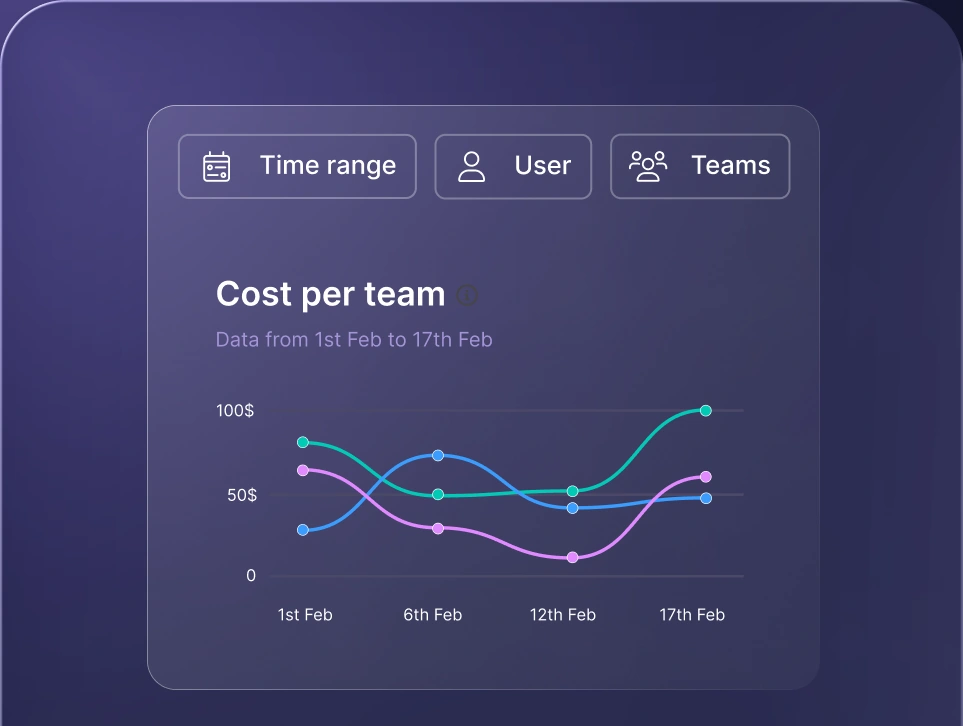
Monitor AI usage
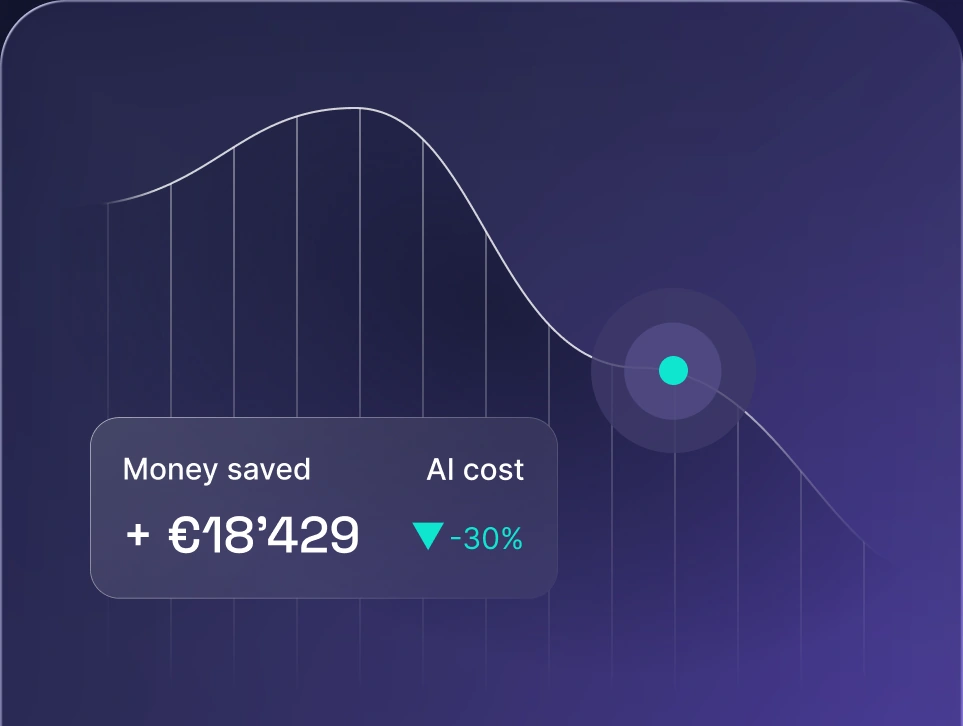
Control AI spend
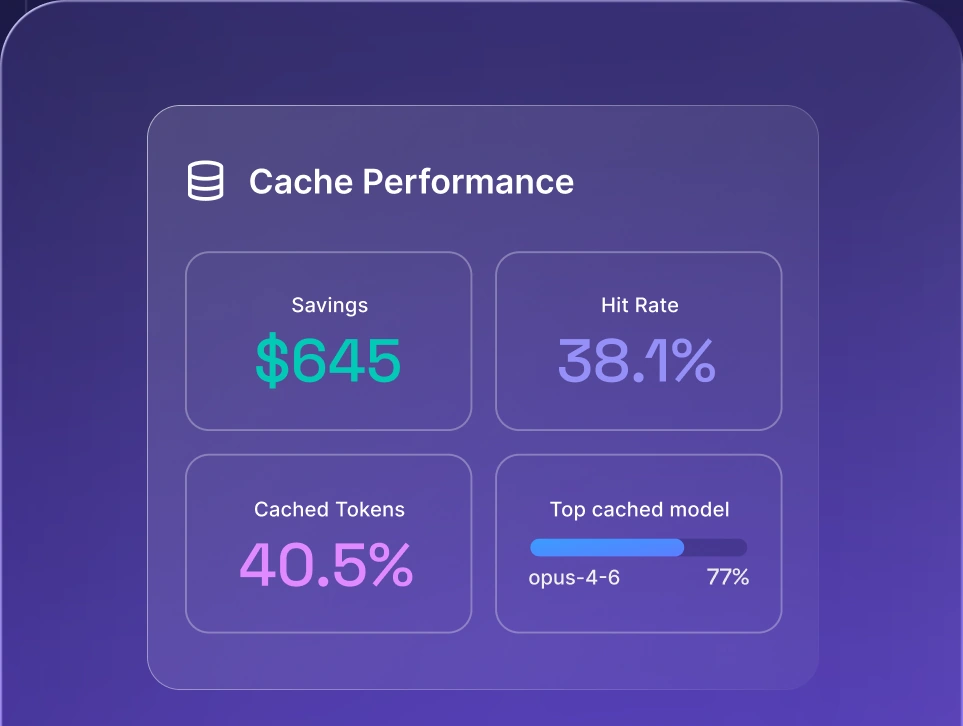
Optimize AI costs

The AI gateway for unified API key management handles routing and API key control. Your developers ship against one endpoint through nexos.ai API access, with a single credential instead of a drawer full of them. For organizations rolling out enterprise AI across multiple departments, that consolidation is what makes governance possible at all. The same layer supports broader AI orchestration goals and keeps your stack built on model-agnostic AI access, so changing providers doesn't mean re-plumbing credentials across every service you run.
Ready to bring your AI keys under one roof? Explore nexos.ai and see what centralized access looks like for your teams.


Run every AI model in one Gateway
One secure, lightweight layer to access, route, and manage 200+ models.
