What are AI credits?
AI credits are a prepaid unit of usage that you spend each time you send a request to an AI model. Instead of paying a flat subscription for a single tool, you draw down a balance based on how much you actually use.
Most AI platforms price credits against tokens, the small chunks of text a model reads and writes. The more text a model processes, and the more capable that model is, the more credits a request consumes.
Credits give you flexibility. A light month of AI usage costs less than a heavy one, and you are not locked into one model's pricing when your needs change.
What are nexos.ai credits?
nexos.ai credits are unified AI credits that work across every model on the platform from one shared balance. Rather than buying credits separately for Claude, GPT, Gemini, and Grok, you hold a single pool and spend from it no matter which model handles the request.
This is the difference that matters. With most providers, each model lives behind its own account, its own API key, and its own bill. That means managing individual API keys, reconciling separate provider accounts, and juggling external accounts across teams. nexos.ai collapses all of that into one balance, one dashboard, and one invoice.
The result is an AI workspace for multiple LLMs where switching models costs you nothing in setup. You pick the best model for the task, and the credits come from the same place every time.
How nexos.ai credits work
nexos.ai credits work by converting every model request into a single, common unit of cost, so a call to Claude and a call to Gemini both draw from the same balance despite having different underlying prices.
Behind the scenes, each AI provider charges its own rate per token, and those rates vary widely. When you send a request through nexos.ai, the platform routes it to the chosen model, measures the tokens used, applies that model's rate, and deducts the equivalent number of credits from your pool. This is how usage is billed on the platform.
The routing and billing logic sits inside the platform's AI orchestration layer, which handles model selection, token counting, and fallback if a provider is unavailable.
In plainer terms: you top up one balance, use any model you like, and nexos.ai does the currency conversion in the background. You never touch a provider invoice or reconcile costs across external accounts.

Run every AI model in one Gateway
One secure, lightweight layer to access, route, and manage 200+ models.
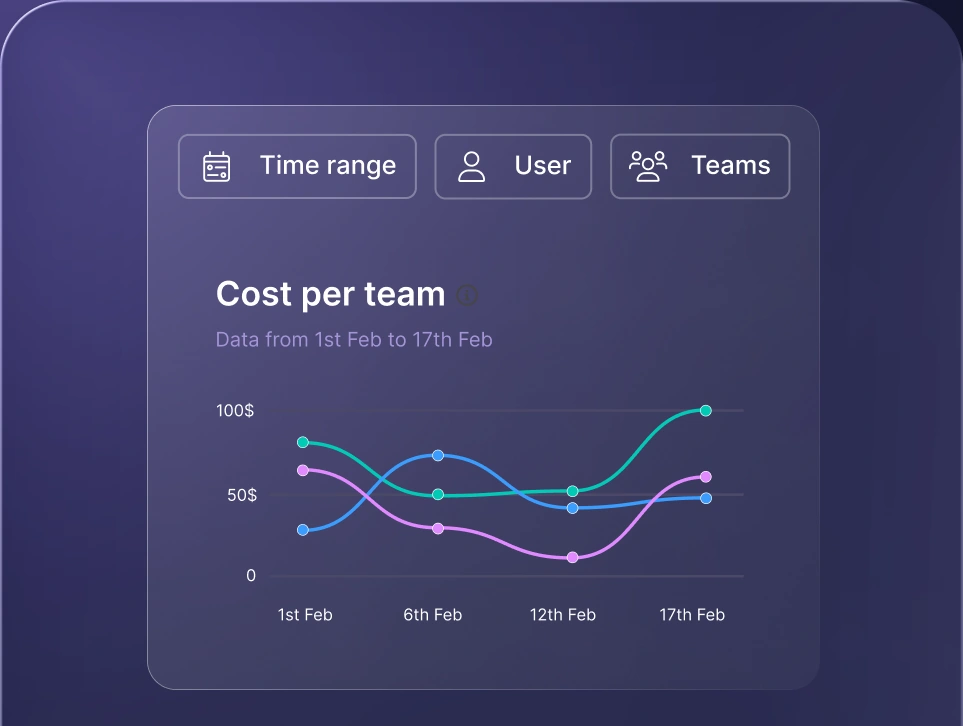
Monitor AI usage
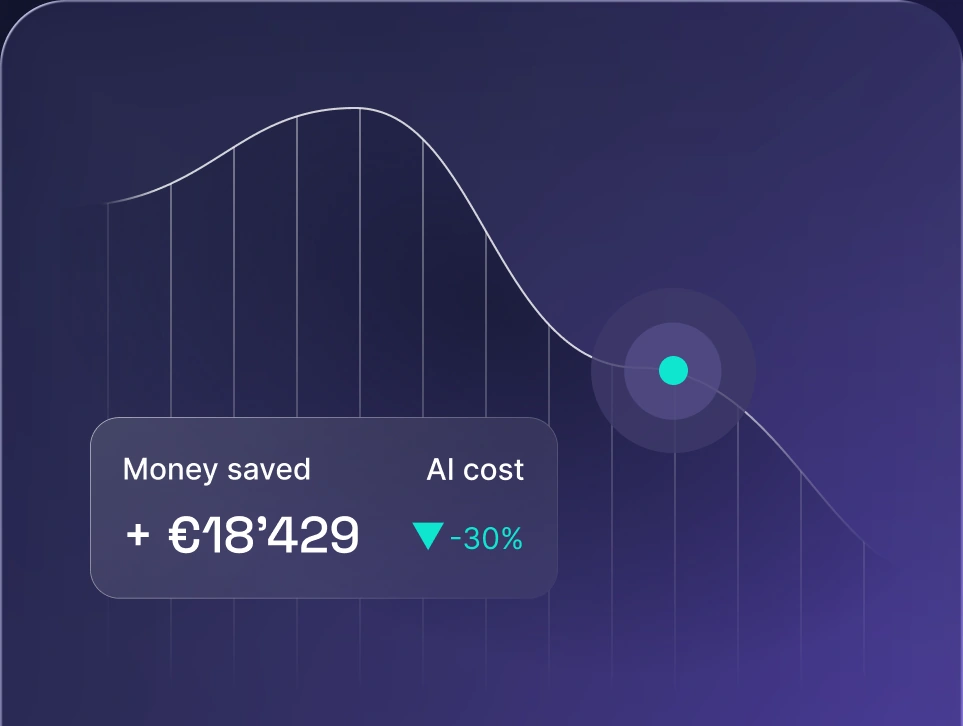
Control AI spend
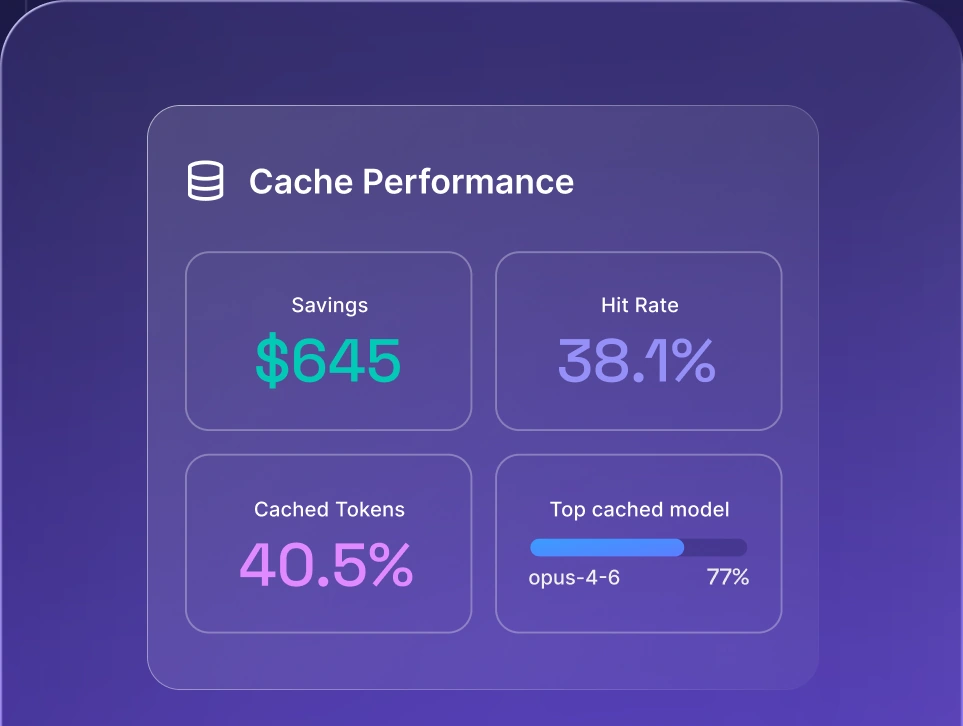
Optimize AI costs

Supported models and nexos.ai credits
nexos.ai credits cover 200+ AI models across every major provider, so a single balance reaches the full lineup of large language models. The table below shows the main models by provider and the kind of tasks each is suited for.
Model | Best suited for |
|---|---|
Claude Sonnet (4.5 / 4.6 / 5) | Balanced default for most business tasks: reasoning, writing, coding, structured outputs |
Claude Opus (4.8 / 5) | Deep research, multi-step logic, and high-precision, enterprise-grade AI agent work |
Claude Haiku 4.5 | Fast, low-cost responses for high-volume, straightforward tasks |
GPT 5.6 (Luna/Terra/Sol) | Versatile, predictable work: structured workflows, code, automation, tool use |
Gemini 3.1 Pro Preview | Complex reasoning and long-context tasks that need strong analysis |
Gemini 3.5 Flash | High-volume, quick-response tasks like summaries and simple Q&A. Most cost-efficient |
Grok 4 | Conversational, creative, personality-driven work: idea generation and social content |
Because you can compare AI models side by side, choosing the right one for a job takes seconds rather than trial and error across separate tools.
How credit usage is calculated
Credit usage is calculated from the tokens each request uses, priced at the rate of the model you choose. Four factors decide how many credits a single call consumes.
Input tokens
Input tokens are the text you send to the model: prompts, instructions, chat history, and any attached files. Longer or more detailed prompts consume more input credits, so a short question costs less than a full report pasted into the chat.
Output tokens
Output tokens are the text the model generates in response. Output typically costs more than input because generating text takes more computation than reading it. A request that returns a long, detailed answer will draw more credits than one that returns a short reply.
Cache creation
Cache creation happens when reusable context, like a system prompt or a reference document, is stored for future requests. It carries a one-time cost, but it lowers the cost of every request that reuses that context afterward.
Cached input
Cached input is what you pay when previously cached context is reused instead of processed fresh. It is far cheaper than fresh input, often around ten times less, which makes caching a strong lever for repeated workflows.
Tips for managing nexos.ai credits efficiently
Managing nexos.ai credits efficiently comes down to matching effort to task and cutting waste where it hides. The tips below give you the biggest returns first.
Match the model to the task
Matching the model to the task is the single biggest lever for credit efficiency. Use a lightweight model like Gemini 3.5 Flash for simple work such as summaries and quick answers, and reserve premium models like Claude Opus for complex research and multi-step reasoning.
Use caching for repeated context
Using caching pays off whenever you send the same context repeatedly, such as a system prompt or a reference document. Cached input costs a fraction of fresh input, so structuring workflows to reuse cached context keeps repeated tasks cheap.
Write concise prompts
Writing concise prompts reduces input token consumption without hurting quality. Clear, focused instructions get you the same result as bloated ones, so avoid pasting context the model does not need.
Monitor usage
Monitoring usage shows you where credits actually go. Use LLM observability to track which agents, models, and workflows consume the most, then target those for optimization.
Set budgets per team or project
Setting budgets keeps spend predictable. Credit limits per team or project let you manage cost so one runaway workflow never drains the shared balance, and they give finance a clear ceiling to plan against.
How to choose the right model for your credits
Choosing the right model for your credits means weighing quality against cost for each specific job. Since you can switch models on the fly with no reconfiguration, you can route every task to the most cost-effective option. Here is a quick guide to the main models.
- Claude Sonnet is a balanced choice for most business tasks, including reasoning, writing, code, and structured outputs like JSON or reports. It is a good default when you want both quality and efficiency.
- Claude Opus is the premium option for deep research, multi-step logic, and high-precision outputs. Choose it when accuracy matters more than cost, or for enterprise-grade AI agent workflows and complex analytical work.
- Gemini 3.5 Flash is fast and lightweight, ideal for high-volume, quick-response tasks like summaries, simple Q&A, and chat. It is the most cost-efficient option in the lineup.
- GPT 5.6 is versatile and predictable for structured workflows, code, automation, and tool integration. It is a stable choice for production systems that need consistent performance.
- Grok 4 is strong for conversational, creative, and personality-driven tasks such as idea generation, social content, and engaging chat experiences.
nexos.ai pricing plans and where credits fit
nexos.ai pricing is built so that credits sit inside a plan rather than as a standalone purchase, which keeps billing simple for both small teams and larger business teams.
The Pro plan is billed monthly and includes a credit allowance, access to the full range of AI models, and premium features like priority support. Larger organizations can move to custom pricing with a bigger credit pool, external integrations, and dedicated onboarding to get everyone set up fast. When you need more credits mid-cycle, you top up and keep working.
As nexos.ai ships new features, they roll into your plan, so users get more from the same balance over time. Whichever tier you land on, model usage draws from one credit pool, and the account owner keeps full control of access and spend.
Using credits with the nexos.ai API and integrations
Beyond the chat and workspace, nexos.ai credits also power the nexos.ai API, so the same balance covers programmatic model usage without managing individual API keys per provider.
The API is available as an add on to your plan. With one set of API keys, you get API access to every supported model, and requests draw API credits from the same pool as your workspace. That means no individual API keys scattered across external accounts, and no separate provider accounts to reconcile at month end. The AI API add-on is a clean way to connect nexos.ai to your own systems. Check the nexos.ai API credits add-on documentation for setup and billing details.
Credits also reach the tools your team already lives in. Connect nexos.ai to work tools like Slack through external integrations, use the browser extension for quick access anywhere on the web, or reach models on mobile. For agent builders, credits cover ready-made AI agents and code AI workflows, and they support an OpenClaw deployment: point your OpenClaw instance at nexos.ai with one key and every model becomes available.
Why unified credits matter for teams
Unified credits matter most once more than one person is involved, because they turn scattered AI spend into something a team can actually see and control. When every employee signs up for tools on their own, API keys and invoices pile up in corners nobody tracks, which is how shadow AI spending grows across marketing, sales, and every other function.
nexos.ai credits pull that sprawl into one place. Single billing means one invoice instead of a dozen. Shared visibility means admins can see which teams, models, and projects consume the balance, with the data laid out clearly. And central control means you set the budgets rather than discovering the overspend after the fact.
That governance layer, plus built-in security and access controls, is what separates unified credits from the per-model billing you get elsewhere. For teams standardizing on large language model tools across departments, it is the difference between managing AI spend and chasing it.
Get started with nexos.ai credits
nexos.ai credits give you access to the leading AI models through one platform, one credit balance, and one billing dashboard. No API key juggling, no separate provider accounts, and full visibility into how every credit is spent.
Try the all-in-one AI platform and start using credits to access Claude, GPT, Gemini, and more from a single workspace. It is a straightforward deal: one balance, every model, no external accounts to manage.


