Table of contents
What is an n8n AI agent?
An n8n AI agent is an autonomous system you build directly inside n8n workflows. Not just simple chatbots or basic AI assistants. We're talking about autonomous AI systems that make decisions, remember context, use tools, and execute multi-step tasks without constant human oversight. When configured properly, these become true AI agents capable of handling complex workflows end-to-end.
The term "n8n AI agent" means two things, and you need to understand both:
- First: The AI agent node → a specific component you drop into your n8n workflow canvas.
- Second: The complete agentic workflow → a full automation chain that includes the AI agent node plus triggers, tools, integrations, and logic that creates autonomous behavior.
Both matter. The node is your engine. The workflow is your vehicle.
What is the n8n AI agent node?
The n8n AI agent node is a pre-built component in n8n's visual editor. You drag it onto the canvas like any other node, but instead of just passing data through, it thinks.
Here's what happens inside it:
- Connects to any LLM (OpenAI, Anthropic, local models)
- Stores conversation history and context (memory)
- Accesses external tools and APIs dynamically
- Decides what action to take next based on input
You configure it by plugging in sub-nodes. Each sub-node handles a different capability: one for the language model, one for memory, and multiple ones for tools. The agent node orchestrates all of them to execute tasks across external systems without manual intervention.
Think of it as mission control for your AI. You tell it what resources it has access to, and it figures out how to use them.
What is an n8n AI agentic workflow?
An n8n AI agentic workflow is a complete automation chain where the AI agent node sits at the center, surrounded by triggers, tools, and integrations that together produce autonomous behavior. The AI agent node doesn't work alone. It sits inside a broader workflow, a chain of connected nodes that together produce agentic behavior.
A complete AI agentic workflow includes:
- Trigger: What starts the agent (webhook, schedule, email, Slack message),
- AI agent node: The decision-making core,
- Tools: Actions the agent can execute (database queries, API calls, file operations),
- Integrations: Connections to external services (Gmail, Notion, Slack, your CRM),
- Output handling: What happens after the agent finishes (send response, log data, trigger another workflow).
Example: Customer emails trigger the workflow → Agent reads the email → Decides if it's a refund request, bug report, or sales inquiry → Routes to appropriate tool → Drafts response → Human reviews or auto-sends.
You can run a single agent handling one job end-to-end, or chain multiple agents together where each one specializes in a different task. The workflow is the full system, and the agent node makes it autonomous.
How does the n8n AI agent node work?
The n8n AI agent node works by connecting four key sub-nodes, each responsible for a distinct function: the language model that reasons and decides, memory that retains context, tools that take action, and a trigger that starts the whole process.
Large Language Model (LLM)
LLM is the brain of the n8n agent node. You connect the AI agent node to an LLM sub-node that points to OpenAI's GPT-4, Anthropic's Claude, Google's Gemini, or a self-hosted model.
The LLM processes natural language, understands context, generates responses, and decides which tool to call next. You're not limited to one provider, as you can swap models in seconds by changing the sub-node configuration.
Some teams run GPT-4 for complex reasoning and Claude for summarization in the same workflow. The agent node doesn't care. It talks to whatever model you plug in.
Memory
Without memory, every agent interaction starts from zero. The AI agent forgets what you said two messages ago.
The Memory sub-node stores conversation history. Your agent remembers user preferences, previous questions, and context from earlier in the workflow. This turns a single-shot response into an actual conversation.
n8n supports multiple memory types:
- Buffer Memory: Stores the last N messages
- Window Memory: Keeps a sliding window of recent context
- Summary Memory: Condenses long conversations into summaries
For customer support, memory lets your agent say, "I see you contacted us about this issue last week" instead of treating every interaction as brand new.
Tools
Tools are where the AI agent stops just talking and starts doing things. You give it access to specific functions, and the LLM decides when to use them.
Each tool is a sub-node that exposes an action:
- Query a database (PostgreSQL, MongoDB),
- Call an API (Stripe, HubSpot, your internal services),
- Read or write files,
- Scrape a webpage,
- Run a web search and return summarized results,
- Run a calculation,
- Execute another n8n workflow.
You define what each tool does and what parameters it accepts. The agent reads tool descriptions, figures out which one solves the user's request, and executes it autonomously. This makes n8n agents function like utility-based agents, as they evaluate which tool provides the most value for specific tasks and select accordingly.
Example: User asks, "What's our revenue last quarter?" → Agent sees it has a "Query PostgreSQL" tool → Decides to use it → Constructs the SQL query → Returns formatted results.
You never wrote custom code to handle that specific question. The agent figured it out.
Trigger
Every agentic workflow needs a starting point. The trigger tells n8n when to wake up the AI agent and start processing.
Common triggers for AI agents:
- Webhook: External app sends data to n8n
- Email: New message arrives in monitored inbox
- Schedule: Agent runs every hour, daily, or on custom intervals
- Slack/Discord message: Someone @mentions the bot
- Form submission: User fills out a web form
- File upload: New document appears in Google Drive or S3
Triggers turn your agent from a manual tool into an always-on system. You build it once, and it runs automatically every time the trigger condition is met. This is what transforms static workflows into autonomous workflows that operate 24/7 without human intervention.
What are n8n AI agents used for?
n8n AI agents are used for email triage, customer support, content publishing, data querying, research automation, and multi-agent orchestration, covering a wide range of repetitive, decision-heavy workflows that previously required constant human involvement. What makes them especially practical is that each of these use cases connects directly to the tools and services your team already uses, without custom development.
Below are the main use cases and examples of how teams actually deploy these agents in production workflows right now.
Email triage and auto-response
n8n AI agents handle email triage by autonomously reading, classifying, and routing incoming messages, and drafting responses for the straightforward ones before a human ever opens the inbox. You connect the agent directly to your inbox using n8n's Gmail or Outlook integration, define the classification logic in the system prompt, and link it to your knowledge base as a tool.
Your support inbox gets 200 emails per day. 60% are common questions with documented answers.
An n8n agent:
- Monitors the inbox via IMAP trigger,
- Classifies each email (refund, bug, feature request, spam),
- Pulls relevant knowledge base articles,
- Drafts responses for simple cases,
- Flags complex issues for human review.
Your support team now handles 40 tickets instead of 200. Response time drops from 4 hours to 8 minutes.
Customer support bots
n8n AI agents power customer support bots that answer questions, search internal documentation, and escalate to humans when needed, all without leaving your existing communication tools. You deploy the agent inside Slack, Discord, or a chat widget, and it handles the first layer of support automatically.
Slack channel gets flooded with "How do I reset my password?" and "Where's the API documentation?"
Agent workflow:
- Listens to Slack mentions via webhook,
- Searches internal docs and previous tickets,
- Provides step-by-step answers with screenshots,
- Escalates to a human if confidence is low,
- Logs all interactions to Airtable for training data.
Your team spends time on actual problems instead of answering the same five questions all week.
Content creation and auto-publishing
n8n AI agents automate content creation by generating post variations, applying brand guidelines, and publishing across channels, triggered automatically whenever new source content goes live. Connect the AI agent to your CMS or RSS feed, give it access to your brand voice guidelines as context, and link it to your publishing tool as an output.
Marketing wants to publish 3 LinkedIn posts per week summarizing company blog posts.
The agent:
- Triggers when a new blog post is published (RSS or webhook),
- Reads full article content,
- Generates 3 variations of LinkedIn post (different angles),
- Checks against brand voice guidelines (stored in memory),
- Publishes directly or sends to Slack for approval.
One marketer now outputs what used to take three people.
Data querying without SQL
n8n AI agents let non-technical team members query databases in plain English, translating natural language into SQL and returning clean, formatted results directly in Slack or email. Connect the agent to your data warehouse as a tool, and your sales or ops team can get the numbers they need without filing an engineering request.
Your sales team needs numbers, but can't write database queries.
They ask in plain English:
- "Show revenue by region last quarter."
- "List customers who haven't purchased in 90 days."
- "What's our churn rate this month?"
The agent translates questions into SQL, executes queries against your data warehouse, and returns formatted results in Slack or email.
Non-technical team members get data in seconds instead of waiting on engineering tickets.
Multi-step research and summarization
n8n AI agents run multi-step research workflows automatically, pulling data from multiple sources, extracting what matters, and delivering a structured summary on a schedule, without anyone lifting a finger. Set the agent to trigger every Monday morning, give it web search and scraping tools, and point its output to Slack or a shared doc.
The product team needs a competitive analysis every Monday morning.
Agent workflow:
- Triggers at 6 AM Monday,
- Scrapes competitor websites for product updates,
- Pulls news articles mentioning competitors,
- Extracts key changes (pricing, features, hiring),
- Generates a summary report,
- Posts to Slack channel with source links.
Your team walks into completed research instead of spending the first hour gathering it themselves.
Multi-agent setups (orchestrator + sub-agents)
n8n AI agents support multi-agent architectures where one orchestrator agent receives a request and delegates subtasks to specialized sub-agents, each focused on a specific part of the workflow. This setup works well for complex, multi-stage processes where a single agent would become too broad to be reliable.
Complex workflows need different types of agents in AI handling specialized tasks.
Setup: One orchestrator agent receives requests and delegates to specialist agents.
Example (legal document processor):
- Orchestrator: Receives contract upload, determines document type,
- Extraction agent: Pulls key terms, dates, parties,
- Compliance agent: Checks against regulatory requirements,
- Summary agent: Writes executive summary,
- Filing agent: Saves to the correct folder, updates the tracking sheet.
Each agent does one thing well. The orchestrator coordinates them. Total processing time: 90 seconds instead of 45 minutes of manual review.
For more AI agent use cases, see how small businesses are deploying these systems.
n8n AI agent vs basic LLM chain: what’s the difference?
A basic LLM workflow is deterministic. You send input, the model processes it, and you get output. Same path every time.
An AI agent makes decisions. It evaluates the situation and chooses different paths based on what it sees.
Here's a direct comparison across the four key areas where they differ:
| Area | Basic LLM chain | n8n AI agent |
|---|---|---|
| Decision-making | Fixed path, same output structure every run | Evaluates input and chooses steps dynamically |
| Memory | No context between executions | Retains conversation history and session state |
| Tool use | Text output only; actions triggered manually | Selects and executes tools autonomously |
| Error handling | Breaks on unexpected input; manual recovery | Retries with alternative approaches automatically |
Below you can see the broader breakdown of each category.
Dynamic decision-making
LLM chain: User asks a question → Model generates an answer → Workflow ends
AI agent: User asks a question → Agent decides if it needs to:
- Search the knowledge base first,
- Query the database for real-time data,
- Call multiple APIs in sequence,
- Ask clarifying questions → Then generate an answer.
The agent can execute 1 step or 15 steps, depending on what's needed. You don't hardcode the path.
Memory and state management
LLM chain: Forgets everything after each execution. No context between runs.
AI agent: Maintains conversation history and state. Remembers user preferences, previous requests, and accumulated context throughout the session.
This is the difference between ChatGPT (stateful conversation) and a simple API call to GPT-4 (one-shot).
Tool use and function calling
LLM chain: Can only generate text. You manually parse output and trigger actions in subsequent nodes.
AI agent: Decides autonomously which tools to call, in what order, with what parameters. It reads tool descriptions and figures out how to combine them.
Example task: "Find customers who bought Product X but haven't renewed, and draft personalized re-engagement emails."
The LLM chain requires you to build conditional logic for every possible variation.
AI agent reads the request, decides it needs database access, constructs the query, processes results, and generates emails without you mapping every step.
Error Recovery
LLM chain: Breaks on unexpected input. You handle errors manually in the workflow.
AI agent: Can retry with different approaches. If one tool fails, it tries another. If the query returns no results, it reformulates and tries again.
This is closer to how humans work through problems instead of following rigid scripts.
Understanding agentic AI vs generative AI helps clarify why agents can do things that basic LLM chains cannot.
How to build your first n8n AI agent
Getting your first n8n AI agent running is more straightforward than it looks. The visual canvas handles the wiring, the agent node handles the reasoning, and most of the configuration comes down to connecting a model, adding a tool or two, and writing a clear system prompt.
Here's the practical sequence to build an AI agent in under an hour.
1. Set up your n8n instance
You can either self-host n8n on your own infrastructure or use n8n Cloud. Both provide the same workflow-building experience, so the choice mainly depends on how much infrastructure management you want to handle yourself. Running n8n on your own server gives you full control over data residency and security policies
To run n8n locally with Docker:
docker run -it --rm --name n8n -p 5678:5678 -v ~/.n8n:/home/node/.n8n n8nio/n8n
Alternatively, you can sign up for n8n Cloud and start building workflows directly in your browser within minutes.
2. Add API credentials
Open the Credentials section in n8n and connect the services your AI agent will use. Typically, this includes:
- API key from your preferred LLM provider, such as OpenAI or Anthropic.
- External tools and services like databases, Slack, Gmail, or APIs.
Credentials only need to be configured once. After that, they can be reused across multiple workflows and agents. Self-hosted instances also support direct connections to internal databases and private APIs
3. Create the workflow
Create a new workflow to open a blank automation canvas.
Start by adding a trigger node. For testing, a Manual Trigger is the easiest option, but you can later replace it with a webhook, email trigger, schedule, or another production trigger.
Next, add an AI agent node from the AI section and connect it to your trigger node.
4. Configure the agent
Open the AI agent configuration and connect the components your agent needs to operate.
Start with:
- A chat model such as GPT-4, Claude, or another supported LLM,
- A memory component for conversational context,
- One or two tools the agent can use to perform actions or retrieve data.
For a first workflow, an HTTP Request tool is a great starting point because it allows the agent to interact with external APIs.
Then define the agent’s role using a system prompt, for example:
“You are a customer support agent. Help users with order status, returns, and product questions. Use the order lookup tool when users provide an order number.”
The clearer your instructions and tool descriptions are, the better the agent will perform.
5. Test and iterate
Run the workflow in test mode and try a sample request such as:
“What’s the status of order #12345?”
You’ll be able to watch the agent process the request step by step:
- Receive the message,
- Decide whether it needs a tool,
- Execute the appropriate action,
- Format and return a response.
If the results aren’t ideal at first, refine the system prompt, memory configuration, or tool descriptions. Small instruction changes can significantly improve agent behavior. For advanced customization, inject code snippets directly using n8n's Code node.
6. Use templates or guided setup (optional)
n8n also provides AI templates and guided setup experiences that can generate a starter workflow automatically.
These tools help scaffold common agent patterns, including connected models, tools, and memory components. From there, you can customize the workflow to match your exact use case.
This can significantly speed up development if you’re starting out or building systems that handle complex, multi-step workflows.
7. Deploy to production
Once the workflow behaves correctly in testing, replace the Manual Trigger with your real production trigger, such as a webhook, email listener, chat interface, or schedule.
Then activate the workflow and monitor executions through n8n’s execution history and logs.
At that point, your single AI agent is running automatically. Every new trigger event starts a fresh workflow execution, allowing the agent to process requests in real time.
For exploring n8n's integration ecosystem in detail, see the full n8n integrations breakdown.
When is n8n AI agent right for you?
n8n AI agents solve specific problems incredibly well. Not every team needs them from day one, but if any of the following situations sound familiar, n8n is likely a strong fit. Here's when to use them:
You need workflow automation, not just chat
If your goal is automating repetitive tasks across multiple systems (email + database + CRM + Slack), n8n excels. The visual workflow builder makes complex integrations manageable.
You want control over the full stack
Self-hosting n8n means your data never leaves your infrastructure. For compliance-sensitive industries (healthcare, finance), this matters.
Your team includes non-developers who need to build agents
The drag-and-drop interface lets operations, marketing, and support teams create AI agent automations without backend engineering. You still need technical thinking, but not coding expertise.
You already use n8n for automation
If you're running 50 n8n workflows, adding AI agents is a natural extension. Same platform, same mental model, same credential management.
Budget is limited, but requirements are high
Self-hosted n8n is free. You only pay for LLM calls. Compare that to enterprise automation platforms charging $50K+ annually.
Check out more true AI agent examples to see what's possible beyond n8n's specific implementation.
When is n8n AI agent not the best solution?
n8n AI agents are powerful, but they're not the right tool for every situation. Here's where the platform hits its limits:
The visual editor gets messy at scale
Once you hit 30+ nodes in a single workflow, the canvas becomes hard to navigate. Large multi-agent systems work better in code.
Limited built-in enterprise features
No native RBAC, audit logs, or version control in the open-source version. You build AI agents yourself or pay for n8n Enterprise.
Debugging complex agent loops is painful
When an agent makes 15 tool calls and fails on the 12th, tracing exactly what went wrong requires digging through execution logs. Error handling is manual.
Performance constraints with heavy workloads
Running 500 concurrent agent executions on one n8n instance will choke it. You need clustering and infrastructure work to scale horizontally.
Who should consider n8n alternatives
If you need enterprise-grade multi-agent orchestration with built-in governance, session management, and production monitoring out of the box, n8n alternatives like nexos.ai handle this natively.
nexos.ai gives you:
- Multi-model orchestration (OpenAI, Anthropic, custom endpoints) in one dashboard
- Organization-wide policy controls and guardrails
- Token tracking and cost management across all agents
- Audit trails for compliance
- Team collaboration features for agent development
You deploy in 48 hours instead of weeks. IT sets security policies once; your entire team accesses approved AI models immediately.
For teams serious about deploying AI agents at scale, not just prototyping, nexos.ai removes the infrastructure burden that n8n requires you to build yourself.
That said, many companies run both: n8n for workflow automation, where visual building matters, and nexos.ai for governed AI operations across the organization.

Build no-code AI Agents in minutes
Move from chatting with AI to getting things done.
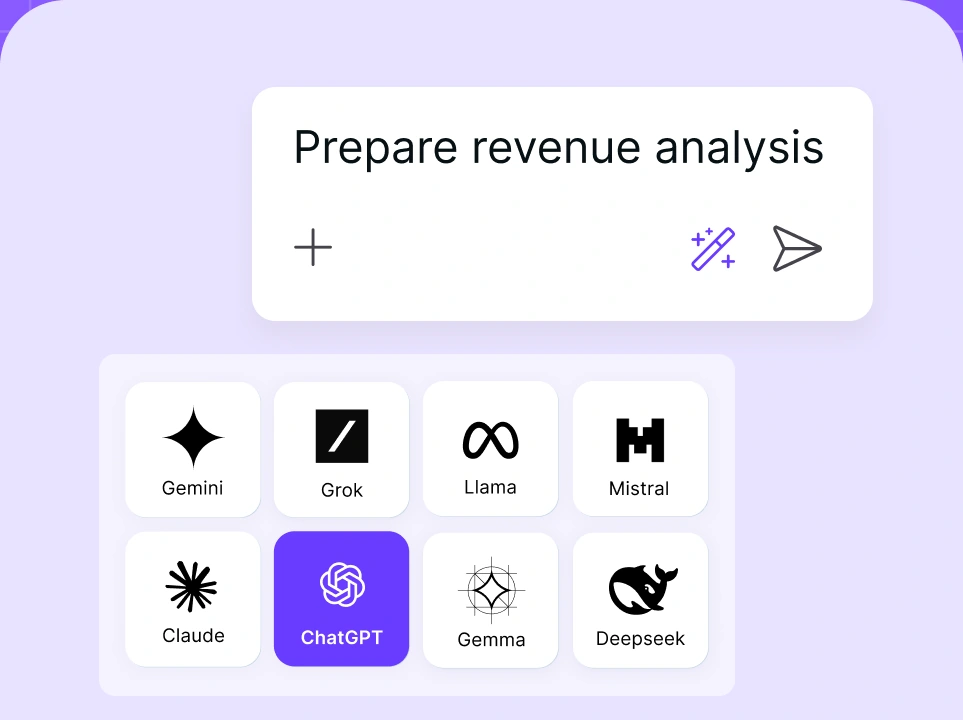
Chat with leading AI models
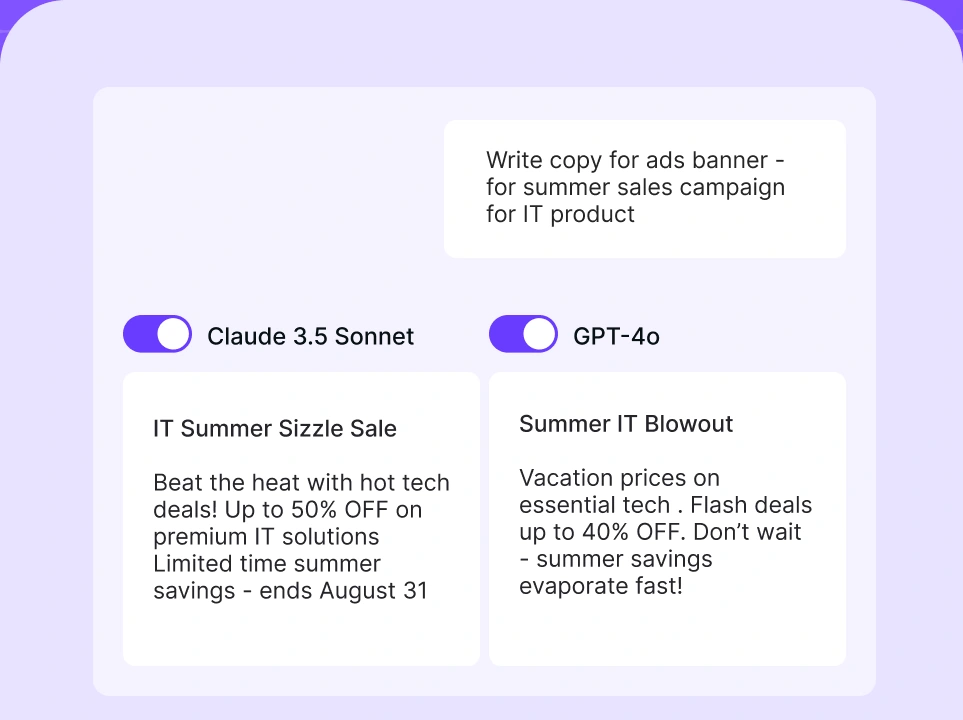
Compare AI models
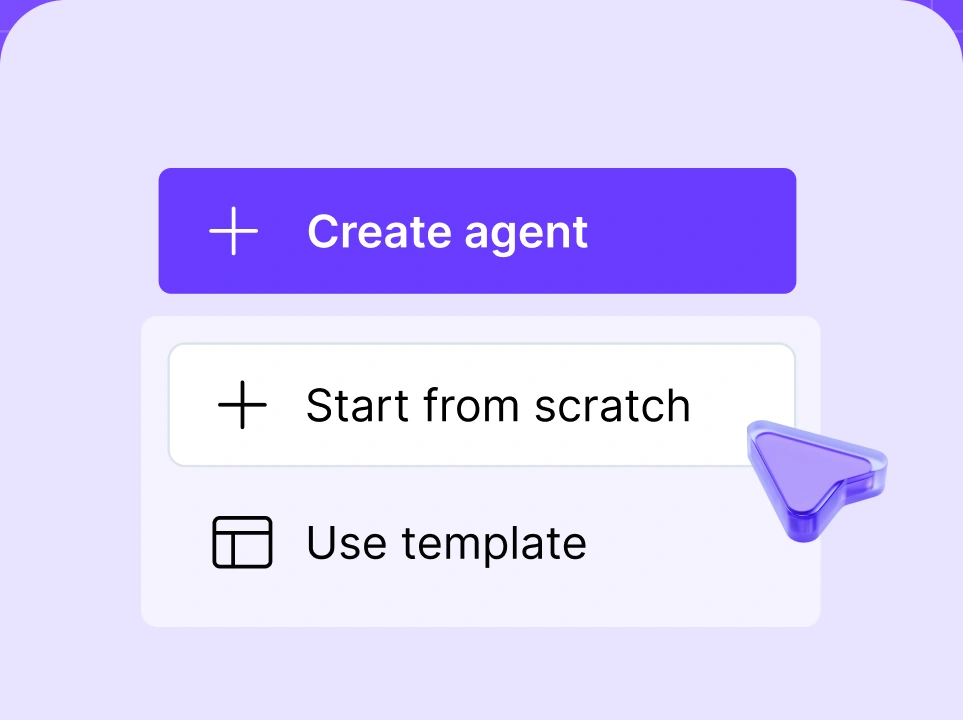
Build no-code AI Agents

The bottom line
n8n AI agents give you a practical, low-cost way to build autonomous workflows without a dedicated engineering team. The visual canvas makes agent configuration accessible to non-developers, the integration library covers most tools your team already uses, and self-hosting keeps your data fully under your control.
Where n8n agents shine: task automation across multiple systems, teams with limited budgets, and organizations that want full infrastructure ownership.
Where they don't: large-scale deployments requiring enterprise governance, teams who need audit trails and RBAC from day one, and complex multi-agent systems that quickly outgrow the visual editor.
If you're already running n8n workflows, adding AI agents is the natural next step. If you're starting fresh and need governed, organization-wide AI operations, platforms like nexos.ai are worth evaluating first.
If n8n's agent capabilities don't cover your use case, our guide to n8n alternatives covers platforms built AI-first from the ground up.
Either way, the shift from static workflows to autonomous agents is happening. The question is which tool gets you there without creating more infrastructure work than the automation saves.