Table of contents
What is RPA (robotic process automation)?
RPA automation means using software robots to automate repetitive digital tasks that people would otherwise do manually. These software robots work across your existing tools without needing constant oversight. A bot can log in to your existing systems, open files, copy data, fill out forms, move information between tools, send notifications, check records, and follow a defined business process.
RPA is often grouped together with artificial intelligence, but they play different roles. Traditional RPA is best at structured, rules-based work: “When this happens, do that.” AI is better at interpreting information, recognizing patterns, and generating outputs based on data.
For example, an RPA bot can extract invoice details from an email attachment and load them into an accounting system. AI can help read an invoice in an unfamiliar format, understand the meanings of the fields, flag unusual entries, and decide what to do next. When combined, they create intelligent automation RPA: RPA carries out the workflow, while AI adds judgment, context, and flexibility.
How does RPA work?
RPA works by breaking your business processes into clear steps and teaching a software bot to perform each one across digital systems.The bot interacts with applications through user interfaces, APIs, scripts, connectors, or a mix of these. It can click buttons, read fields, extract data, compare records, update databases, generate reports, and send status updates.
Key features of RPA
RPA automation software can cover a wide range of practical business tasks, especially when processes are repetitive, rule-based, and spread across multiple applications. Key features of RPA include:
- Rules-based decisioning. Traditional RPA follows clear logic, such as “if the invoice amount matches the purchase order, approve it for the next step.”
- Task automation. RPA bots complete repetitive actions such as copying data, filling forms, downloading files, renaming documents, updating records, and sending emails.
- Data extraction and processing. RPA automation tools and software robots collect, check, and process data from structured sources such as spreadsheets, forms, databases, and standard documents, which cuts the manual data entry your team would otherwise handle. With AI, OCR, or document intelligence, they can also handle more varied inputs.
- Cross-application integration. RPA works across CRMs, ERPs, spreadsheets, web portals, databases, ticketing systems, and legacy tools, including systems that don’t integrate easily through APIs.
- Workflow orchestration. You can coordinate bots across steps, systems, teams, and queues. This is where AI orchestration becomes increasingly relevant, especially when workflows involve multiple AI models, agents, tools, and approvals.
- Error handling and logging. RPA software can record completed actions, send alerts, and create audit trails, making it easier to see what happened and where a process failed.
- Scheduling and triggers. Bots can run at set times, after a system event, when a file appears, or when a user starts them.
- Human handoff. When a bot can’t complete a task, it sends the case to a person with context and logs.
Intelligent automation in RPA
Intelligent automation RPA combines traditional robotic process automation with AI capabilities such as natural language processing, document understanding, machine learning, computer vision, and AI agents working together. This matters because many business processes are not perfectly structured. Emails vary, documents arrive in different formats, and customers phrase requests differently.
Traditional RPA is strong at following rules, but intelligent process automation handles work that requires more context. Meanwhile, AI can classify requests, extract meaning from unstructured data, read images with computer vision, summarize information, identify intent, and recommend next steps. Beyond the basic definition of AI agents, their value in RPA is practical: they help workflows understand context, choose the right action, and handle complex tasks that would normally tie up your human workers, all with less hands-on intervention.
Types of RPA
There are three main types of RPA: attended, unattended, and hybrid. The right choice depends on how the process starts, how much human input it needs, and whether the work should happen in real time or run in the background.
Attended RPA
Attended robotic process automation (RPA) works alongside a human user. The bot is usually triggered by the employee and helps with smaller repetitive tasks during live work. For example, a customer service agent might click a button to pull customer details from several systems, generate a response, or update a case file while speaking with a customer.
This type of RPA is useful when the process still needs human judgment, conversation, or review, but repetitive system work slows things down. It helps employees move faster without removing them from the process.
Unattended RPA
Unattended RPA runs without direct human intervention. These bots are scheduled, triggered by system events, or managed through an orchestration layer. They’re commonly used for high-volume back-office tasks such as invoice handling, report generation, data reconciliation, claims processing, onboarding workflows, and compliance checks.
This type of RPA works best for stable, predictable processes that run in the background. Once set up, unattended bots process work continuously, including outside normal business hours.
Hybrid RPA
Hybrid RPA combines attended and unattended automation in the same workflow. A person may start or review the process, an attended bot may collect or validate information, and an unattended bot completes the remaining work in the background.
For example, a sales rep could review a contract request, trigger a bot to prepare the paperwork, and let an unattended bot update the CRM, notify finance, and store the final document in the right folder.
This approach works well for end-to-end processes that include both human judgment and automated execution.
Benefits of RPA automation
The benefits of RPA automation are strongest when the process is repetitive, high-volume, rule-based, and costly when things like data entry errors, duplicate data entry, or delays occur. Benefits of RPA automation include:
- Time savings. Bots complete routine tasks quickly, especially when the work involves copying data, checking records, or moving files between systems.
- Increased accuracy. RPA reduces manual typing, copying, and formatting mistakes when the rules and source data are clear.
- Scalability. Businesses can increase automation capacity when work volume rises, without immediately adding more manual headcount.
- Consistency. Bots follow the same process every time, which helps standardize work across teams, regions, and departments.
- Improved efficiency. By automating repetitive tasks, RPA gives human workers more time for analysis, customer conversations, problem-solving, and other work that needs judgment.
- Reduced human error. RPA is useful for repetitive tasks where people are prone to small mistakes due to tedious or high-volume work.
- Better auditability. RPA tools record actions, timestamps, errors, and outcomes, making it easier to review what happened and prove that the process was followed.
- Legacy system support. RPA can automate processes across existing systems that are difficult or expensive to replace.
- Better employee experience. When implemented well, RPA removes tedious tasks instead of replacing meaningful human work.
RPA automation challenges
RPA can deliver strong results, but it can also struggle if the process isn’t well understood, stable, and properly governed. Common RPA automation challenges include:
- Integration complexity. RPA works across systems at the user interface level, but changing screens, inconsistent layouts, legacy software, and limited APIs can make automations harder to build and maintain.
- High initial setup cost. Process discovery, bot design, testing, governance, security reviews, and change management take time. The first automation often requires more effort than expected.
- Maintenance and updates. If a website, application screen, field name, or business rule changes, a bot may break. This is one of the biggest long-term RPA challenges.
- Limited cognitive ability. Traditional RPA follows instructions but doesn’t understand context, interpret intent, or make judgment-based decisions on its own.
- Reliance on structured data. RPA performs best when inputs are predictable. Messy emails, scanned documents, unclear templates, and free-text requests often need AI, OCR, or human review.
- Change management. Employees need to know what is changing and why. If the rollout is unclear, teams may avoid the new workflow, duplicate work manually, or lose trust in automation.
- Security risks. Bots often need access to business systems. Poor credential management, excessive permissions, weak monitoring, or unclear accountability create unnecessary risk.
- Automating bad processes. RPA can make a poor business process faster without improving it. Teams should simplify and standardize before automating.
How AI agents overcome RPA limitations
AI agents are the next step in robotic process automation (RPA) because they handle more context, variation, and decision-making than traditional bots. RPA remains valuable, especially for structured execution, but different types of AI agents help businesses improve RPA workflows through:
- Stronger contextual understanding. AI agents interpret text, classify requests, summarize information, extract meaning, and reason through next steps. This helps when a process can’t be handled with simple rules.
- Adaptability to change. Traditional bots may break when screens or inputs change. You can design AI agents to work with more flexible instructions, context, and tool use, reducing some brittleness.
- Handling unstructured data. Agents process emails, chat messages, PDFs, call notes, support tickets, contracts, and other less predictable inputs before handing structured outputs to RPA workflows.
- Better decision support. AI agents evaluate context, compare options, apply business rules, and recommend or trigger the next step. Humans can still review high-risk decisions.
- Smarter integration. Agents coordinate across tools, APIs, knowledge bases, documents, and other agents. This reduces the need to build separate rigid workflows.
- Improved scalability. Instead of creating one bot for every narrow process variation, teams can create agent-led workflows that handle broader task categories. No-code agents help teams start even faster.
- Reduced maintenance overhead. AI agents don’t remove maintenance entirely, but they reduce the number of rules needed for processes with variable inputs.
- Faster processing. Agents can analyze, route, summarize, and prepare information quickly, while RPA bots complete the structured system actions.
- Human-in-the-loop control. AI agents escalate uncertain, sensitive, or high-value cases to people instead of pushing every case through full automation.
- More complete workflow automation. RPA automates a single task. Agents help coordinate the wider workflow: understand the request, gather information, decide what needs to happen, trigger tools, and report back.
How to automate RPA by using AI agents
Automating RPA with AI agents means giving each part of the workflow the right job. RPA handles repeatable execution, and AI agents handle tasks that require context, interpretation, routing, or decision support. With an AI platform for business like nexos.ai, teams can build no-code AI agents and automated workflows in one place. Follow these steps to start:
- 1.Start with a focused use case. Choose a frequent, repetitive process that creates manual work. Good starting points include report generation, ticket routing, onboarding tasks, and internal requests.
- 2.Map the workflow as it works today. List the inputs, systems, decisions, approvals, outputs, and process owners. This helps you see where automation will be most helpful and where the current process needs to be cleaned up first.
- 3.Decide what RPA should handle. Use RPA for stable, repeatable actions, such as entering data, updating fields, moving files, creating records, and sending standard notifications.
- 4.Decide what AI agents should handle. Use AI agents for work that needs interpretation, classification, summarization, routing, or decision support. For example, an agent can read an incoming request, identify the intent, extract key details, and decide which of your business processes should run next.
- 5.Connect the necessary tools and data. Link the workflow to the systems it needs, such as a CRM, help desk, inbox, document repository, knowledge base, or project management tool. Keep permissions limited to what the workflow actually needs.
- 6.Build the workflow. Create the sequence of actions. The AI agent may analyze the request, then trigger an RPA workflow, update a system, create a task, draft a response, or escalate the case to a person.
- 7.Add approvals and guardrails. Keep people involved where risk is higher. Use approval steps for financial actions, sensitive data, customer-facing messages, legal content, or compliance issues.
- 8.Test with real cases. Use examples from past workflows, including messy inputs and edge cases. Check whether the agent understands the request, whether the RPA steps run as they should, and whether errors are handled correctly.
- 9.Track the right metrics. Measure processing time, error rates, manual work reduced, completion rates, user satisfaction, and business impact.
- 10.Refine and expand. Review logs, study failed cases, improve prompts or rules, update integrations, and add more workflow branches once the first one is stable.

Build no-code AI Agents in minutes
Move from chatting with AI to getting things done.
Chat with leading AI models
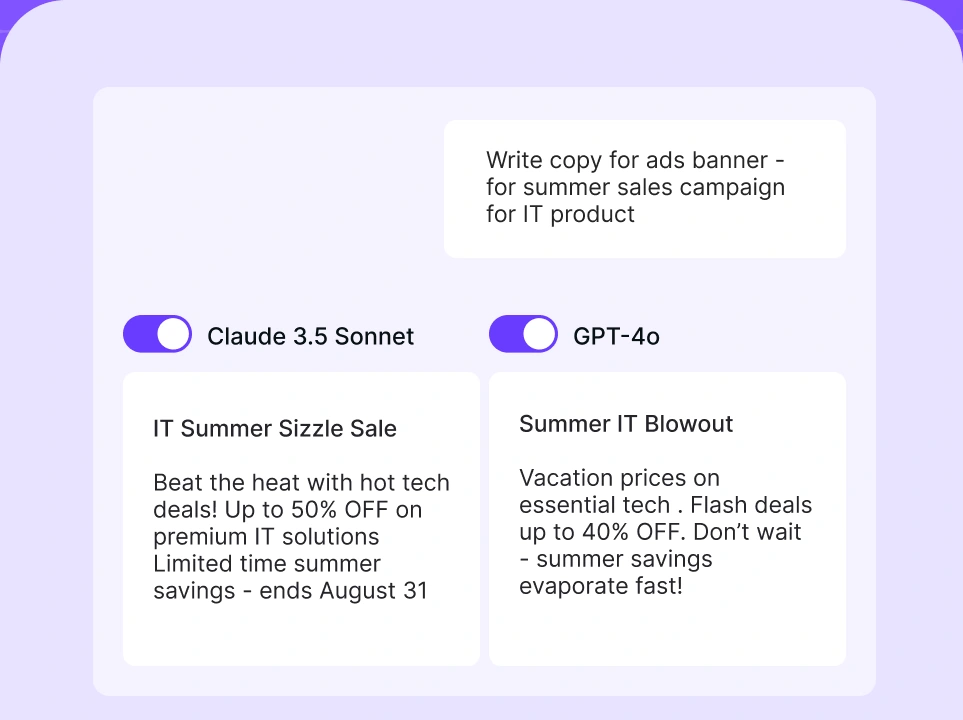
Compare AI models
Build no-code AI Agents

RPA use cases
RPA can support almost any team that relies on repetitive digital work. AI has widened the scope further by helping automation handle less predictable inputs. Below are some common areas where RPA and AI agents can work well together:
- Finance and accounting. RPA is often used for invoice processing, purchase order matching, account reconciliation, payment updates, and recurring financial reports. AI agents help with the less tidy parts, such as reading invoices in different formats and spotting anomalies.
- Human resources. HR teams automate repetitive steps in onboarding, payroll updates, benefits administration, document collection, and access requests. AI agents are useful when employees ask questions in free text, submit incomplete information, or need to be routed to the right HR process.
- Customer support. RPA can update tickets, pull customer data, send standard responses, and process refunds. AI agents add context by summarizing chats, identifying intent, and suggesting the next step.
- Sales operations. RPA tools update CRM records, enrich leads, generate quotes, and handle routine deal administration. AI agents prepare account notes, qualify leads, and draft follow-up messages.
- Marketing. RPA can move campaign data, prepare reports, update lists, and handle repetitive publishing tasks. AI agents help analyze campaign performance, summarize insights, and suggest next actions.
- IT operations. Tech teams use RPA to reset passwords, provision accounts, create tickets, check system status, and run routine maintenance tasks. AI agents help triage incoming requests, understand user needs, and trigger the appropriate automation path.
- Insurance. RPA can process claims, validate forms, update policy records, and generate customer communications. AI agents read claim descriptions, classify documents, and flag unusual cases.
- Banking and financial services. Financial institutions use RPA to automate tasks such as account opening, customer checks, inquiry processing, compliance tasks, and anti-money-laundering workflows. AI agents are especially useful for reviewing unstructured documents, summarizing case details, and escalating cases that need closer attention.
- Procurement and supply chain. Supplier record updates, purchase request processing, order comparisons, and inventory reports can all be automated with RPA. AI agents strengthen the workflow by interpreting supplier emails, detecting delays, and recommending next steps when something changes.
For broader inspiration, AI agent use cases show how agents and automation technologies can support sales, support, data work, and other business functions by executing tasks, making decisions, triggering actions, and coordinating workflows.
Tips for choosing the right RPA tools
Choosing the right RPA tools matters because automation becomes part of how your business runs. A weak automation platform can create more maintenance and frustration than the manual process it replaced, so pick your automation platform carefully. Look for:
- Integration capabilities. Check whether the tool works with your core systems, including CRM, ERP, help desk, email, cloud storage, spreadsheets, databases, and legacy applications.
- Scalability. Make sure the platform can grow from a few automations to many workflows across departments, users, and business units.
- AI and cognitive features. Look for support for document understanding, natural language processing, AI agents, workflow intelligence, and human-in-the-loop review if your processes involve messy or unstructured data.
- Ease of use. Some RPA automation software is built for developers. Some tools are designed for business users. Choose based on who will build, manage, and maintain automations.
- Cost vs. value. Consider licensing, implementation, maintenance, training, infrastructure, and the value of the work being automated.
- Vendor ecosystem. Compare RPA automation companies by their documentation, support, implementation partners, templates, community, and long-term product direction.
- Human oversight. The tool should make it easy to review, approve, pause, override, and audit automated decisions.
- AI agent compatibility. If your automation roadmap includes intelligent automation, choose tools that can work with agents, APIs, models, and business workflows.
nexos.ai agents are a good example of how AI-driven capabilities extend RPA workflows beyond basic task automation. They help teams create no-code agents, automate workflows, and add more intelligence to repetitive processes.
For a broader comparison of agent solutions, see this guide to the best AI agents.