Table of contents
Key takeaways
- LLM gateways help you manage models, security, and costs.
- Smart routing keeps AI apps available to your team.
- The right gateway can cut inference costs by 40–60%.
- Security and governance stay consistent across models.
- The best fit depends on coverage, compliance, and visibility.
What is an LLM gateway?
An LLM gateway is a centralized proxy layer that sits between your applications and every LLM provider you use. Instead of your engineers wiring up separate integrations for OpenAI, Anthropic, and every other LLM you adopt, all traffic routes through one API. One single integration point replaces the growing pile of provider-specific code your team would otherwise maintain.
Here's the problem it solves. Teams start with one model and one provider. That works fine, until it doesn't. You add a second provider for redundancy. A third for a specific use case. Within months, you're managing API keys in five different places, with no single view of what's being spent, by whom, or on what.
An LLM gateway fixes that. It intercepts every request, applies your policies, routes requests to the right model, and logs what happened. Every one of these LLM interactions becomes visible and controllable instead of buried inside individual application code. Your engineering teams get one integration instead of five. Your finance team gets one invoice instead of five. Your security team gets one place to enforce controls instead of five blind spots.

Run every AI model in one Gateway
One secure, lightweight layer to access, route, and manage 200+ models.
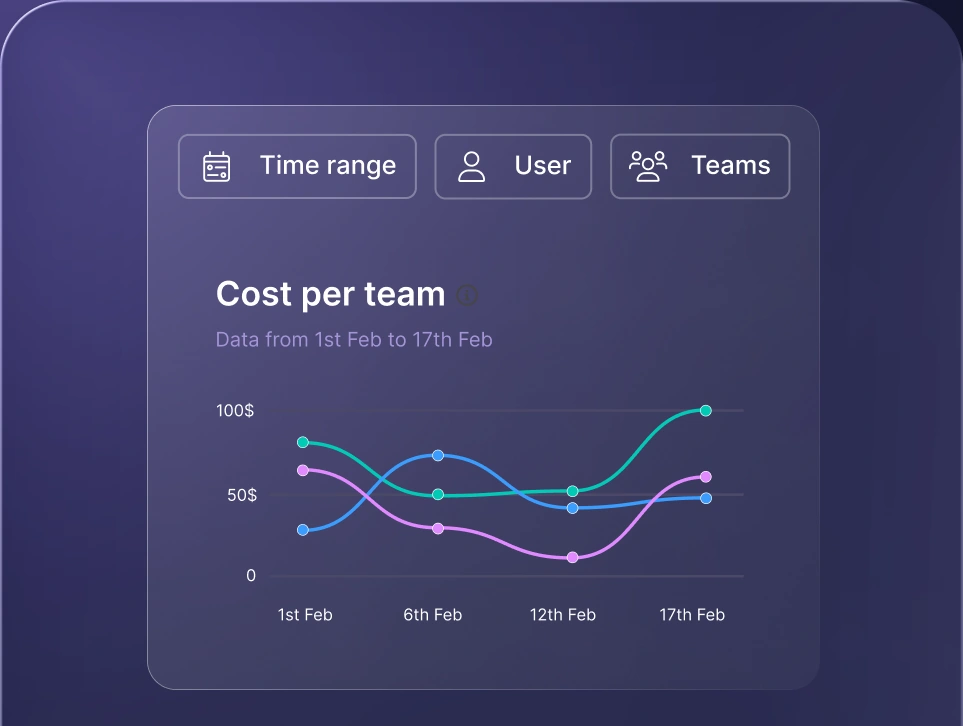
Monitor AI usage
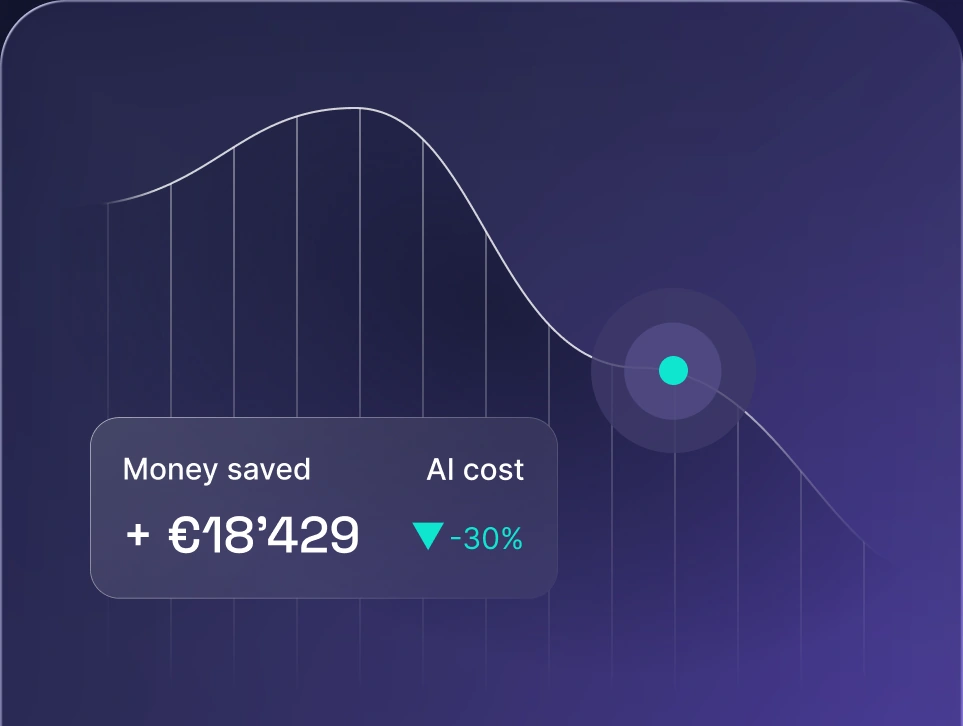
Control AI spend
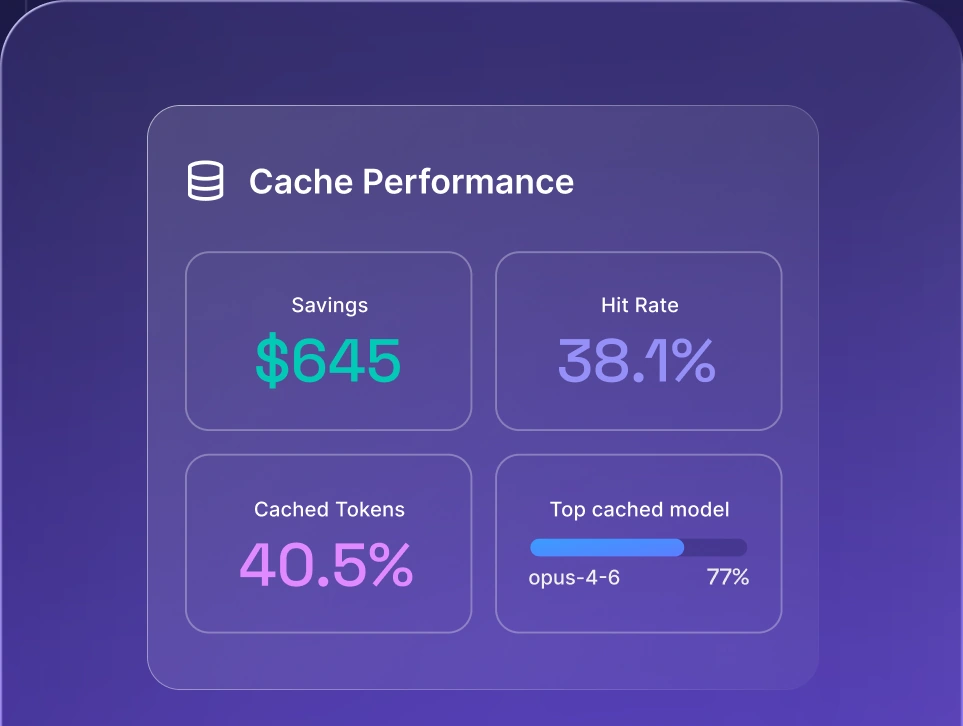
Optimize AI costs

LLM gateway vs. direct API integration
Calling a provider's API directly is the fastest way to start. It's also the fastest way to paint yourself into a corner. Here's how the two approaches compare once you're running real production traffic.
| Capability | LLM gateway | Direct API integration |
|---|---|---|
| Setup speed | Moderate. Requires configuring a proxy or middleware layer. | Fastest. Plugs straight into the vendor's SDK. |
| Provider flexibility | Agnostic. Switch models or vendors through one unified API. | Locked in. Changing providers means refactoring code. |
| Resilience and failover | Automated. Traffic instantly falls back to an alternate model or provider. | Manual. Your code breaks if the primary provider goes down. |
| Observability | Centralized. One dashboard for logs, latency, and costs. | Fragmented. You check a separate dashboard for every vendor. |
Direct API calls make sense on day one. If you're prototyping, running low traffic, or committed to exactly one model from one provider, skip the extra layer. There's no added latency, no infrastructure to maintain.
That trade-off flips once you scale. The moment you add a second provider, need automated failover, or want unified AI usage tracking across teams, direct integrations start costing you more in engineering time than they save in simplicity. Automatic fallbacks alone are hard to justify building yourself once you're running more than one provider. An LLM gateway normalizes request and response formats across providers, so you're never locked into one vendor's API shape.
LLM gateway vs. API gateway
A traditional API gateway manages network traffic. An LLM gateway manages AI models and the context around them. Your DevOps team already runs Kong, Apigee, or AWS API Gateway, so it's a fair question why you'd need another one.
Because a traditional API gateway and an LLM gateway solve different problems. A traditional API gateway manages network traffic. It handles REST or GraphQL routing, IP-based rate limiting, and payload authorization. It has no idea what a prompt, a token, or a model is.
An LLM gateway manages intelligent routing, not just traffic. It understands tokens, context windows, and model behavior, handles prompt management across every provider, and it applies controls that a standard API gateway was never built for.
| Feature | LLM gateway | Traditional API gateway |
|---|---|---|
| Core purpose | Orchestrating AI models and managing context. | Managing web and microservice traffic and security. |
| Rate limiting | Based on token usage per minute and user tiers. | Based on requests per minute or IP address. |
| Caching layer | Semantic caching that understands similar prompt meanings. | Exact-match caching, string or URL-based. |
| Data safety | LLM filters: PII redaction, prompt injection defense. | Standard payload inspection and JSON validation. |
| Cost management | Tracks dollar spend and token consumption per model. | Tracks LLM infrastructure usage and API calls. |
Your existing API gateway isn't going anywhere. It still protects your infrastructure. An LLM gateway sits alongside it, purpose-built for the parts of your stack that speak in tokens instead of requests.
How does an LLM gateway work?
An LLM gateway intercepts every request between your app and the model, applies your routing and security rules, then sends it to the right provider and logs the result. Here's that cycle broken down step by step.
Here's what happens between the moment your app sends a prompt and the moment it gets an answer back.
- 1.Your application sends a request. Instead of calling OpenAI or Anthropic directly, your app sends the prompt to the gateway's unified API endpoint.
- 2.The gateway intercepts it and checks auth and policy. It validates the API key, confirms the user or team has permission to use the requested model, and applies any security filters before the request goes further.
- 3.The gateway makes a routing decision. Based on your rules, cost, latency, or task type, it picks which model and provider should handle the request.
- 4.The request gets translated into the provider's format. Every provider expects a slightly different payload shape. The gateway handles that translation, so your application code never has to.
- 5.The response comes back, gets logged, and is returned to you. Token counts, latency, and cost are recorded automatically, then the answer is passed back to your application in a consistent format.
This entire cycle runs in milliseconds, invisible to your users. Your application code stays simple. The gateway carries the complexity.
Key features of an LLM gateway
These are the capabilities that separate a gateway that works in a demo from one that holds up in production. They're what keeps LLM applications reliable once real users depend on them. Here's what to look for in an LLM API gateway built for real workloads.
Unified API and multi-provider routing
A unified API means your engineering team writes integration code once and gets access to every model you support, current and future. No more juggling separate LLM APIs with different formats, auth methods, and rate limits for every provider. No refactoring every time you add a provider or a new model drops.
Routing decides where each LLM request goes. Gateways route by cost (send simple queries to a cheaper model), by latency (pick whichever provider responds fastest right now), or by task (route code generation to one model, customer support replies to another). This is the same logic that powers AI workspace access to multiple LLMs, applied at the API layer instead of the chat interface.
Reliability: failover and automatic retries
Even major providers go down. Rate limits get hit during traffic spikes. Load balancing across providers is what keeps a single spike or outage from becoming your outage. Without a gateway, either of those events takes your AI feature offline with it, because your code is calling one endpoint with no fallback plan.
With a gateway, failover is automatic. If your primary provider errors out or throttles you, the gateway reroutes the request to a backup model in milliseconds. Your users see a normal response time. Your on-call engineer doesn't get paged at 2 a.m. because Anthropic had a bad hour.
Cost optimization and spend tracking
Gateways track LLM usage per request, per user, per team, and per project, in real time, so you get usage analytics. Set a budget limit for a team, and the gateway enforces it, instead of finding out about the overspend when the invoice lands.
Semantic caching adds another layer of savings. When a similar prompt has already been answered, the gateway returns the cached response instead of paying for a fresh model call. Production deployments typically see cache hit rates in the 30-40% range, with FAQ-style and repetitive workloads climbing higher. That's a direct, measurable cut to your token bill, not a theoretical one.
Security and compliance
Centralizing your AI traffic through one layer means you centralize your security controls too. API key management, role-based access control, PII redaction, and prompt injection detection all run at the gateway level instead of being bolted onto each application separately. Security filters become an organization-wide setting, not a per-team gamble.
This also makes compliance tractable. Meeting GDPR, SOC 2, or ISO 27001 requirements is far simpler when every model call passes through one auditable layer, instead of being scattered across a dozen individual integrations your security team has to chase down separately. Compliance controls that live in one place are the ones that are actually enforced.
LLM observability and monitoring
Every LLM request, response, latency figure, and token count gets logged in one place. Built-in observability means you're not bolting on a third-party monitoring tool after the fact. That matters when you're debugging a spike in costs, investigating a bad output, or proving to a compliance auditor exactly what sensitive data went where.
Without a gateway, data residency lives in fragments, split across every provider's own dashboard, none of which talk to each other. LLM observability at the gateway level gives you one source of truth instead of five partial ones.
AI governance
The gateway is where your AI policies actually get enforced, not just written down in a document nobody reads. Who can access which models. What kinds of outputs are allowed. Where your sensitive data is permitted to flow, and where it isn't.
For enterprise teams operating under internal AI governance mandates, this isn't optional. AI governance built into the gateway means policy violations get blocked automatically, instead of getting caught after the fact.
Key benefits of using an LLM gateway
Every feature above adds up to a handful of outcomes your team actually feels. Here's what changes once an LLM gateway is running in production.
- Lower inference costs. Smart LLM routing sends each request to the right model for the job instead of defaulting to the most expensive one. Enterprises using AI gateways for cost governance report 40-60% reductions in inference costs.
- No vendor lock-in. Switch providers or add new models without rewriting your application code. Your integration stays the same even as the model landscape shifts underneath it.
- Fewer outages. Automatic failover means a single model provider's downtime doesn't take your AI features down with it.
- One invoice, one view. Finance gets consolidated spend across every model provider instead of reconciling five separate bills.
- Faster AI adoption, safer rollout. IT sets access policies and filters once, and every team can start using approved models immediately, without each department negotiating its own security review.
- Audit-ready by default. Every request is logged automatically, so compliance reporting is a query, not a project.
- Real-time budget control. Set spend limits per team or project and get alerted before they're breached, not after.
None of these benefits require a bigger team or a longer timeline. They come from consolidating what you already run through one layer.
When does your team need an LLM gateway?
You need an LLM gateway the moment managing AI providers directly starts costing you more time than it saves. For most teams, that happens faster than expected.
- You're running two or more LLM providers in production. Managing separate integrations and keys for each one adds engineering overhead that compounds with multiple providers.
- Downtime from a single provider is a real business risk. If a provider outage means your product stops working, you need automated failover.
- Nobody can answer "what are we spending on AI, broken down by team?" If cost visibility lives in five different dashboards, you don't have cost control.
- You're under compliance requirements. GDPR, SOC 2, or an internal AI governance policy all get significantly harder to satisfy without a single auditable layer.
- Multiple teams are building with AI independently. Without central policy enforcement, every team makes its own security and access decisions, and some of them will make the wrong ones.
- You're paying for frontier models on requests that don't need them. Smart LLM routing sends simple queries to cheaper models automatically, instead of defaulting every prompt to your most expensive option.
If two or more of these sound familiar, the gap has already opened. Waiting only makes it wider.
How to choose an LLM gateway
Not every gateway is built for the same job. Here's what to evaluate before you commit.
- Provider coverage. How many LLMs and providers does it support out of the box, and how fast does it add new models when they launch?
- Deployment options. Do you need SaaS, self-hosted models, or on-prem? An open-source LLM gateway gives you more control over AI infrastructure, at the cost of maintaining it yourself.
- Latency overhead. Every gateway adds a hop between your app and the model. Ask for real latency benchmarks, not marketing claims.
- Security certifications. SOC 2, ISO 27001, and GDPR compliance aren't optional for enterprise deployments. Confirm what's certified, not just what's claimed.
- Observability depth. Can you trace a single request end-to-end, or do you only get aggregate numbers?
- Filters. PII redaction and prompt-injection defense should be built in, not something you have to build on top of.
- Pricing model. Understand whether you're paying a markup per token, a flat platform fee, or both, and model that against your actual traffic.
Weigh these against your own traffic patterns and compliance requirements before you look at any single vendor's feature list. What counts as the best LLM gateway for a five-person startup looks very different from what an enterprise with a named AI Platform team needs.
How nexos.ai's AI Gateway works in practice
The nexos.ai AI Gateway handles smart routing, caching, and failover, while also giving teams one place to manage AI access, usage, security, and costs. While most LLM gateways are built mainly for developers, nexos.ai is designed for the whole organization as part of an all-in-one AI platform hosted in the EU.
Governance and AI orchestration are built into the platform, with security filters applied to every request across teams and models. Non-technical teams can also use the No-code Agent Builder under the same policies and controls as engineering. That broader scope is why we call it an AI Gateway rather than simply an LLM gateway.


Run every AI model in one Gateway
One secure, lightweight layer to access, route, and manage 200+ models.
